
Apache ShenYu on AWS User Guide
Overview
This image runs Apache ShenYu, the high performance, reactive open source API gateway built on Java and Spring WebFlux. ShenYu provides dynamic routing, load balancing, traffic control, rate limiting, circuit breaking, authentication and observability through a rich, hot pluggable plugin ecosystem, and it manages all of its configuration from a graphical admin console and a REST API.
The stack is a set of coordinated services on a single instance. The shenyu-admin control plane serves the web console and REST API on the loopback interface at 127.0.0.1:9095. The shenyu-bootstrap reactive data plane gateway proxies your traffic and applies the configured plugins, listening on the loopback interface at 127.0.0.1:9195. A local MySQL 8 config store holds the durable source of truth for every selector, rule and plugin, with its data directory on a dedicated, independently resizable EBS data volume mounted at /var/lib/shenyu. An nginx reverse proxy publishes the admin console on port 80 and serves an unauthenticated health endpoint.
The admin console, the gateway data plane and MySQL all bind to the loopback interface only. The administrator password and the MySQL application password are generated on the first boot of every deployed instance, so two instances launched from the same Amazon Machine Image never share credentials, and the well known ShenYu default login no longer works. The admin password is written to /root/apache-shenyu-credentials.txt with mode 0600 so that only the root user can read it. A demo route (/cloudimg-marker) is seeded so the gateway proxies real traffic out of the box.
Prerequisites
Before you deploy this image you need:
- An AWS account and permission to launch EC2 instances from an AWS Marketplace subscription.
- An EC2 key pair in the target region for SSH access.
- A security group that allows inbound TCP
22(SSH) from your address and inbound TCP80(the admin console via nginx) from the networks that should reach it. Restrict both to trusted CIDRs. - The recommended instance size is
m5.largeor larger. ShenYu runs two JVM services plus MySQL, so at least 8 GB of RAM is recommended.
Connecting to your instance
Connect over SSH as the default login user for your instance's operating system variant. The private key is the EC2 key pair you launched the instance with.
| OS variant | SSH login user |
|---|---|
| Ubuntu 24.04 LTS | ubuntu |
ssh -i /path/to/key.pem ubuntu@<public-ip>
Retrieve the admin credentials
The administrator password is generated on first boot and stored in a root only file. Read it with sudo:
sudo cat /root/apache-shenyu-credentials.txt
You will see the console URL, the admin user and the generated password:
SHENYU_URL=http://203.0.113.10/
SHENYU_ADMIN_USER=admin
SHENYU_ADMIN_PASSWORD=Ex4mple-Per-Instance-Secret
Sign in to the admin console
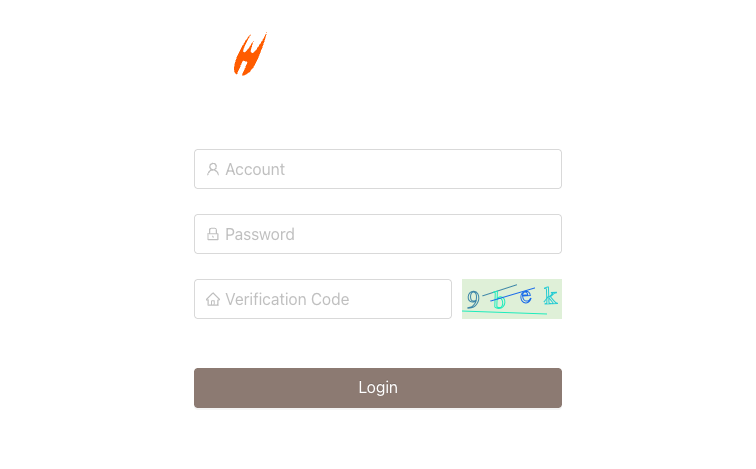
Browse to http://<public-ip>/ and sign in with the user admin and the password from the credentials file. A verification code (captcha) protects the login form.
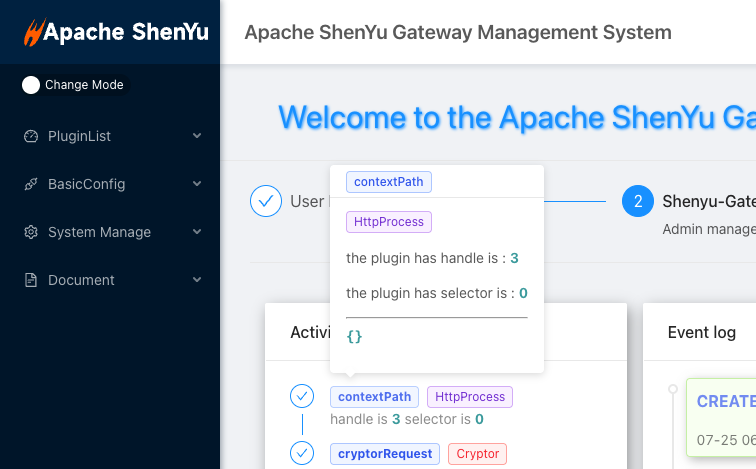
After signing in, the dashboard shows an overview of the gateway plugins, selectors and rules and recent activity.
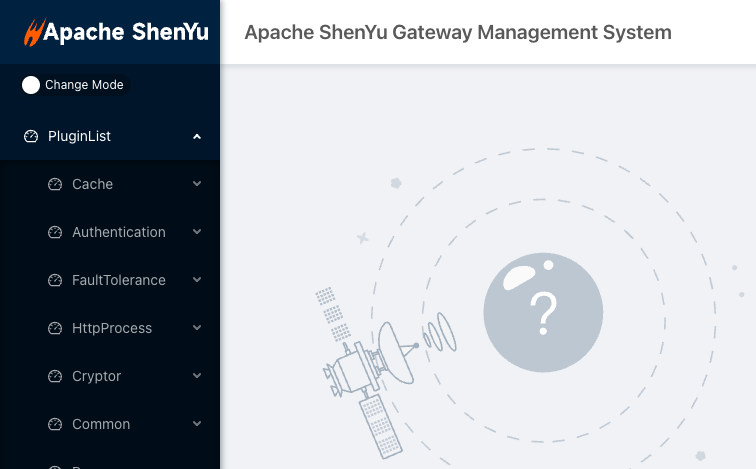
The Plugin List groups the hot pluggable gateway plugins: routing and load balancing (divide), authentication, rate limiting, fault tolerance, cryptography and more. Enable a plugin, then attach selectors and rules to route and transform traffic.
Verify the services
All four services start automatically on boot and restart on failure. Confirm they are active:
systemctl is-active mysql shenyu-admin shenyu-bootstrap nginx
active
active
active
active
The unauthenticated health endpoint served by nginx returns 200:
curl -s -o /dev/null -w '%{http_code}\n' http://127.0.0.1/health
200
The gateway data plane
The reactive gateway (shenyu-bootstrap) listens on the loopback interface at 127.0.0.1:9195. The image seeds a demo route, /cloudimg-marker, that the divide plugin proxies to a local backend, so you can prove an end to end proxy round trip immediately:
curl -s http://127.0.0.1:9195/cloudimg-marker
SHENYU_GATEWAY_MARKER_OK
This request entered the ShenYu gateway on port 9195, matched the seeded selector and rule, and was proxied to the backend, which returned the marker. Configuration is synced from the admin control plane to the data plane in real time and is persisted in MySQL on the dedicated data volume, so your routes survive restarts and instance replacement.
Create your own routes
Routes in ShenYu are built from a plugin, a selector (which requests to match, and which upstreams to send them to) and one or more rules (how to transform the matched traffic). To publish your own upstream service through the gateway:
- In the admin console, open PluginList, find the divide plugin and make sure it is enabled.
- Add a selector that matches the requests you want to route (for example a URI prefix) and register your upstream host and port.
- Add a rule under that selector to apply load balancing, rate limiting, authentication or any other plugin behaviour.
- Send traffic to the gateway data plane and ShenYu proxies it to your upstream.
The admin REST API is available on the loopback interface at http://127.0.0.1:9095/ for automation and infrastructure as code; the console drives the same API.
Exposing the gateway securely
By design the admin console (port 80), the admin REST API (127.0.0.1:9095) and the gateway data plane (127.0.0.1:9195) are not open to the internet beyond the console on port 80. For production traffic:
- Publish the gateway data plane behind your own ingress and TLS (for example an Application Load Balancer or an nginx TLS front end) rather than exposing
9195directly. - Keep the admin console restricted to trusted networks in your security group, and front it with TLS.
- The MySQL config store and the admin REST API remain on the loopback interface; do not open them.
Maintenance
- Config store: all gateway configuration lives in MySQL on the data volume mounted at
/var/lib/shenyu. Back up that volume (EBS snapshots) to protect your selectors, rules and plugins. - Logs: the admin and bootstrap logs are written under
/var/lib/shenyu/logs. - Restarts:
sudo systemctl restart shenyu-admin shenyu-bootstrapreloads the services; configuration is reloaded from MySQL and re synced to the data plane.
Support
This image is published by cloudimg with 24/7 technical support by email and chat. We can help with deployment, selector and rule design, plugin configuration, authentication and rate limiting, the MySQL config store, the admin console, TLS and gateway tuning.
Apache ShenYu is a trademark of the Apache Software Foundation. All product and company names are trademarks or registered trademarks of their respective holders. Use of them does not imply any affiliation with or endorsement by them.