Base
Hardened build
minimal ports, security patches applied at build time

Plotly Dash, a Python framework for building interactive analytical web applications, shipped as a production dashboard server with a live sample dashboard on first boot.
Plotly Dash is an open source Python framework for building interactive, data driven web applications and analytical dashboards without writing JavaScript. You describe a dashboard's layout and its interactive behaviour entirely in Python: charts powered by Plotly, controls such as dropdowns, sliders and date pickers, and callbacks that recompute the charts and tables whenever a user changes an input. The result is a browsable analytics application that updates live in the browser as people explore the data.
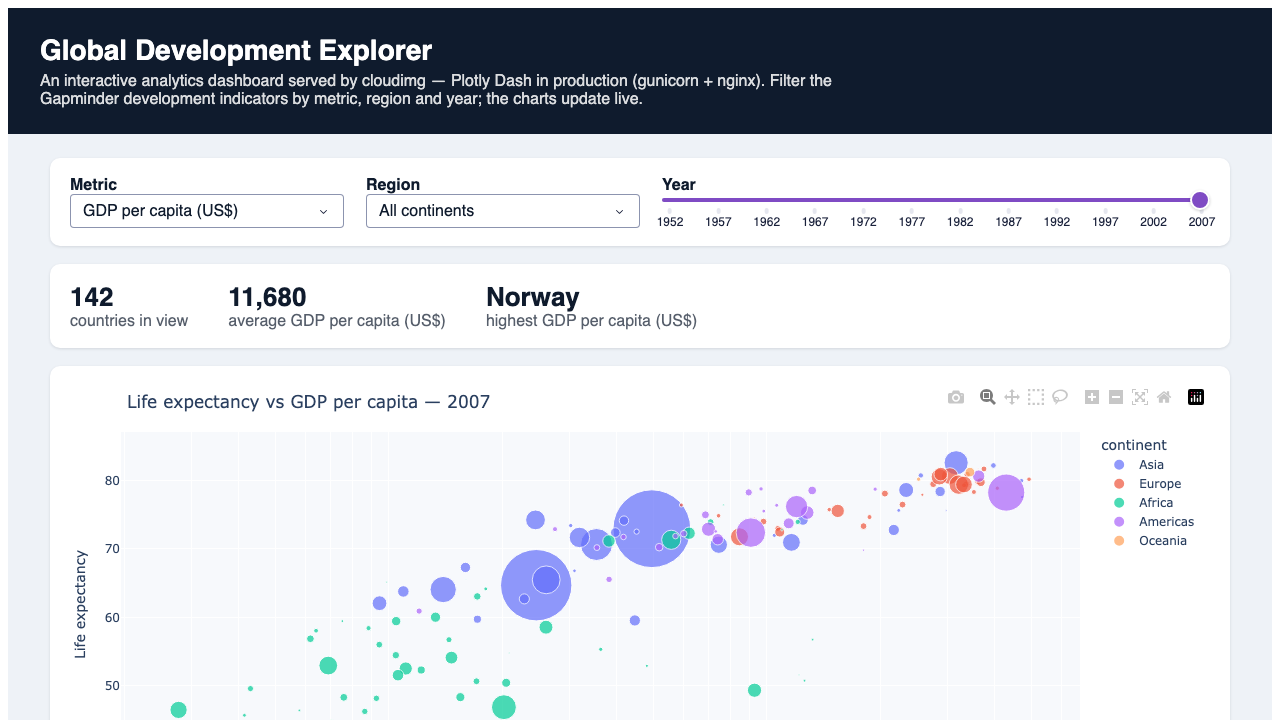
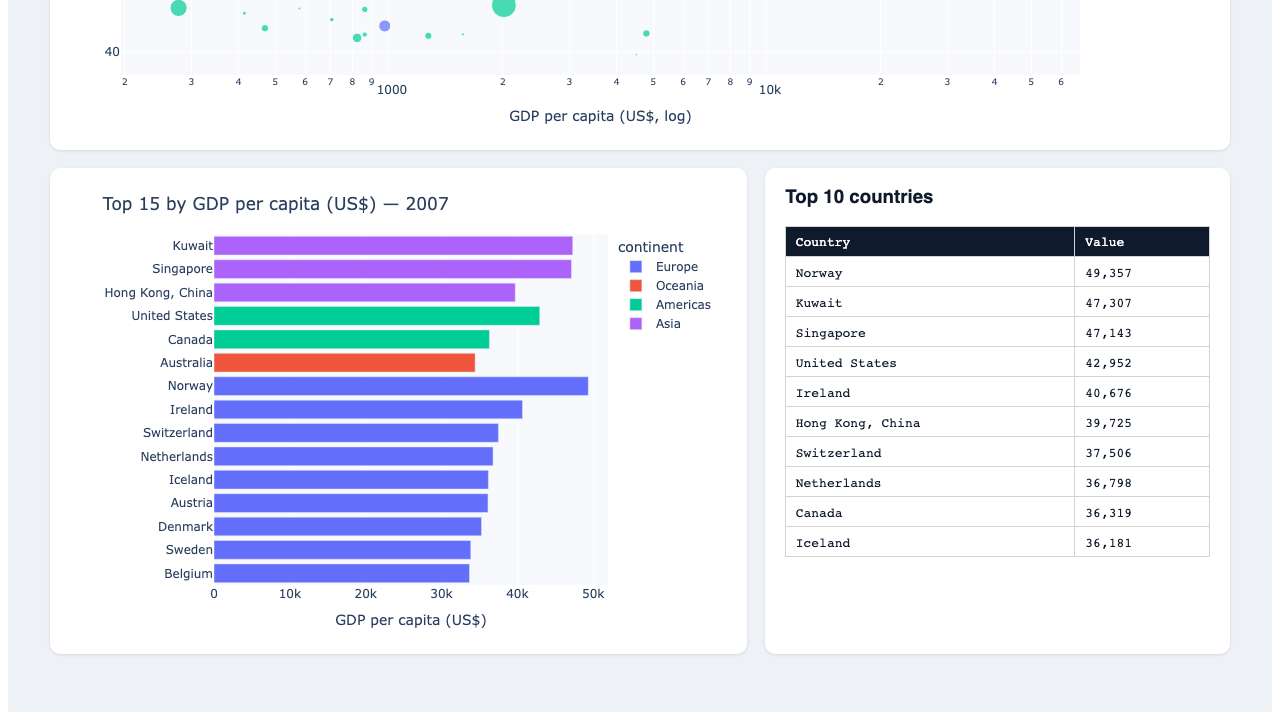
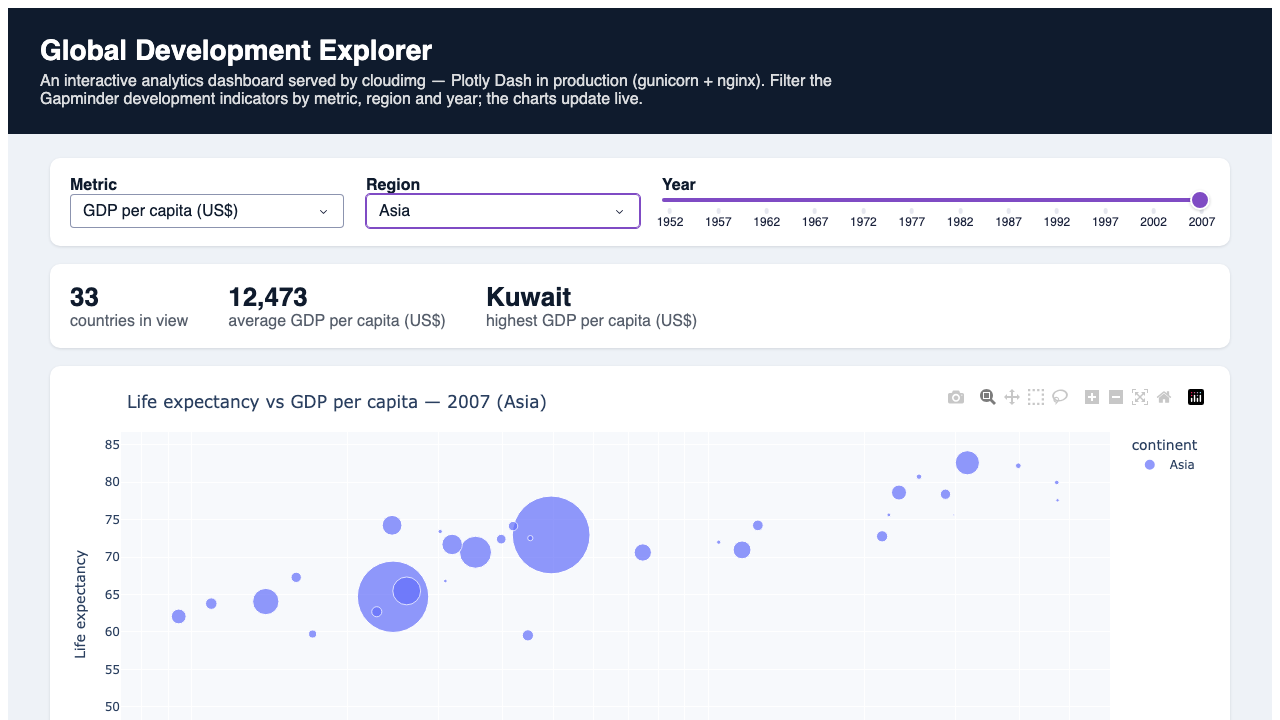
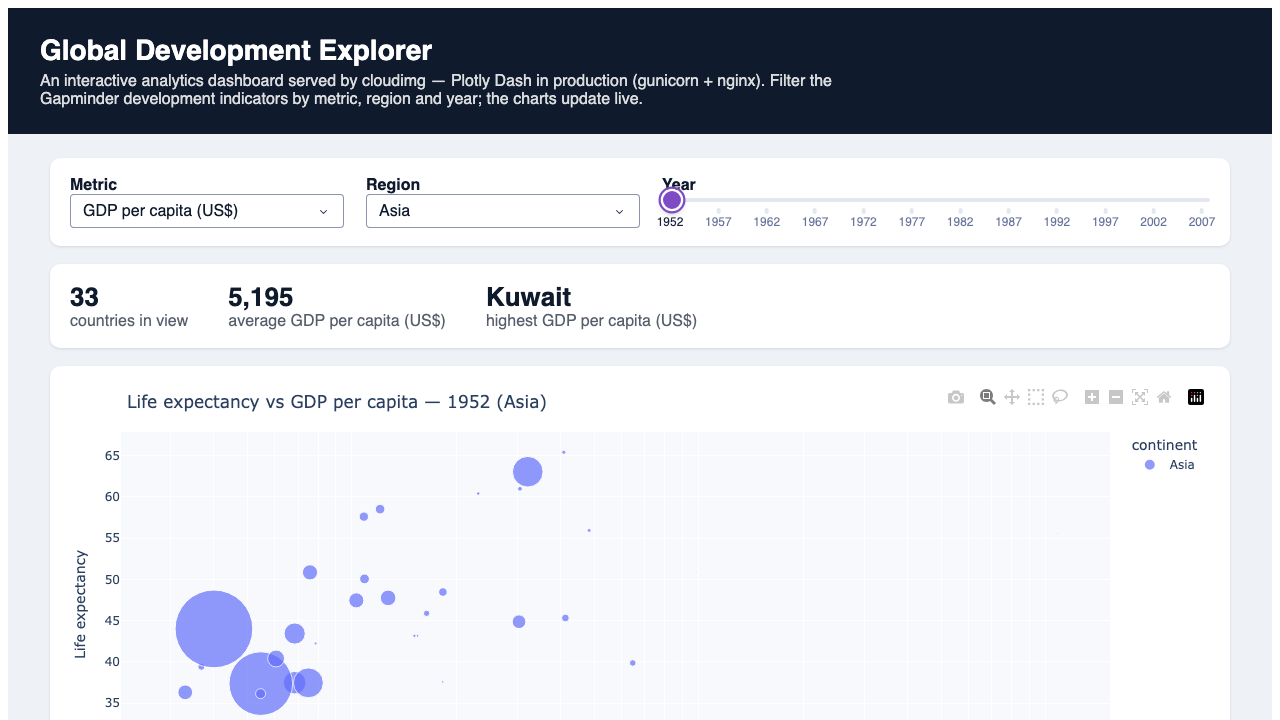
This image ships Dash as a finished, ready to run dashboard server rather than a bare framework. A substantive sample dashboard, the Global Development Explorer, is bundled and live on first boot: a Plotly bubble chart, a ranked bar chart and a data table driven by a metric dropdown, a region dropdown and a year slider, so the appliance behaves like a real product immediately. It suits data and analytics teams who want to publish interactive dashboards in pure Python, and developers who want a production ready Dash host they can point at their own application.
cloudimg delivers Dash in production mode, not the development server: the app is served by gunicorn as a WSGI application on the loopback interface and fronted by nginx, so it is ready for real traffic the moment it boots. It is secure by default: Dash has no login of its own, so the dashboard is placed behind HTTP Basic Auth at the reverse proxy and a unique administrator password is generated on the first boot of every instance and written to a root only file, so no two instances share a credential and the dashboard is never exposed without a login. A genuine interactive sample dashboard is bundled and verified to render and respond to input, the base is fully patched with unattended security upgrades enabled, and every deployment is paired with a step by step guide, showing how to replace the sample with your own Dash application, and backed by 24/7 cloudimg support.
Real screenshots taken while testing this image against its deployment guide.
This image runs Ackee 3.6.0, the open source, privacy-friendly web analytics tool - a cookie-free, self-hosted alternati...

Apache DolphinScheduler is a distributed, easy-to-extend visual workflow scheduler for big-data and ETL pipelines.
Apache Drill is the open-source, schema-free distributed SQL query engine for big data exploration.

Apache Flink is the leading open-source stream-processing engine for stateful computations over unbounded and bounded da...

Apache Hadoop is the open-source framework for distributed storage (HDFS) and distributed processing (YARN + MapReduce) ...

Apache Hive is the open-source data warehouse and SQL query engine that lets you read, write and manage large datasets s...