Base
Hardened build
minimal ports, security patches applied at build time

AKHQ, the open source web GUI for Apache Kafka, bundled with a ready to use broker so you can browse topics, messages and consumer groups the moment it boots.
AKHQ is an open source web GUI for managing and observing Apache Kafka. It gives engineers a fast console to browse topics and partitions, inspect and search live messages, monitor consumer groups and their lag, view broker and cluster configuration, and work with schemas, connectors and ACLs, all from the browser.
This image bundles AKHQ together with a single node Apache Kafka broker running in KRaft mode, so it is a complete, self contained Kafka workbench on first boot rather than a console that still needs a cluster wired up. It suits development and test environments, Kafka evaluation and demos, and teams that want a lightweight window into an event streaming platform.
cloudimg delivers AKHQ and its bundled Kafka broker fully installed behind an nginx reverse proxy, so a working console answers the moment the instance boots. The image is secure by default and carries no usable login: AKHQ ships with authentication switched off, so cloudimg turns on its security and, on the first boot of every instance, a one shot service generates a random admin password and a unique token signing secret for that instance and writes the password to a file only the root user can read. The Kafka broker listens only on loopback so it is never exposed to the network, Kafka data and the application each sit on their own dedicated, independently resizable volume, and every deployment is paired with a step by step deploy guide and backed by 24/7 cloudimg support.
Real screenshots taken while testing this image against its deployment guide.
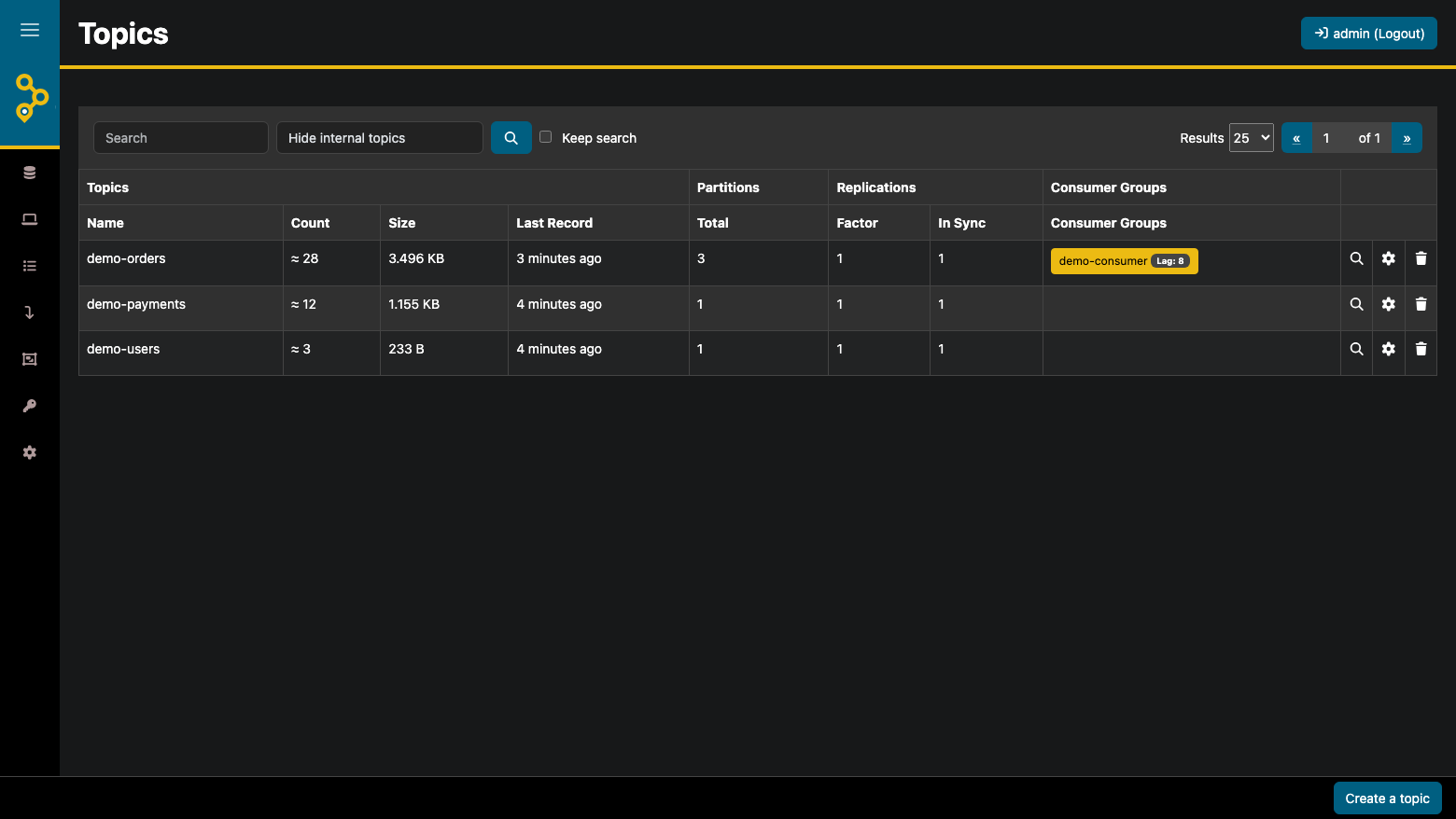
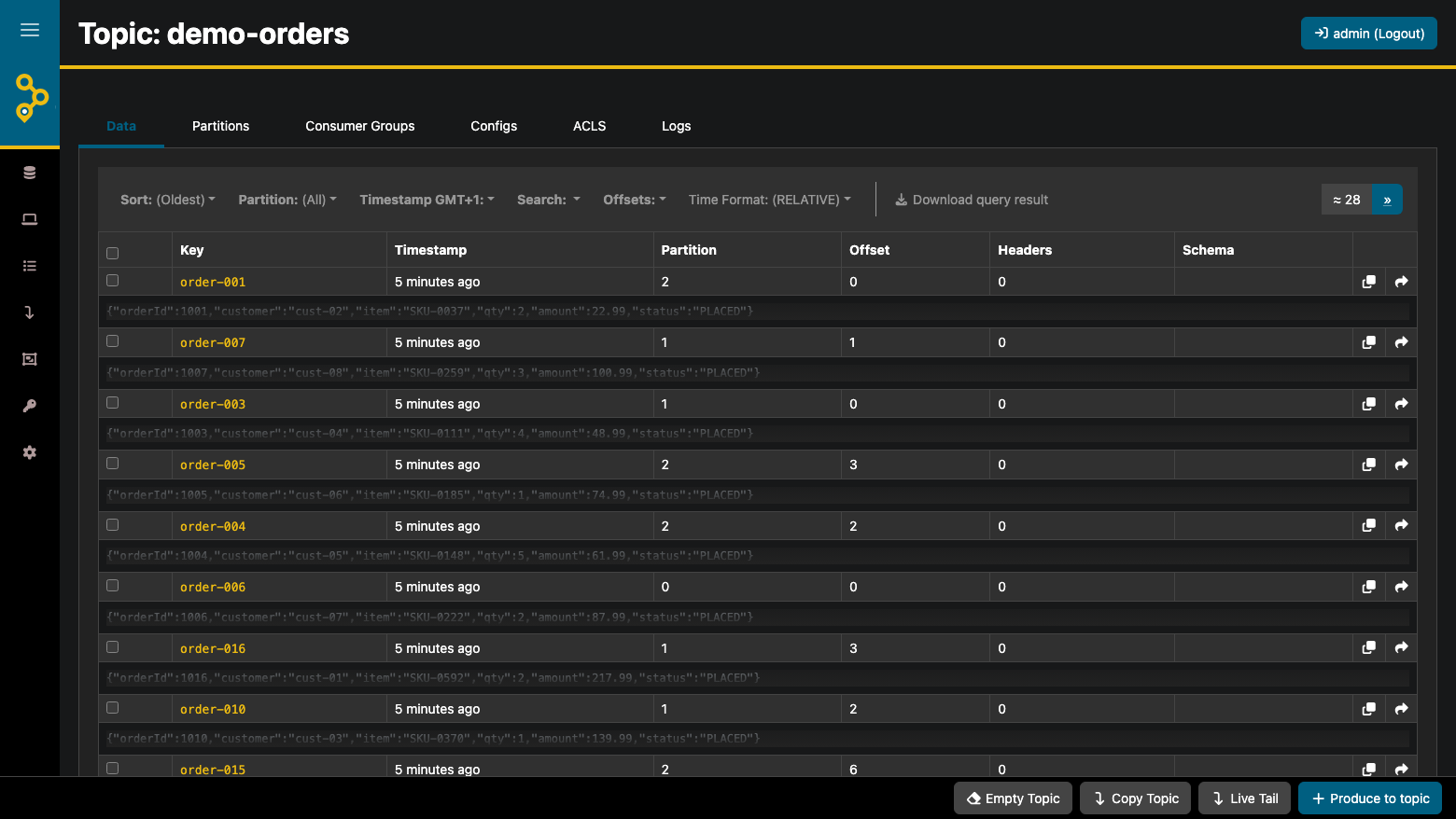
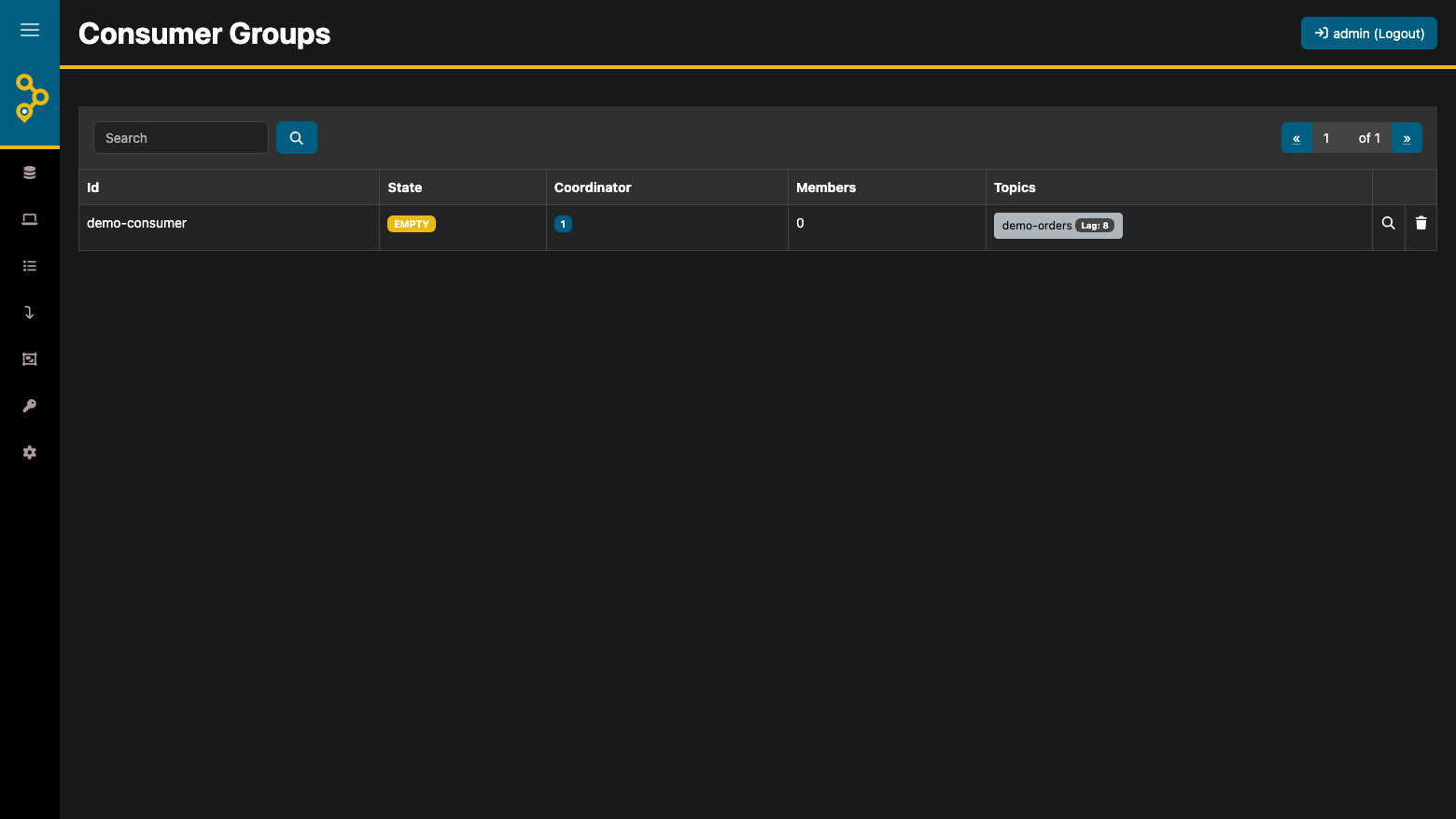
This is a repackaged open source software product wherein additional charges apply for cloudimg support services.
## A Working Kafka Console in Minutes
AKHQ is the popular open source GUI for Apache Kafka, with an active open source contributor community. This AMI ships AKHQ 0.27.1 with a single node Apache Kafka 4.3.1 broker already installed, configured and seeded, so the console has a real cluster to manage the moment the instance boots. Browse topics and partitions, tail and search live messages, monitor consumer groups and lag, inspect broker and topic configuration, and manage ACLs from one web console.
## Who This Is For
## Application Stack
## Secure By Default
Upstream AKHQ ships with security disabled and anonymous full access. This image does not:
## Ready To Explore On First Boot
First boot formats fresh KRaft storage and seeds demonstration topics with real JSON events, plus a consumer group with committed offsets and non zero lag. The topics, messages and consumer views show genuine data immediately. Delete the demonstration topics whenever you are ready to point AKHQ at your own workloads.
## Getting Started
1. Launch the AMI on an m5.large instance or larger
2. SSH into the instance and read the generated administrator password from the root only credentials file
3. Open your browser to the instance public address on port 80
4. Sign in as administrator and open the cloudimg cluster
5. Browse the seeded topics, tail live messages, and inspect the demonstration consumer group and its lag
For a detailed walkthrough, see the user guide linked in the Additional Resources section.
## Recommended Instance Sizing
## Use Case: Debugging A Stuck Consumer
An engineer is paged because orders are not being processed. They open AKHQ, find the orders topic, and see the consumer group lag climbing on one partition. They tail the live messages on that partition, spot a malformed payload, and confirm the committed offset has not advanced past it. Diagnosis takes minutes rather than an afternoon of command line tooling.
## 24/7 cloudimg Support
Every deployment is backed by cloudimg engineers available around the clock via email and live chat. Support covers:
Critical issues receive a one hour average response time.
## Evaluation
This AMI uses standard AWS pay as you go infrastructure billing. Launch an instance to evaluate AKHQ against the bundled broker or your own cluster, and terminate at any time with no long term commitment.
AKHQ and Apache Kafka are trademarks of their respective owners. All product and company names are trademarks or registered trademarks of their respective holders. Use of them does not imply any affiliation with or endorsement by them.

This image runs Apache ActiveMQ Artemis, the high performance, non blocking message broker from the Apache ActiveMQ proj...
This image runs Apache ActiveMQ Classic, the long established open source message broker from the Apache Software Founda...

RabbitMQ is a widely-used open source message broker that implements the AMQP protocol. This image provides RabbitMQ 4.3...

The cloudimg image ships the free and open source, MIT licensed docker-mailserver, run the officially supported way as t...

This image runs Eclipse Mosquitto, the open source MQTT broker, fully installed and configured from the official Mosquit...
This image runs ejabberd, a robust, massively scalable self-hosted XMPP (Jabber) real-time messaging server.