Base
Hardened build
minimal ports, security patches applied at build time

ArozOS, a self hosted web desktop and cloud file platform that puts a full browser based desktop, file manager and multi user file server on your own server.
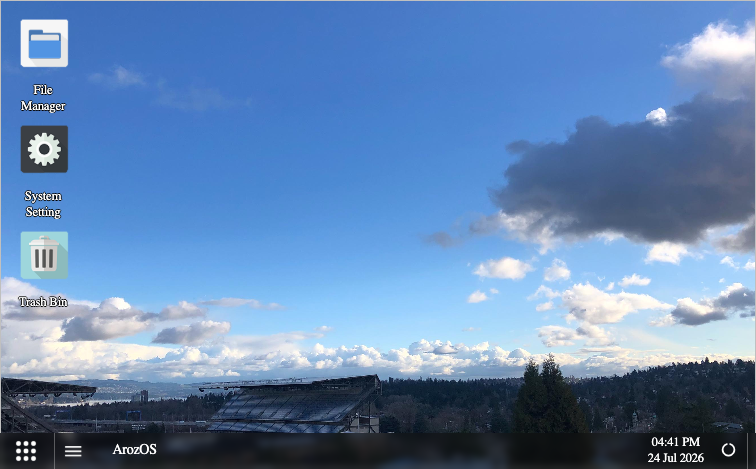
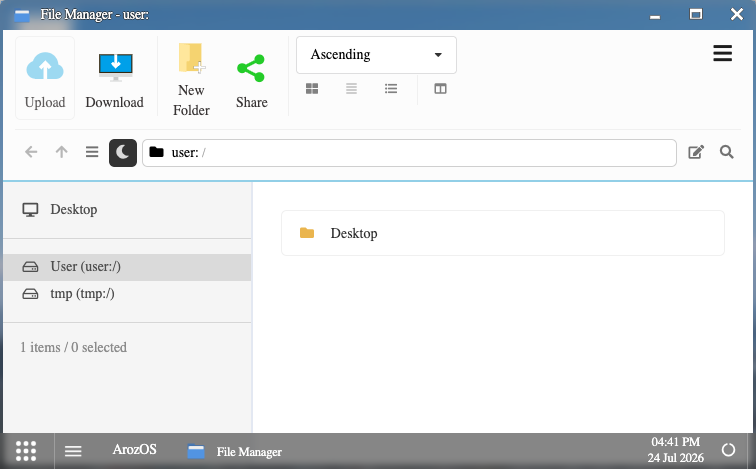
ArozOS is a web desktop operating system: open it in a browser and you get a complete desktop environment, with a start menu, a task bar and draggable windows, running over a virtual file system that you own. Its core is a drag and drop file manager for uploading, organising, previewing and sharing files, alongside a built in text and code editor, media streaming, and a per user static web server for publishing pages straight from a folder.
It is multi user from the ground up. Administrators create accounts, assign permission groups and set storage quotas, so a family, a team or a small organisation can share one server while each person keeps a private file space and a shareable public one. Optional built in file servers expose the same storage over FTP, WebDAV, SFTP and TFTP for desktop clients and legacy devices, and additional storage can be mounted into the virtual file system so local and remote volumes appear side by side.
It suits anyone who wants the convenience of a hosted drive and desktop without handing their files to a third party: a personal cloud, a shared team drive, or a self owned alternative to a commercial file sync service.
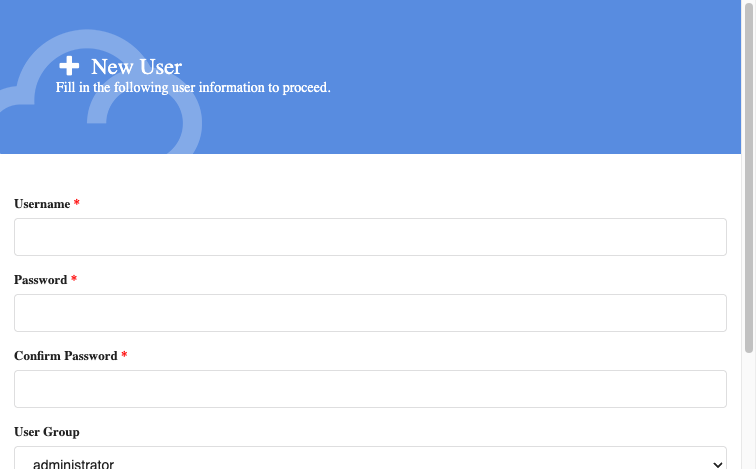
ArozOS is delivered fully installed, with its web resource archive already unpacked, so the desktop answers as soon as the instance boots rather than spending the first several minutes unzipping itself. cloudimg ships it with no baked account: the account store is empty, so the first person to reach it gets the create administrator form and chooses their own credentials, and no two instances share a login. The official release archive ships a fixed private key that every installation worldwide otherwise reuses as its file server host key, so cloudimg removes it from the image entirely and generates a fresh, stronger key uniquely on each instance's first boot. Your files and the account store live on a dedicated data volume that is captured into the image and re provisioned on every instance, separate from the system disk and independently resizable. The base is fully patched with unattended security upgrades enabled, and every deployment is paired with a step by step deploy guide, backed by 24/7 cloudimg support.
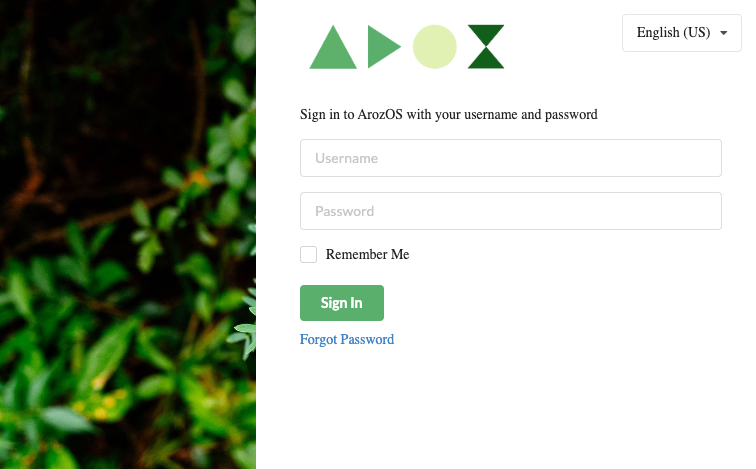
Real screenshots taken while testing this image against its deployment guide.
This is a repackaged open source software product wherein additional charges apply for cloudimg support services.
## Overview
ArozOS is a self hosted web desktop and cloud file platform. Open it in a browser and you get a complete desktop environment, a start menu, a taskbar, and draggable windows, running over a virtual file system that you own. Unlike alternatives that require a PHP stack and an external MySQL or PostgreSQL database, ArozOS runs as a single Go binary with an embedded key value store, meaning fewer moving parts, fewer failure points, and simpler operations. This image delivers ArozOS fully installed and running as a systemd service with its web resource archive already unpacked, so the desktop answers within moments of launch with no first run unzip delay.
## Application Stack
A single ArozOS Go binary installed under /usr/local/bin/arozos, run by a systemd service on port 8080. The web assets, embedded account and settings store, device identity, and every user's files are stored on a dedicated data disk that is independently resizable and survives instance replacement. There is no external database dependency. There is deliberately no reverse proxy in front of the desktop because the web interface is a websocket heavy single page application that upstream addresses directly on port 8080.
## Web Desktop and File Manager
Work in a familiar windowed desktop in the browser. Upload, download, move, rename, preview, and share files with a drag and drop file manager. Edit text and code in a built in editor, stream media, and publish a folder as a static website through the per user web server. Mount additional storage into the virtual file system so local and remote volumes appear side by side.
## Multi User File Server
ArozOS is multi user from the ground up. Administrators create accounts, assign permission groups, and set storage quotas, so a family, a team, or a small organisation can share one server while each person keeps a private file space and a shareable public one. Optional built in file servers expose the same storage over FTP, WebDAV, SFTP, and TFTP for desktop clients and legacy devices, all opt in from the settings interface and disabled by default.
## Secure First Boot
No user account ships in this image. The first person to reach the desktop is served the create administrator form and chooses their own username and password, so no two instances share a login and no default credential ships. The official ArozOS release archive contains a fixed private key that every installation otherwise reuses. This image removes that shared key entirely and generates a fresh, stronger per instance key on first boot, the same treatment as regenerating SSH host keys.
## Use Cases
## Ready to Use
The web desktop is served on port 8080. Browse to the instance on that port and complete the create administrator form to claim the desktop. Because that form is open to whoever reaches the port first, scope the inbound security group rule for port 8080 to your own IP address and create your administrator account immediately after the instance boots.
## cloudimg Support
24/7 technical support by email and chat. Help with deployment, user and permission group management, storage quotas, the built in FTP, WebDAV and SFTP file servers, mounting additional storage, enabling TLS, and backing up the data disk. To get started or discuss your deployment requirements, reach out to cloudimg support after subscribing.
All product and company names are trademarks or registered trademarks of their respective holders. Use of them does not imply any affiliation with or endorsement by them.

Apache Ozone is the scalable, distributed object store for Hadoop and cloud-native workloads. It exposes both an S3-comp...

Backrest is a popular open source web interface and orchestrator for restic, the fast, secure, deduplicating backup prog...

This image runs Barman (Backup and Recovery Manager), the open source disaster-recovery manager for PostgreSQL from Ente...

This image runs Cloud Commander 19.19.1, the open source web based orthodox (two panel) file manager with a built in Edw...

The image installs Bacula 13.0.4 and runs the Director, a Storage Daemon writing to a file based volume, a local File Da...
Cyberduck is a libre file transfer client for FTP, SFTP, WebDAV, Amazon S3, Google Cloud Storage, Microsoft Azure, OpenS...