Base
Hardened build
minimal ports, security patches applied at build time

self-hosted, end-to-end-encrypted shell history sync on infrastructure you control
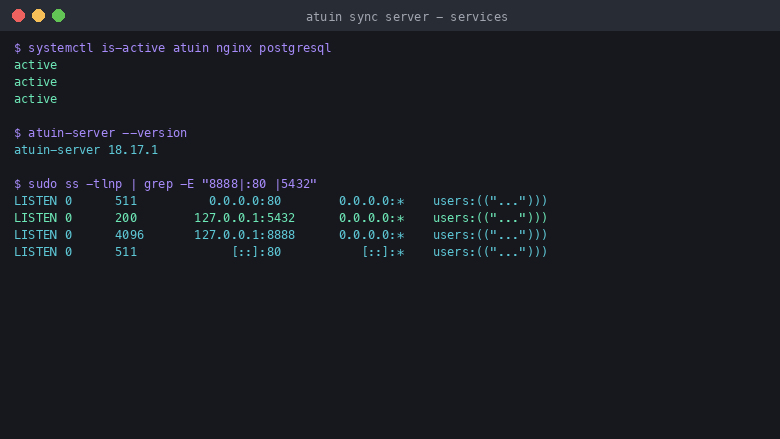
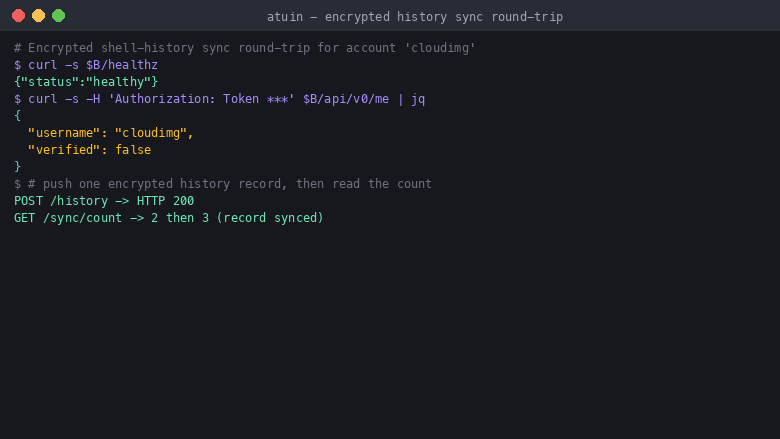
Atuin is a self-hosted sync server for magical shell history. The Atuin terminal client records your shell history into an encrypted, searchable database and, with this server, synchronises it across all of your machines. History is encrypted end to end with a key that never leaves your own machines, so the server only ever stores opaque encrypted records and your command history stays private. The server runs under systemd behind an nginx reverse proxy on a local PostgreSQL backend, giving you fast full-text and contextual search across every machine you connect.
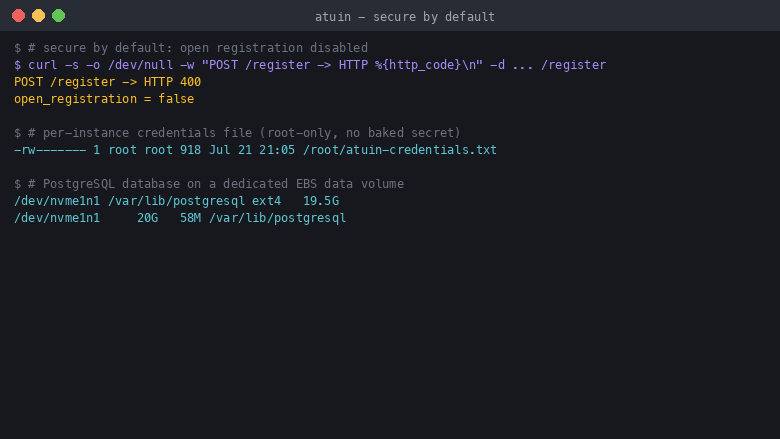
The cloudimg image ships secure by default: open registration is disabled so the server is single-tenant, the service binds only to loopback behind nginx, and there is no baked secret. A unique PostgreSQL password and a per-instance account are generated on first boot and written to a root-only file, and the end-to-end encryption key never leaves your machines. The PostgreSQL database lives on a dedicated, independently resizable data volume, the OS is fully patched with unattended security updates, and every deployment is paired with a step-by-step cloudimg guide and 24/7 support.
Real screenshots taken while testing this image against its deployment guide.
This is a repackaged open source software product wherein additional charges apply for cloudimg support services.
## Overview
Atuin is a self-hosted sync server for magical shell history. The Atuin terminal client records your shell history into an encrypted, searchable database and, with this server, synchronises it across all of your machines. Because history is encrypted end to end with a key that never leaves your own machines, the server only ever stores opaque encrypted records, so your command history stays private on infrastructure you control instead of a third-party service. This AMI delivers the Atuin server fully installed and reverse proxied behind nginx on a local PostgreSQL backend, so a working sync backend is running within minutes of launch.
## Encrypted Shell History Sync
Run the official prebuilt Atuin release binary under systemd as a dedicated service bound to the loopback interface, reverse proxied on port 80 and ready for your TLS certificate. Point the Atuin client on each of your machines at the server address, log in, and your shell history syncs across every machine with fast full-text and contextual search. No manual Rust build, no PostgreSQL setup and no proxy configuration is required.
## Secure By Default
Atuin's server normally allows open registration, which turns a public deployment into an open sign-up service. This image disables open registration, so the appliance is single-tenant. There is no default password and no baked secret: the PostgreSQL password and a per-machine account are generated uniquely on each instance's first boot and written to a root-only credentials file. The server binds only to loopback behind nginx, and the shipped security group opens only the SSH port, so the sync endpoint is not network-reachable until you deliberately open it. The client-side end-to-end encryption key always stays on your own machines and is never generated or stored on the server.
## Production Storage Layout
The PostgreSQL data directory is placed on a dedicated, independently resizable EBS data disk rather than the operating system root volume. Your encrypted history database grows on durable storage you can expand without touching the boot volume, and you can back it up and manage it like any PostgreSQL database.
## Ready To Use
Connect over SSH and the server is already running. Read the welcome notes for the generated per-instance account and the sync address, open and secure port 80 or 443, and connect your Atuin client. systemd manages the service for automatic restarts and clean logging, the operating system is fully patched at build time and continues to receive unattended security updates.
## cloudimg Support
24/7 technical support by email and live chat. Our engineers help with Atuin server deployment, connecting the Atuin terminal client and configuring sync, enabling or disabling registration, TLS and reverse-proxy setup, version upgrades, and PostgreSQL backup and administration.
## Use Cases
## Getting Started
1. Launch the AMI in your preferred AWS region
2. SSH into the instance and read the welcome notes for the per-instance account and sync address
3. Open and secure port 80 or 443 to your trusted network and add your TLS certificate
4. Point your Atuin client at the sync address and log in to start syncing
This image runs Apache Archiva, the open source build-artifact repository manager - a central, governed store for the bi...

Apache JMeter is the de-facto open-source tool for load and performance testing of web applications, APIs, databases and...
Apache TomEE is the Jakarta EE application server from the Apache Tomcat project.

This image runs Appsmith Community Edition, the open source low-code platform for building internal tools, admin panels,...

This image runs Atlantis 0.46 (Apache-2.0), the open source server that automates Terraform and OpenTofu pull request wo...

This image runs Beszel, the open source, lightweight server and container monitoring hub - a clean web dashboard with hi...