
DuckDB Analytics Database
Overview
DuckDB in-process analytics database preinstalled in a JupyterLab environment. Launch, sign in, and query parquet data in minutes with24/7 cloudimg support.
See it running
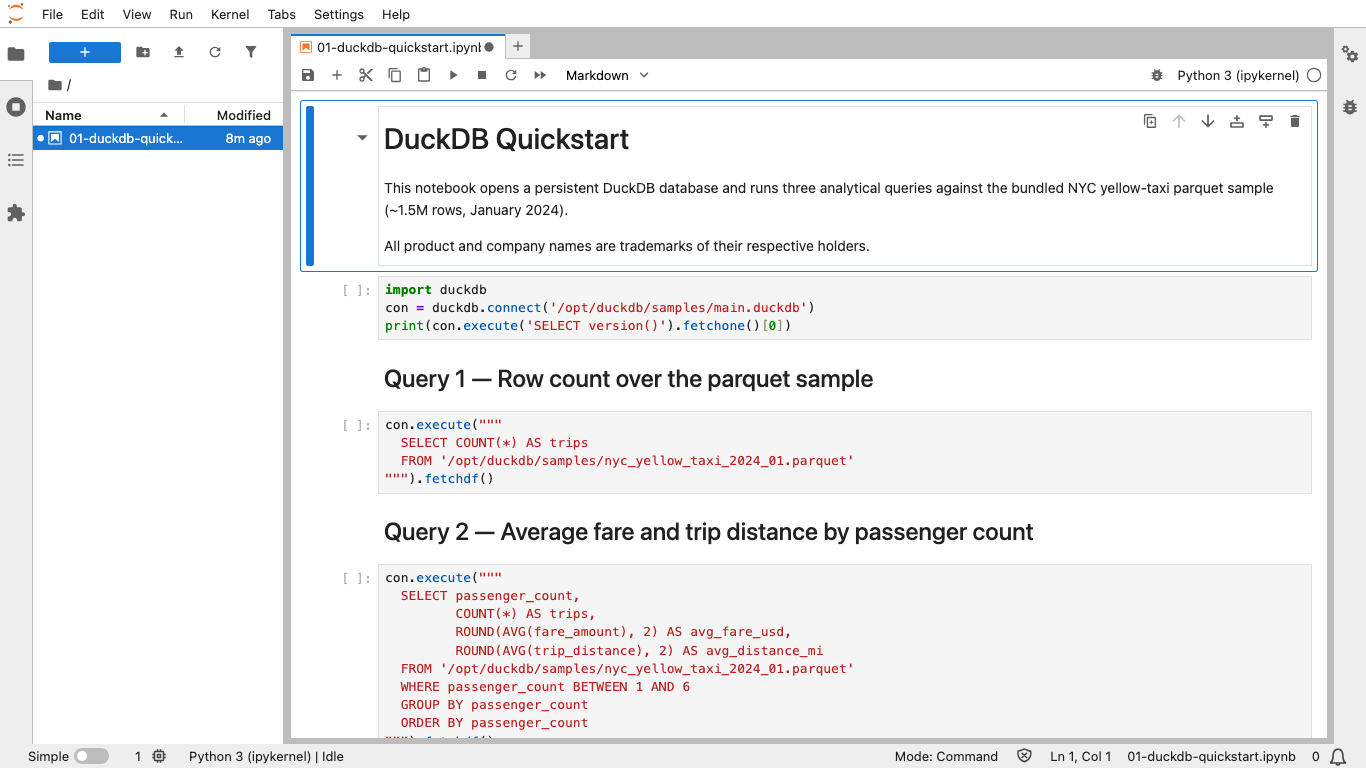
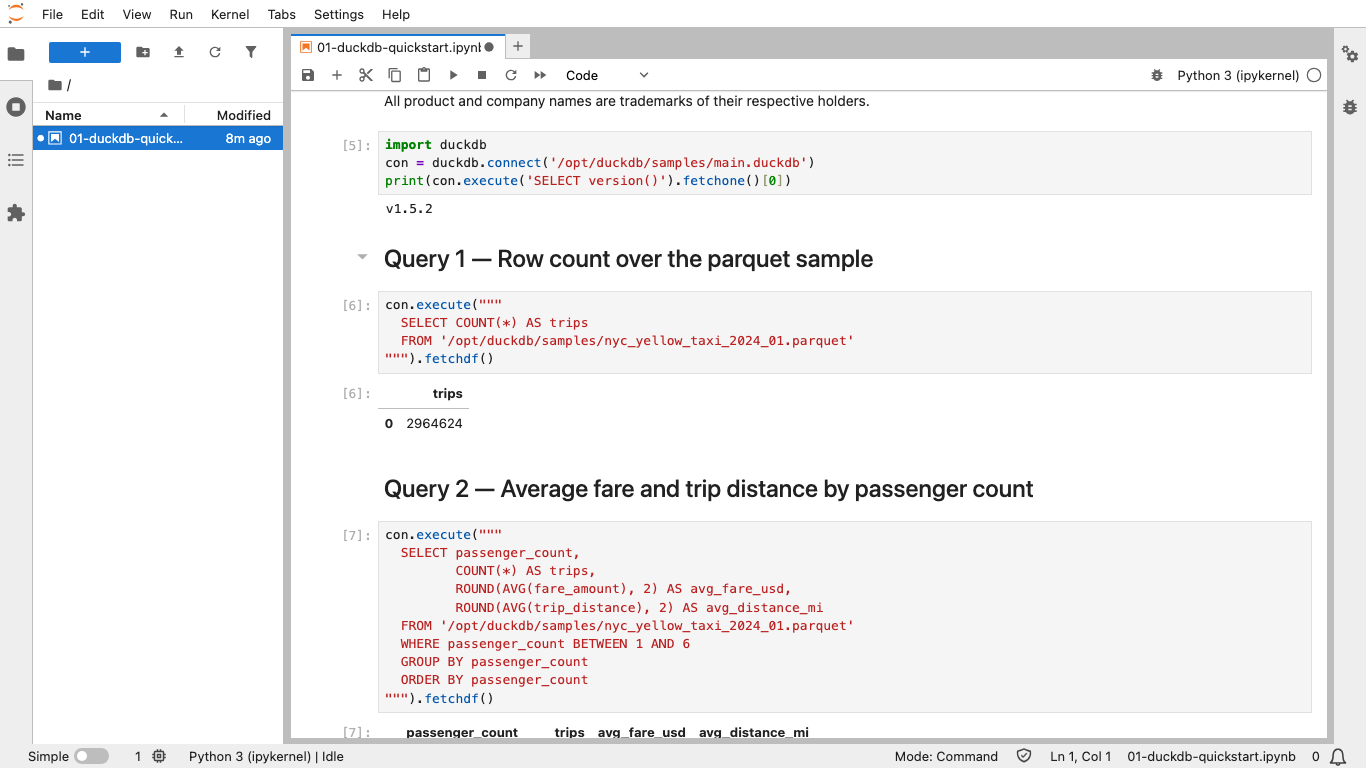
Real screenshots of this software running on the cloudimg image, taken while testing the deployment guide.
Description
This is a repackaged open source software product wherein additional charges apply for cloudimg support services.
## Why This AMI Over Manual Setup
Installing DuckDB, configuring JupyterLab, setting up nginx authentication, and preparing sample data typically takes hours of manual work. This AMI eliminates that effort entirely - launch an instance and run your first analytical query within minutes, not hours. Every component is pre-integrated and secured with per-instance credentials generated automatically on first boot, so there are no shared or default passwords to worry about.
## Overview
DuckDB is an open source, in-process analytical database engine designed for fast queries against large columnar datasets. With over 6 million monthly downloads across its community, DuckDB has become a leading choice for OLAP workloads. This image ships DuckDB 1.5 inside a complete analytics environment so you can connect, load data, and run queries within minutes of launch.
## Application Stack
- DuckDB CLI installed system-wide on every user's PATH
- JupyterLab notebook server pre-configured with Python 3.12, the DuckDB Python client, pandas, and PyArrow
- nginx on port 80 with HTTP basic authentication fronting JupyterLab
- SSH access for terminal-driven analytics via the DuckDB CLI
## Sample Dataset and Starter Notebook
A one-million-row New York City yellow taxi trips parquet file is bundled on a dedicated data disk. A starter notebook opens a persistent DuckDB database against the parquet file and runs three analytical queries so you can see the engine in action before writing any code.
## Security and Access Control
On first boot, a one-shot service generates a fresh JupyterLab administrator password unique to that instance, writes it into the nginx HTTP basic authentication store, and stores the plain-text value in a root-only file accessible via SSH. No shared or default credentials ship in the image. The dedicated storage volume can leverage EBS encryption for data at rest. Buyers requiring HTTPS should configure a TLS certificate on the nginx frontend or place the instance behind an AWS Application Load Balancer with TLS termination.
## Dedicated Storage Tier
DuckDB databases, notebooks, and sample data live on a separate, independently resizable storage volume kept off the operating system disk. This means your analytics tier can grow without disturbing the rest of the instance - scale storage as your datasets expand without reprovisioning.
## Use Cases
- Ad hoc analytics on parquet, CSV, and JSON files
- Local data warehouse andBI prototyping
- Querying data on Amazon S3 directly with DuckDB's httpfs extension
- Embedded analytics inside notebooks and Python applications
- Single-node OLAP for departmental reporting and finance teams
## Getting Started
1. Launch the AMI on your preferred EC2 instance type
2. Ensure your security group allows inbound traffic on port 80 (HTTP) and port 22 (SSH)
3. SSH into the instance and retrieve the generated password from /root/.jupyter_password
4. Browse to the instance's public IP address and sign in with username "admin" and the retrieved password
5. Open the starter notebook and run the bundled analytical queries
6. Use the DuckDB CLI over SSH for terminal-driven workflows
## cloudimg Support
24/7 technical support by email and live chat. Our engineers provide expert assistance with DuckDB deployment, notebook configuration, dataset loading, performance tuning, and engine upgrades. Critical issues receive a one-hour average response time.
All product and company names are trademarks or registered trademarks of their respective holders. Use of them does not imply any affiliation with or endorsement by them.
Key Features
- Skip hours of manual setup - DuckDB 1.5, JupyterLab with Python 3.12, nginx authentication, and a sample parquet dataset are pre-integrated and launch-ready. Unique per-instance credentials are generated automatically on first boot with no shared or default passwords, giving you stronger security than a default manual installation.
- Run your first analytical query within minutes of launch using the bundled one-million-row NYC taxi dataset and starter notebook on a dedicated, independently resizable storage volume. Scale your analytics data without touching the OS disk - something that requires custom partitioning in a self-managed setup.
- 24/7 expert support from cloudimg with one-hour average response for critical issues. Engineers specialize in DuckDB deployment, notebook configuration, dataset loading, and performance tuning - dedicated expertise you would not get from generic cloud support plans.
Related Technologies
Related Products

Apache Cassandra NoSQL Database
This image runs Apache Cassandra, the open source distributed NoSQL database built for scalability and high availability...

Apache CouchDB NoSQL Database
This image runs Apache CouchDB, the open source document oriented NoSQL database, on a single node.
Chroma Vector Database for AI
This image runs Chroma 1.5, the open source vector database for AI - store embeddings and run fast similarity search for...

ClickHouse Analytics Database
This image runs ClickHouse, the open source column oriented analytics database, on a single node.
Apache Cassandra NoSQL Database
Once your instance is running and has passed both status checks (2/2), connect using SSH:

Elasticsearch Single-Node Search and Analytics
This image runs Elasticsearch 8.x, the open source distributed search and analytics engine, fully installed and configur...