LiteLLM
Overview
Deploy a production-ready LLM gateway in minutes. LiteLLM unifies 100+ AI providers behind one OpenAI-compatible API with built-in key management, spend tracking, and 24/7 expert support.
See it running
Real screenshots of this software running on the cloudimg image, taken while testing the deployment guide.
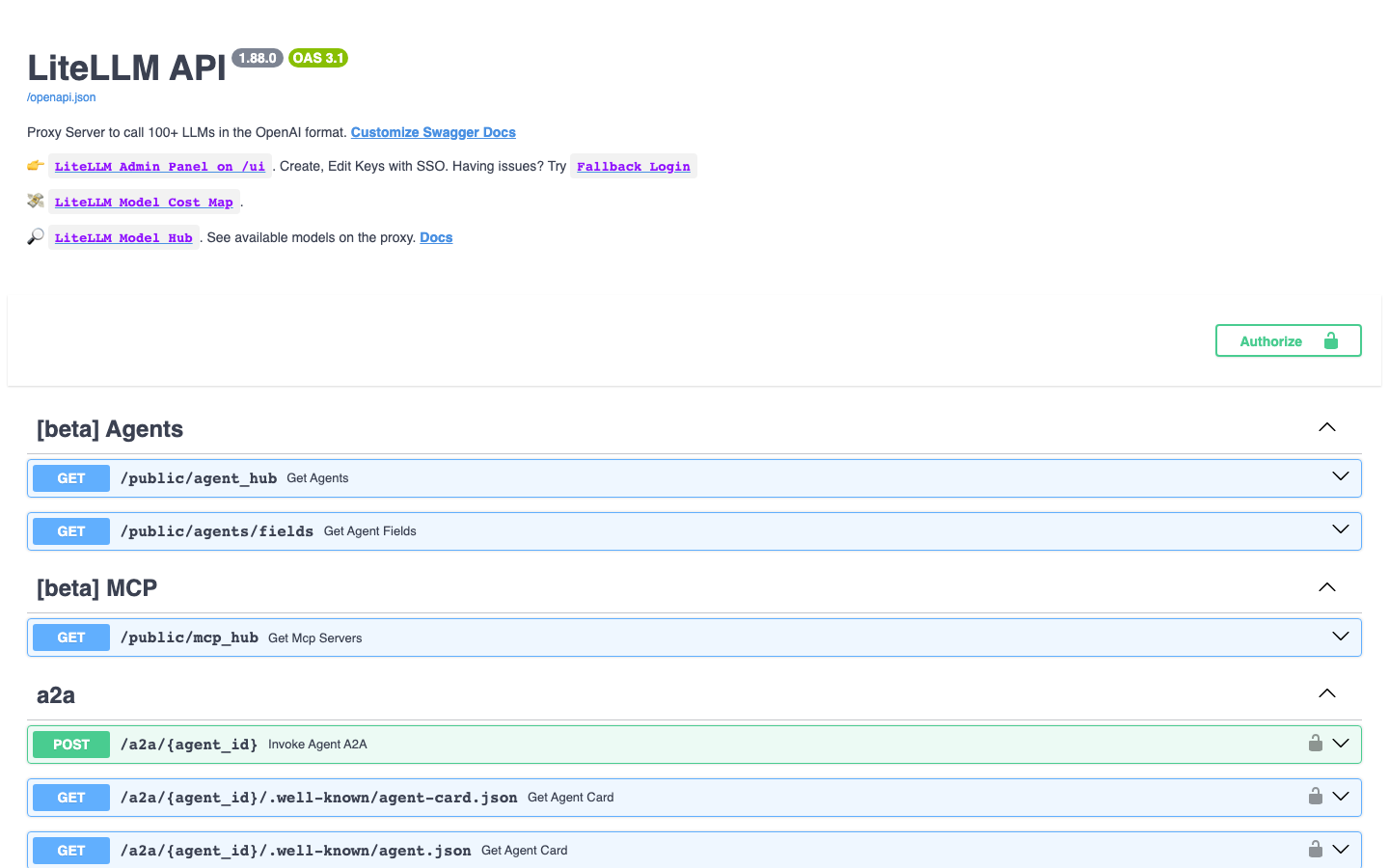
Description
This is a repackaged open source software product wherein additional charges apply for cloudimg support services.
## Why This AMI Instead of Self-Deployment
Installing LiteLLM from scratch means configuring a reverse proxy, hardening key management, setting up process supervision, and maintaining updates across releases. This AMI eliminates that work. You get a production-hardened LLM gateway running as a systemd service behind nginx within minutes of launch - no manual setup, no shared default keys, no unprotected endpoints. Combined with 24/7 expert support from cloudimg, you move from zero to a secure, scalable AI gateway faster than any DIY path.
## What LiteLLM Does
LiteLLM is the open source gateway that puts a single OpenAI-compatible API in front of more than 100 large language model providers, including OpenAI, Anthropic, Amazon Bedrock, Azure OpenAI, Google, and self-hosted models. It adds load balancing, automatic fallbacks, rate limiting, virtual API keys, and spend tracking so your applications integrate once and switch or combine providers freely. The current release available is LiteLLM 1.88.
## Application Stack
LiteLLM is installed into a dedicated Python 3.12 virtual environment under /opt/litellm and run by an unprivileged service account. It listens on the loopback address while an nginx reverse proxy fronts it on port 80, exposing unauthenticated liveness and readiness probes alongside the OpenAI-compatible API. A systemd service starts the proxy on boot and restarts it on failure, giving you infrastructure-grade reliability without container orchestration.
## Secure by Default
Unlike generic installations that ship with shared or default credentials, this image generates a fresh master key unique to your instance on first boot and writes it to a root-only file. Callers authenticate with the standard Authorization Bearer header. The master key also mints scoped virtual keys for your teams and applications, enabling granular access control and budget enforcement without external tooling.
## Getting Started
1. Launch the AMI on your preferred EC2 instance type.
2. SSH in and retrieve your unique master key from the root-only file.
3. Add your provider credentials to /etc/litellm/config.yaml.
4. Point your application's OpenAI base URL at the instance on port 80.
5. Call any configured model through one unified API.
Because LiteLLM calls out to external model endpoints, the image is CPU-only and ships no model weights. Set a database URL to enable virtual keys, the admin UI, and spend persistence.
## AWS Integration
Route requests to Amazon Bedrock models natively. Attach an IAM role to your EC2 instance for credential-free Bedrock access. Deploy inside your VPC for data residency compliance. Use Auto Scaling groups and an Application Load Balancer for high-availability deployments.
## Use Cases
Regulated Industries (Healthcare, Finance, Government): Route sensitive prompts exclusively to Amazon Bedrock endpoints within a specific AWS region, satisfying data residency and compliance requirements such as HIPAA or GDPR while still offering teams access to multiple model providers for non-sensitive workloads.
Platform Engineering Teams: Provide a centralized AI gateway for dozens of internal applications. Issue scoped virtual keys per team, enforce per-team budgets, and track spend across providers from one dashboard - eliminating credential sprawl and surprise bills.
Cost Optimization at Scale: Configure automatic fallbacks so that if a primary provider is slow or unavailable, requests route to a secondary model instantly. Combine this with spend tracking to identify the most cost-effective provider for each use case.
## cloudimg Support
24/7 technical support by email and live chat. Our engineers help with LiteLLM deployment, configuring providers and model routing, load balancing and fallbacks, virtual keys and budgets, TLS termination, and scaling. Critical issues receive a one-hour average response time.
All product and company names are trademarks or registered trademarks of their respective holders. Use of them does not imply any affiliation with or endorsement by them.
Key Features
- LiteLLM, the open source OpenAI-compatible gateway for 100+ LLM providers, preinstalled as a systemd service in a Python virtual environment behind an nginx reverse proxy on port 80, ready to route requests with no manual setup
- Secure by default: the proxy is gated by a master key generated fresh for every instance on first boot and stored in a root only file, which also mints scoped virtual keys for teams and applications
- 24/7 technical support from cloudimg, with expert help configuring providers and model routing, load balancing and fallbacks, virtual keys and budgets, TLS and scaling
Related Technologies
Related Products
AnythingLLM
This image runs AnythingLLM, the all-in-one open source application for chatting with your documents using any large lan...
Infinity Embeddings Server
This image runs Infinity 0.0.77, the high-throughput, low-latency server for text embedding and reranking models (michae...
Label Studio
This image runs Label Studio 1.23, the open source data labeling and annotation platform for machine learning - label te...
LibreChat AI Chat Platform - with
This image runs LibreChat, the open source AI chat platform - a self-hosted, ChatGPT-style web interface that connects t...
LocalAI
This image runs LocalAI, the free, open source, self hosted alternative to the OpenAI API.

MLflow
This image runs MLflow 3.13, the open source platform for the machine learning lifecycle - experiment tracking, a model ...