Base
Hardened build
minimal ports, security patches applied at build time

Apache Camel Karavan, the visual designer for Apache Camel integrations, shipped ready to run behind an authenticated reverse proxy with a per instance password and a pre loaded demo project.
Apache Camel Karavan is an open source visual integration designer and toolkit for Apache Camel. It gives you a browser based, drag and drop environment to design, build and run Apache Camel integrations, including Kamelets and Enterprise Integration Pattern routes, and in its docker mode it can build and run each integration as its own container on the local Docker engine. Karavan and its PostgreSQL state store run as a supervised container stack, fronted by an nginx reverse proxy with HTTP Basic authentication, so a complete integration design environment answers within minutes of launch.
It suits integration engineers and developers who want a self hosted, visual way to build and iterate on Camel routes inside their own cloud account, rather than hand editing Camel YAML or wiring the runtime together themselves.
cloudimg delivers Karavan fully installed as a supervised container stack, with its PostgreSQL state store and the docker mode runner pre wired and the Karavan web UI reverse proxied by nginx with HTTP Basic authentication. The image is secure by default: Karavan binds only to loopback, the well known hardcoded admin password never ships, and on each instance first boot a fresh password unique to that instance is generated and applied to both the reverse proxy gate and Karavan's own sign in, then written to a root only file. The captured image holds an empty database with no password hash of any kind, a curated demo integration project is seeded on first boot so the designer opens with real content, and everything is backed by a paired deploy guide and 24/7 support.
Real screenshots taken while testing this image against its deployment guide.
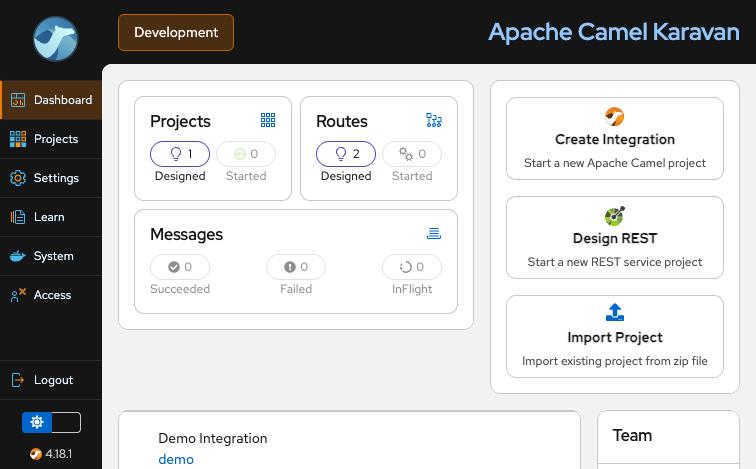
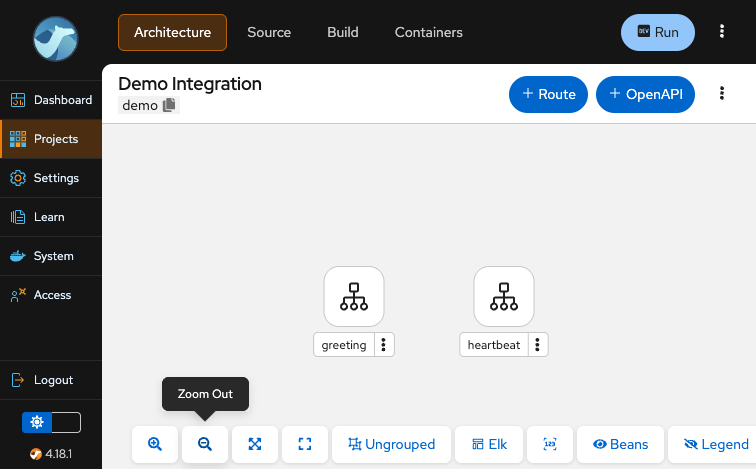
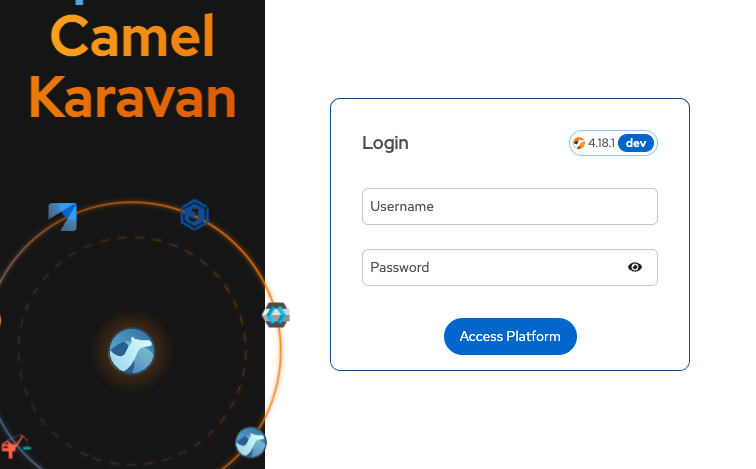
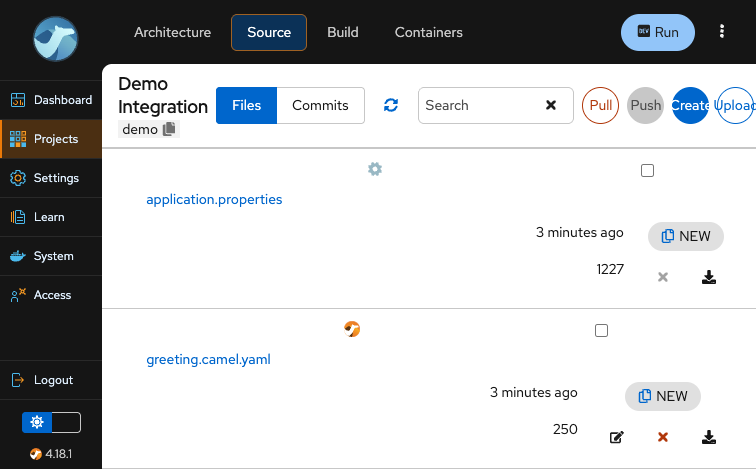
This is a repackaged open source software product wherein additional charges apply for cloudimg support services.
Overview
Apache Camel Karavan is an open source visual integration designer and toolkit for Apache Camel. It provides a browser-based, drag-and-drop designer to build, run and manage Apache Camel integrations - Kamelets and Enterprise Integration Pattern (EIP) routes - and, in its docker mode, it can build and run each integration as its own container on the local Docker engine. This AMI delivers Karavan fully installed and configured so a complete integration design environment is running within minutes of launch. The current release available is Apache Camel Karavan 4.18.1.
Why This AMI Over Alternatives
Unlike a bare Karavan container or a generic community image, this AMI eliminates the manual steps that slow down getting productive:
Application Stack
Karavan runs from the official Apache Camel Karavan container image, with its integration and session state held in PostgreSQL, both supervised as a docker compose stack. The Karavan web UI binds the loopback interface only and is reverse-proxied by nginx on port 80 with HTTP Basic authentication; PostgreSQL and the Docker socket are never exposed off the instance. Karavan runs on Quarkus (Java).
Secure First Boot
On first boot a one-shot service generates a fresh password unique to that instance, applies it to both the nginx access gate and Karavan's own admin sign-in, brings up a fresh stack, proves the gate answers correctly (unauthenticated and wrong-password requests are rejected, the per-instance password is accepted) and writes the credentials to a root-only file. No shared or default credentials ship in the image, and the captured image contains an empty database with no password hash of any kind.
Example Use Case: Financial Services Event Routing
A financial services integration team uses Karavan to visually design Apache Camel routes that transform and route order-to-cash events between trading platforms, payment gateways and back-office ledger systems. Engineers wire together sources, transformations and destinations in the browser, run each integration as a container via the local Docker engine to validate message flow and error handling, then promote validated routes to their CI/CD pipeline. The visual designer lets the team iterate on complex EIP patterns without hand-editing Camel YAML.
Additional Use Cases
Getting Started
1. Launch the AMI on your chosen EC2 instance type.
2. SSH into the instance and retrieve your generated credentials from the root-only file.
3. Browse to the instance public address and sign in as the 'admin' user - you are asked for the same username and password twice, first by the nginx access gate and then by the Karavan sign-in form.
4. Open the pre-loaded demo integration project in the visual designer, then design and run your first Camel route.
For evaluation, launch on a smaller instance type to explore the designer at minimal cost before scaling up for heavier integration workloads.
cloudimg Support
24/7 technical support by email and live chat. Our engineers assist with Karavan deployment, upgrades, integration and route design, Docker-mode runner configuration and performance tuning. Critical issues receive a one-hour average response time.
Apache Camel, Camel, Karavan and Apache are trademarks of the Apache Software Foundation. All other product and company names are trademarks or registered trademarks of their respective holders. Use of them does not imply any affiliation with or endorsement by them.

Accent is an open source, developer-oriented translation and localization management platform.
This image runs Apache Archiva, the open source build-artifact repository manager - a central, governed store for the bi...

Launch a production-ready Apache DolphinScheduler workflow scheduler in minutes with zero setup. All-in-one standalone d...

Apache JMeter is the de-facto open-source tool for load and performance testing of web applications, APIs, databases and...

This image runs Apache Subversion (SVN) 1.14, the Apache Software Foundation's enterprise centralised version-control sy...

This image runs Appsmith Community Edition, the open source low-code platform for building internal tools, admin panels,...