Base
Hardened build
minimal ports, security patches applied at build time

Django Oscar, a flexible open source e-commerce framework for building online stores, shipped as a ready to run starter store with a sample catalogue and a unique admin password generated on first boot.
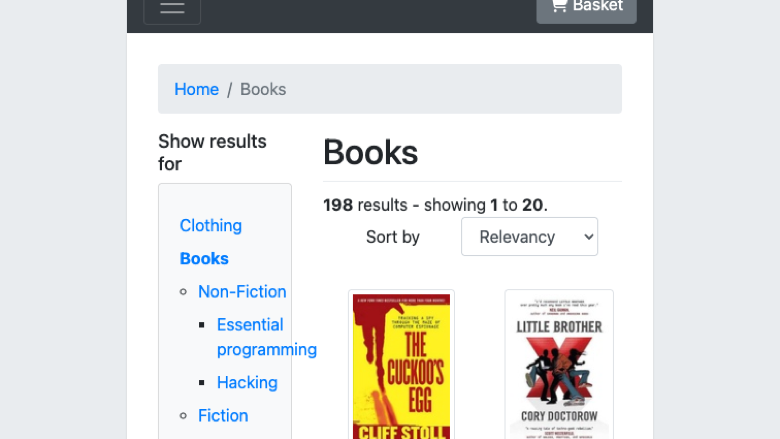
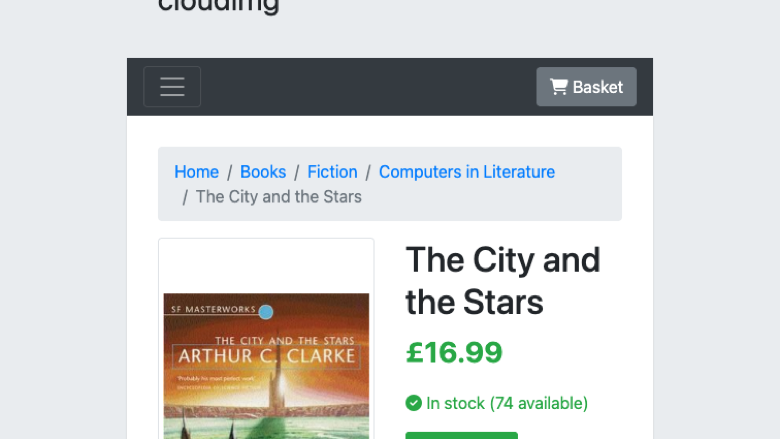
Django Oscar is a mature open source e-commerce framework for the Django web framework. It provides a full storefront and a comprehensive staff dashboard covering catalogue and product management, ranges and promotional offers, baskets and checkout, orders, vouchers, customer accounts and reporting, and it is built to be extended and customised for domain specific online retail. This image ships Oscar's own canonical starter store, served by gunicorn behind nginx with a PostgreSQL database, pre loaded with a sample catalogue of demonstration products, images, ranges and offers so the store renders real products the moment it boots.
It suits developers and retailers who want a customisable e-commerce platform they self host and control inside their own cloud account, rather than a hosted store or a black box shopping cart.
cloudimg delivers Django Oscar fully installed as a Django application in a dedicated Python virtual environment behind an nginx reverse proxy, with PostgreSQL on a dedicated data volume, so the storefront and dashboard answer the moment the instance boots. The image is secure by default: the application binds only to loopback, the sample store's default account is never created, and on each instance's first boot a fresh Django secret key and database password are generated and the administrator is created with a unique random password that is never baked into the image. Host settings are configured so sign in works on the public IP or a custom domain, a pre loaded sample catalogue means the store is ready to explore, and everything is backed by a paired deploy guide and 24/7 support.
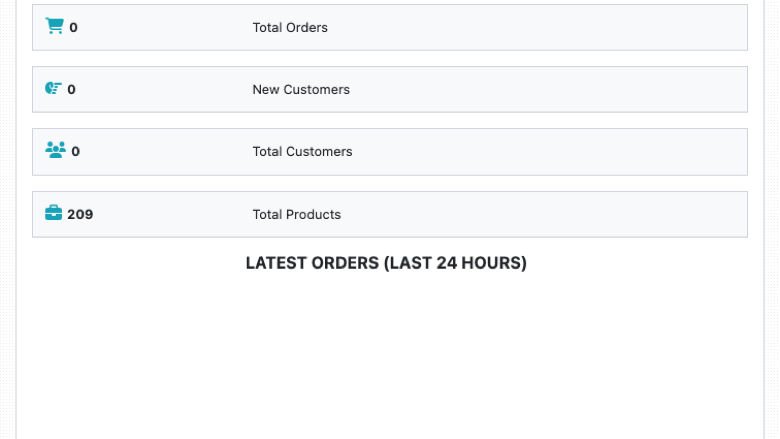
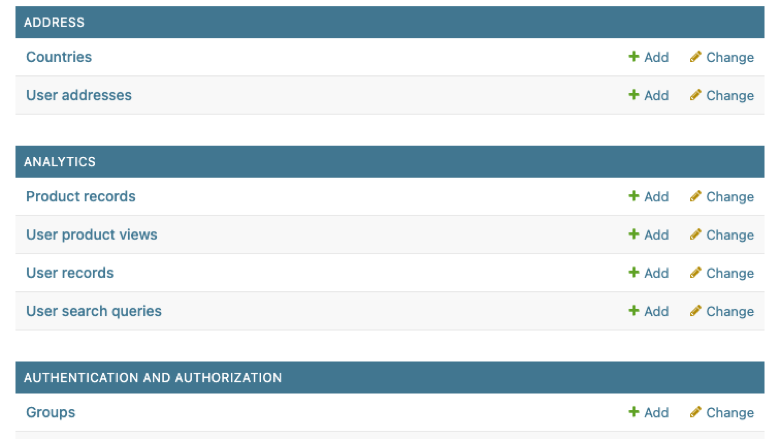
Real screenshots taken while testing this image against its deployment guide.
This is a repackaged open source software product wherein additional charges apply for cloudimg support services.
Django Oscar is an open-source e-commerce framework for Django known for its extensibility, well-designed models, comprehensive documentation, and multi-channel support. With thousands of GitHub stars and an active contributor community, it is one of the most trusted Python e-commerce frameworks available. This AMI delivers Oscar's canonical starter store fully installed and operational within minutes of launch - no manual virtualenv wiring, database creation, WSGI server configuration, or reverse-proxy setup required.
## What You Get
## Architecture Overview
The stack is layered for security and performance:
1. nginx (reverse proxy on port 80) - handles client connections, static file serving, and health-check endpoint for load-balancer probes
2. gunicorn (WSGI server on loopback) - manages Django worker processes
3. Django Oscar (application) - storefront, catalogue, offers engine, and staff dashboard
4. PostgreSQL (dedicated EBS volume) - all transactional and catalogue data isolated on a resizable, snapshotable volume
This separation means you can independently scale compute (instance type) and storage (EBS volume size) as your order volume grows.
## Why This AMI Instead of Self-Deploying?
Deploying Django Oscar yourself means installing Python and a build toolchain, creating a virtual environment, installing Oscar and its runtime dependencies, creating and wiring a PostgreSQL database, importing a sample catalogue, configuring gunicorn and systemd, hardening an nginx reverse proxy, generating a secret key and a secure password, and maintaining the stack over time. This AMI eliminates that effort entirely - a pre-hardened, tested configuration running within minutes of launch instead of hours of manual setup.
## Secure by Default
No shared or default credential ever ships. On the first boot of every instance:
The application binds to the loopback interface and is reached only through nginx. Host settings are configured so sign-in works on the public IP address or a custom domain without a baked-in hostname, and an unauthenticated health endpoint is provided for load-balancer probes.
## Getting Started
1. Launch the AMI in your VPC with a security group allowing inbound traffic on ports 22 (SSH) and 80 (HTTP)
2. SSH into the instance and retrieve the generated admin password from the root-only file
3. Open your browser to the instance's public IP to see the storefront with the sample catalogue
4. Sign in to the staff dashboard to manage products, ranges, offers, orders, and customer accounts
5. Clear the sample data and begin adding your own catalogue when ready
For a guided walkthrough of your first launch, contact our team at any time - we offer free setup assistance to help you get your store running smoothly.
## Use Cases
## Ready to Explore?
Contact our team via live chat or email for a free guided setup session.
BookCars is a popular open source, self hosted car rental and booking platform built on the MERN stack.

This image runs CubeCart behind nginx with PHP FPM 8.3 and OPcache enabled, with the mysqli, gd, curl, mbstring, xml, zi...

Launch a production-ready Drupal Commerce storefront on AWS in minutes with unique credentials per instance and 24/7 clo...

This image runs Easy Digital Downloads, the open source, self hosted ecommerce platform for selling digital products.

UnoPim is a free, open source Product Information Management (PIM) platform by Webkul.
Bagisto is the popular free, open source ecommerce platform built on the Laravel framework.