Base
Hardened build
minimal ports, security patches applied at build time

A hardened Suricata intrusion detection sensor with the EveBox alert triage console, secured behind a unique per instance login.
EveBox is a web based event viewer and alert triage console for the Suricata network intrusion detection system. This image ships the complete detection stack: Suricata captures traffic on the primary interface and writes its EVE JSON event stream, and EveBox indexes that stream into a self contained datastore and serves a searchable analyst inbox in the browser. You can escalate, archive and comment on alerts, drill into the raw events behind a detection, and pivot by source, destination or signature, all from a private console you run in your own cloud account.
Every instance generates its own console password on first boot, so no two deployments share a credential and nothing is baked into the image. The console binds to loopback and is fronted by an nginx reverse proxy that enforces the login, so it is never reachable unauthenticated. The Suricata engine ships preloaded with the Emerging Threats Open ruleset and a self test that proves the whole capture to console pipeline in a single command. A paired step by step deploy guide and 24/7 cloudimg support are included.
Real screenshots taken while testing this image against its deployment guide.
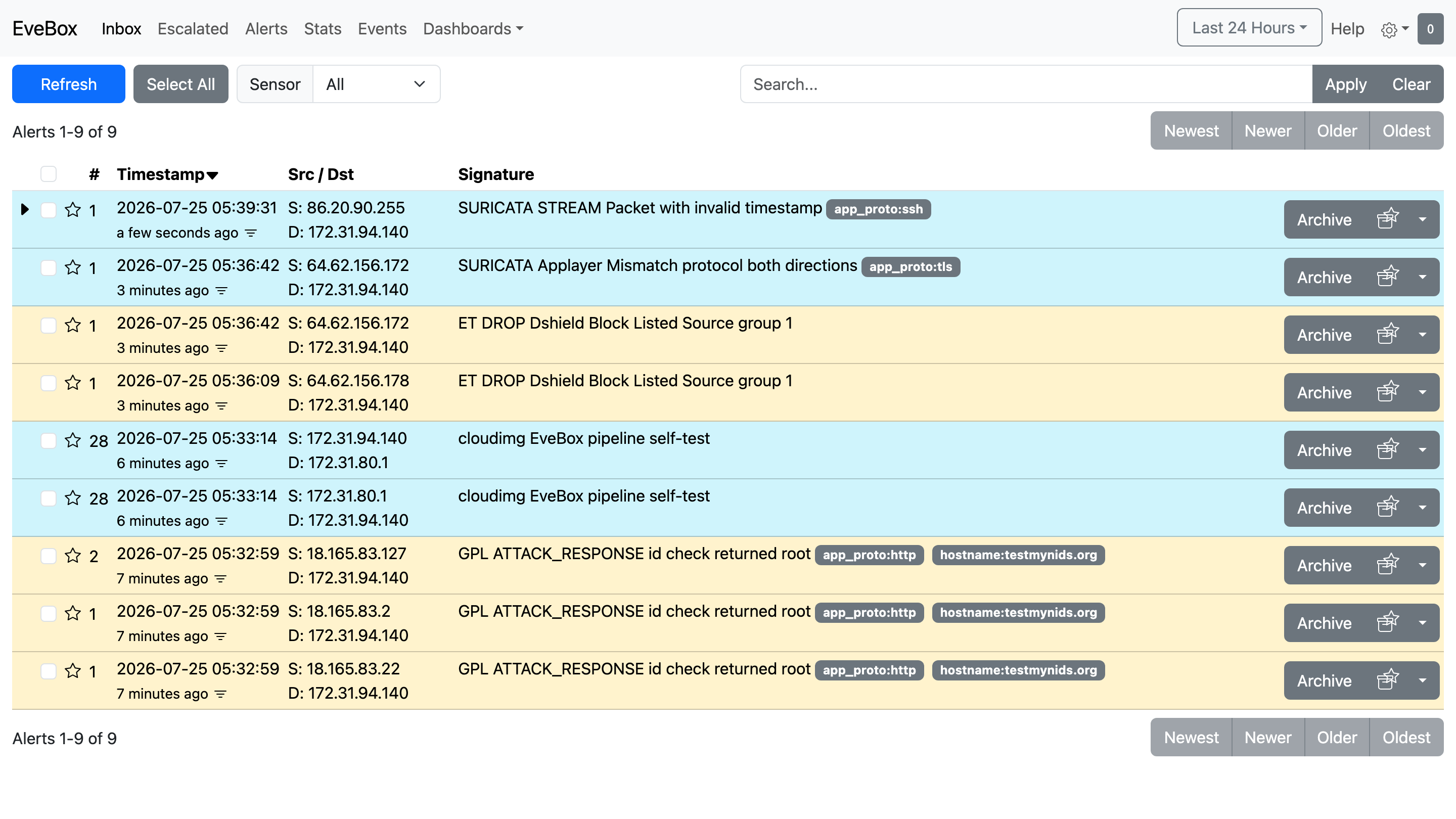
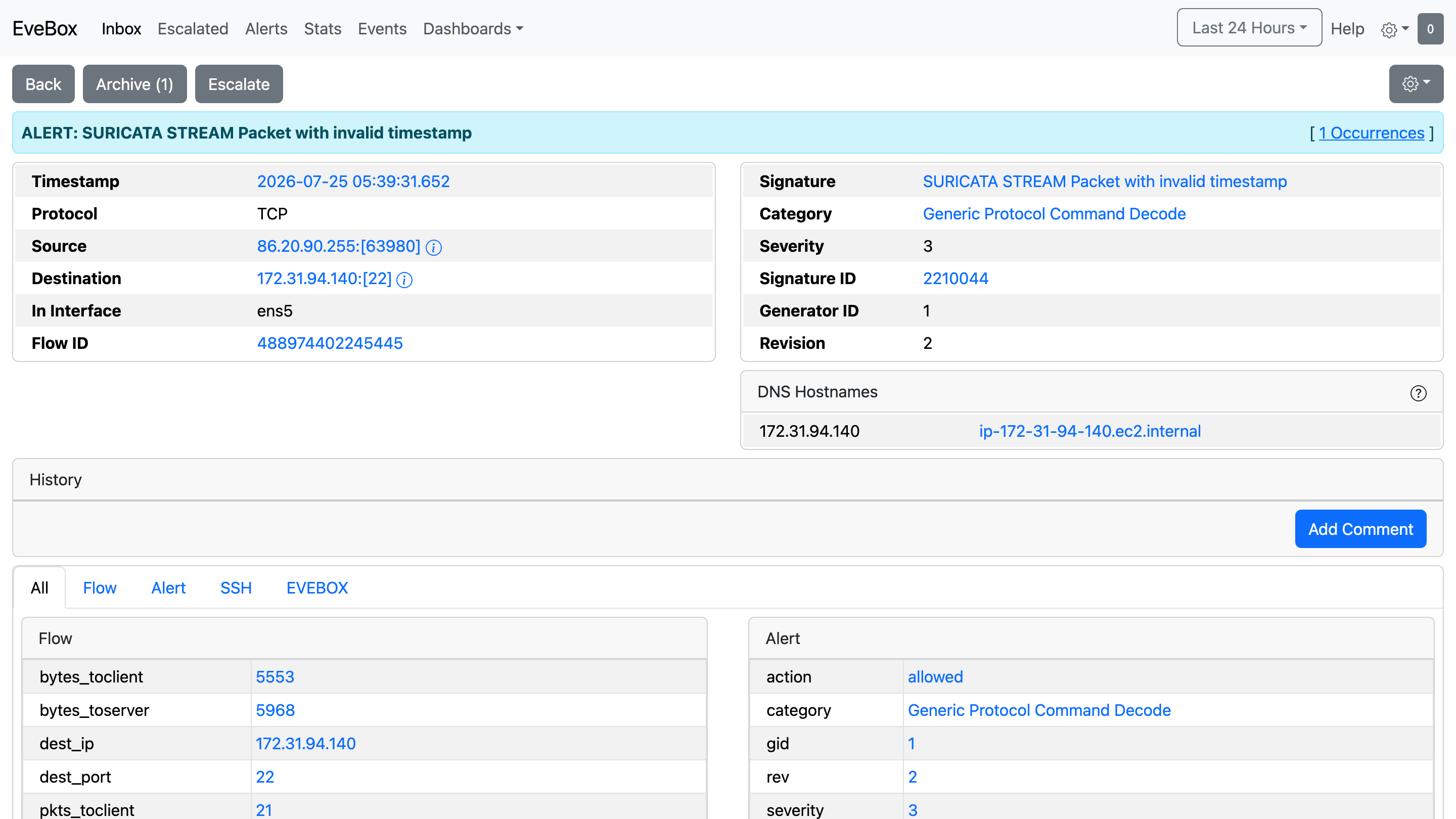
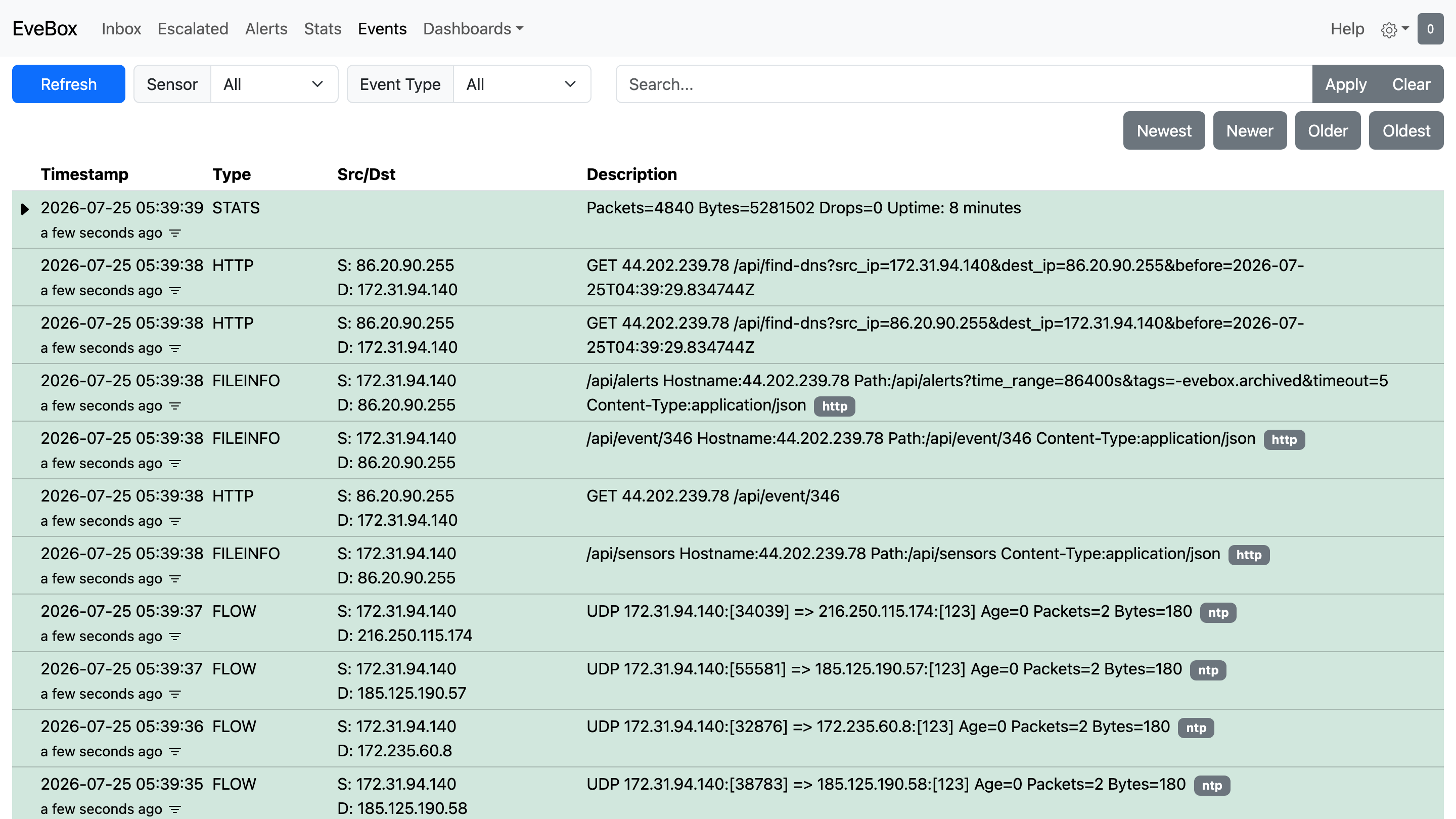
This is a repackaged open source software product wherein additional charges apply for cloudimg support services.
## Overview
EveBox is a web-based event viewer and alert-triage console for the Suricata network intrusion detection system. It gives security analysts a searchable, filterable inbox over Suricata's alert stream: escalate, archive and comment on alerts, drill into raw events, and pivot by source, destination or signature. This AMI ships the complete detection stack - the Suricata IDS engine captures traffic on the instance's primary interface and writes its EVE JSON event stream, and EveBox indexes that stream into a self-contained local datastore and serves the triage web UI. The result is a private, self-hosted intrusion-detection console you run and control in your own AWS account.
## Why This Image vs a Manual Install
This image eliminates the manual work of installing and wiring together a Suricata sensor and an EveBox console: capture-interface configuration, ruleset fetching, systemd service authoring, reverse-proxy setup, and credential hardening. The Emerging Threats Open ruleset is fetched at build time so the engine ships with a real signature set. The console is never left exposed: EveBox is bound to the loopback interface and an nginx reverse proxy fronts it with HTTP Basic authentication whose password is generated uniquely on each instance's first boot. Launch the instance, read your unique credential, and start triaging alerts.
## Application Stack
## Security Hardening
This image follows a defence-in-depth approach:
Buyers requiring formal compliance documentation should contact cloudimg to discuss specific requirements.
## Concrete Use Cases
## AWS Integration
Deploy on any EC2 instance type; larger instances sustain higher capture throughput. Use the unauthenticated health endpoint with an Application Load Balancer for availability monitoring. Place the sensor in a VPC and use security groups and VPC Traffic Mirroring to control what it sees. Forward Suricata logs to CloudWatch Logs for long-term retention and alerting integration with other AWS services.
## Getting Started
1. Launch the AMI on your chosen EC2 instance type
2. Read your unique credential from the root-only file on the instance
3. Open the web interface in your browser and sign in
4. The alert inbox appears immediately with live events
5. Run the shipped self-test probe to verify the full capture-to-console pipeline
6. Tune the ruleset and point the sensor at the traffic you want to monitor
For guidance on instance sizing, traffic-mirror configuration, ruleset tuning, or integrating with your own TLS certificate and domain, contact cloudimg support.
## cloudimg Support
24/7 technical support by email and chat.

This image runs AIDE (Advanced Intrusion Detection Environment), the open source, GPL-2.0 licensed host-based file and d...

The cloudimg image ships the free and open source, AGPL-3.0 licensed AliasVault, run the officially supported way as the...

This image runs Apache Directory Server (ApacheDS) 2.0, the Apache Software Foundation's extensible, embeddable director...

This image runs Apache SpamAssassin, the open source, Apache-2.0 licensed anti-spam platform.

This image runs Authgear, the open source authentication server and identity provider.
This image runs Beelzebub, the open source low code honeypot and deception framework.