Base
Hardened build
minimal ports, security patches applied at build time

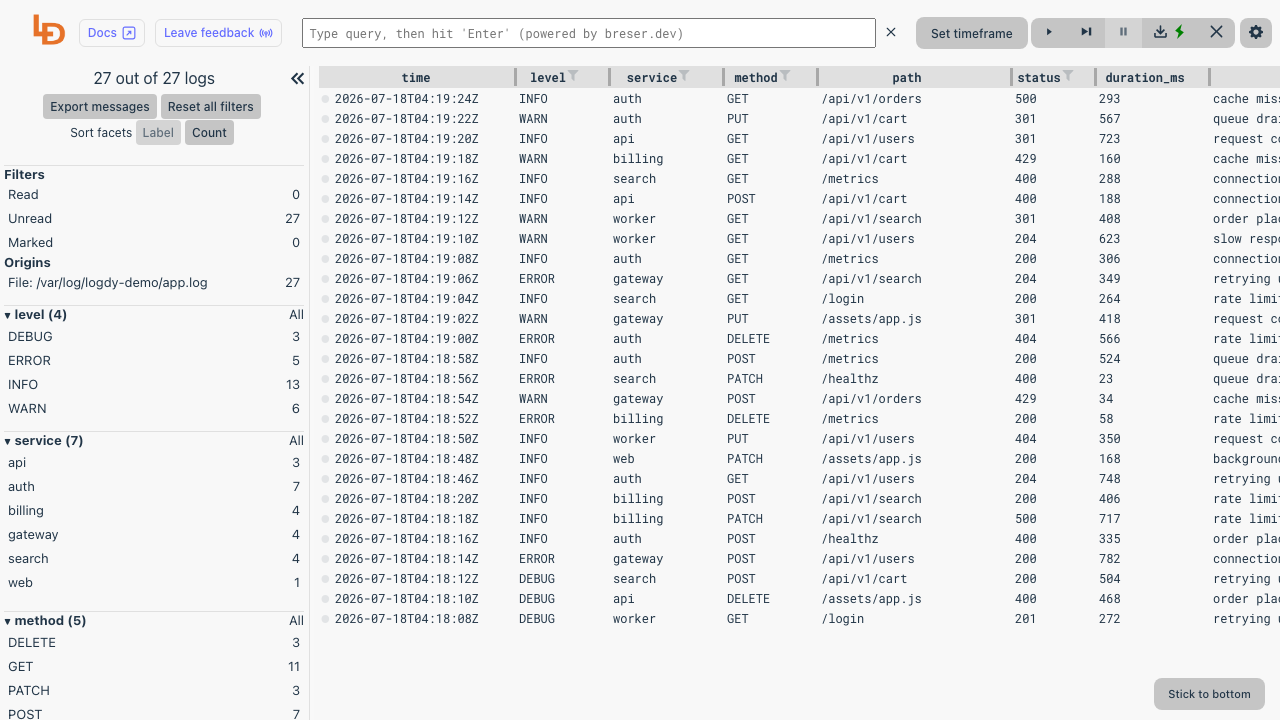
Logdy, a self hosted, web based real time log viewer and tailer that turns a log file into a searchable, filterable, columned browser interface.
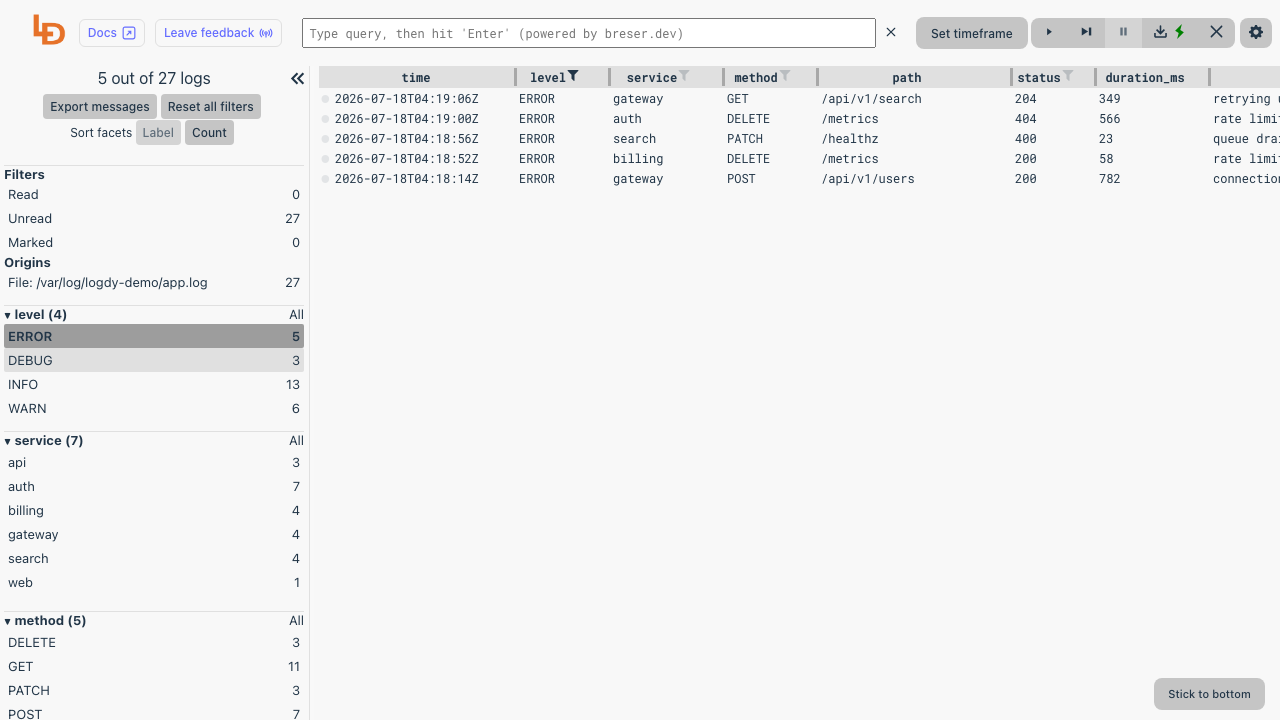
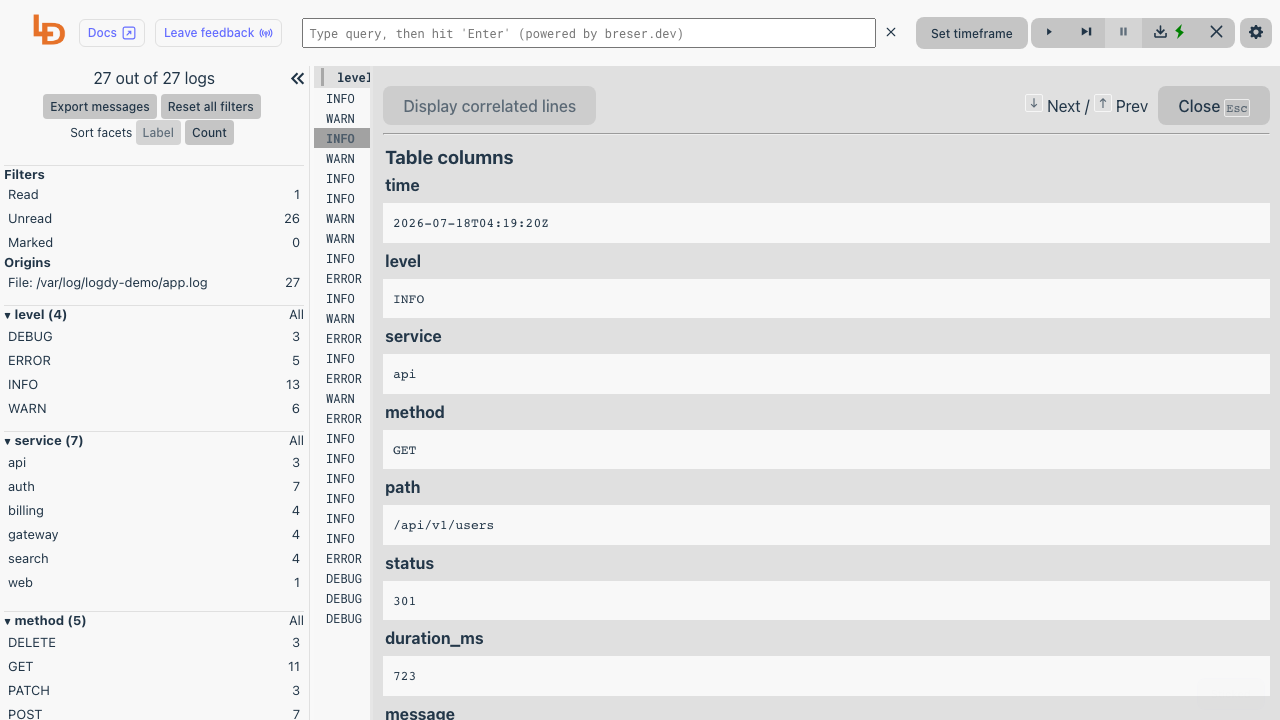
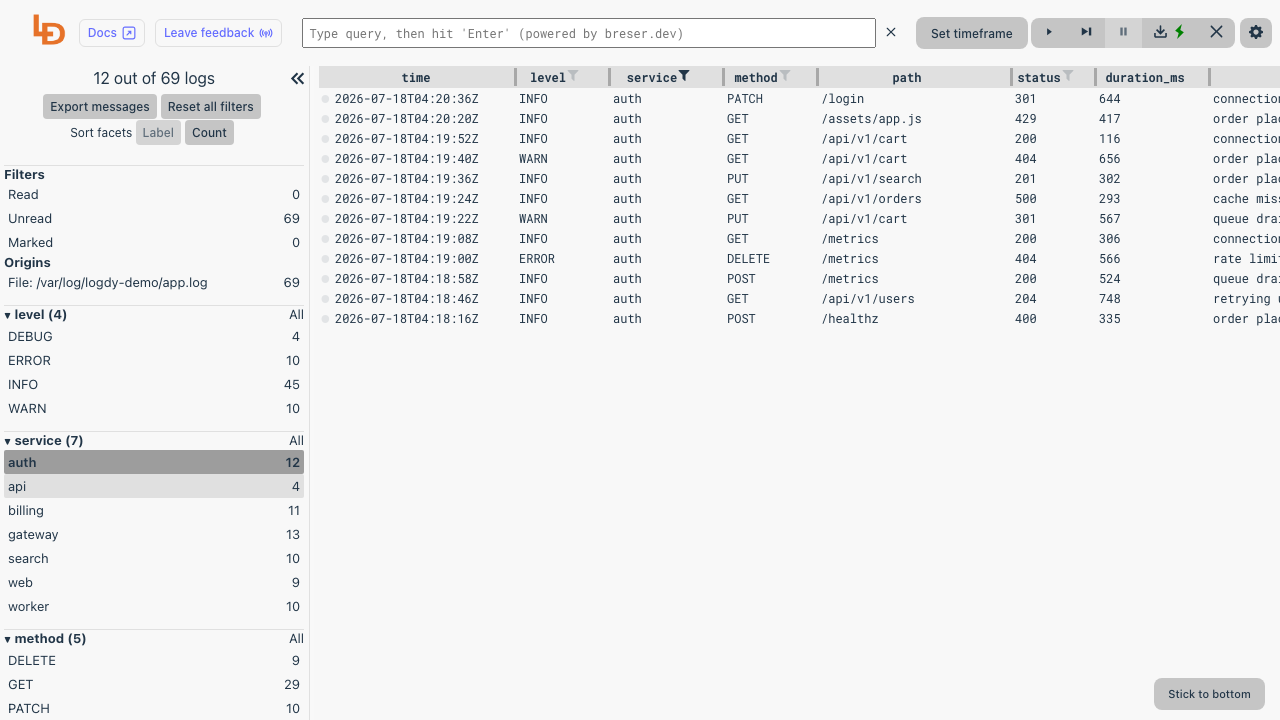
Logdy is a self hosted, web based real time log viewer and tailer. It follows a log source, a file you point it at, a program's standard output, or a socket, and serves a clean browser interface that streams every line live, with sortable columns, full text search and composable filters so you can slice a noisy log down to exactly the events you care about. Structured JSON logs are parsed into real columns automatically, and low code TypeScript parsers let you shape and colour arbitrary formats, so tailing a file in a terminal becomes a fast, visual, shareable experience.
It is a single Go binary that holds logs in an in memory buffer, so it stays lightweight, starts instantly and needs no database or external services. It suits developers and operators who want a quick, visual way to watch and search application logs without wiring up a full logging stack.
cloudimg delivers Logdy fully installed behind an nginx reverse proxy, so a working log viewer answers the moment the instance boots. The image is secure by default: Logdy binds only to loopback and the whole interface, including the WebSocket that streams the log data, is protected by HTTP Basic authentication, with only a static health endpoint left open for liveness. There is no default password to change: the credential is generated uniquely on each machine's first boot, stored only as a hash for nginx with the plaintext written once to a root only file, and never baked into the image. To show the interface working on first boot the image follows a small demo log generator, this is demo data only and the paired guide shows how to switch Logdy to your own file, journald or socket in one step. The base is fully patched with unattended security upgrades enabled, and every deployment is paired with a step by step deploy guide and backed by 24/7 cloudimg support.
Real screenshots taken while testing this image against its deployment guide.

Apache HertzBeat is an open source, real time monitoring and alerting system from the Apache Software Foundation.

AWStats on Ubuntu 24.04 LTS preconfigured machine image for Microsoft Azure, hardened and verified with 24/7 support by ...

Checkmate (by BlueWave Labs) is an open source uptime, infrastructure and incident monitoring platform.

Gatus on Ubuntu 24.04 preconfigured machine image for Microsoft Azure, hardened and verified with 24/7 support by cloudi...
The cloudimg image ships the free and open source, AGPL-3.0 licensed Gigapipe 5.4.4 release, installed from the project'...

This image runs Glances 4.5.5, an open source cross platform system monitor, on Ubuntu 24.04 LTS.