
Matomo Analytics - Self-Hosted Web Analytics
Overview
Privacy-first, self-hosted web analytics running in minutes. A production-ready Matomo stack with dedicated data disk and 24/7 cloudimg support.
See it running
Real screenshots of this software running on the cloudimg image, taken while testing the deployment guide.
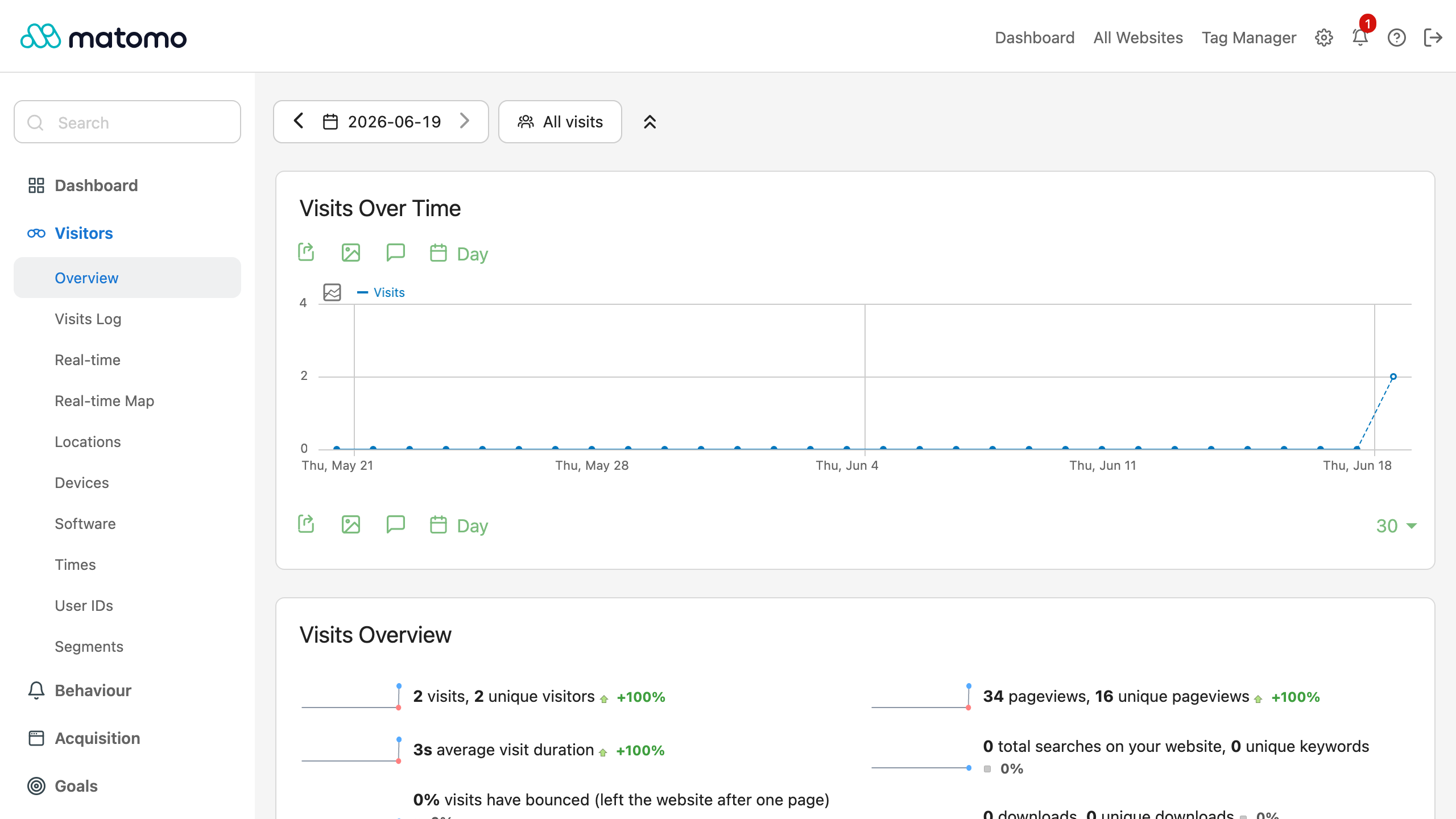
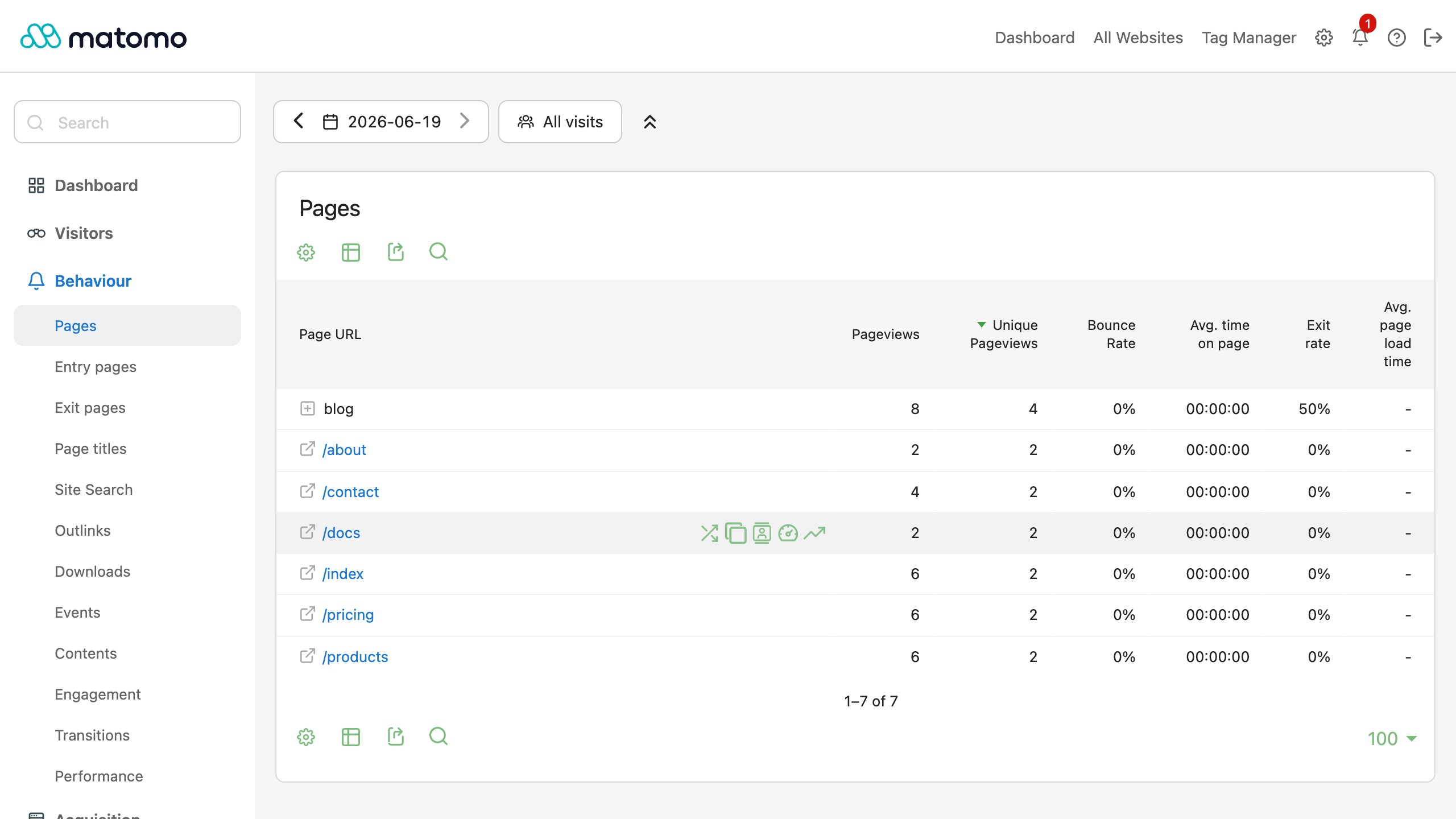
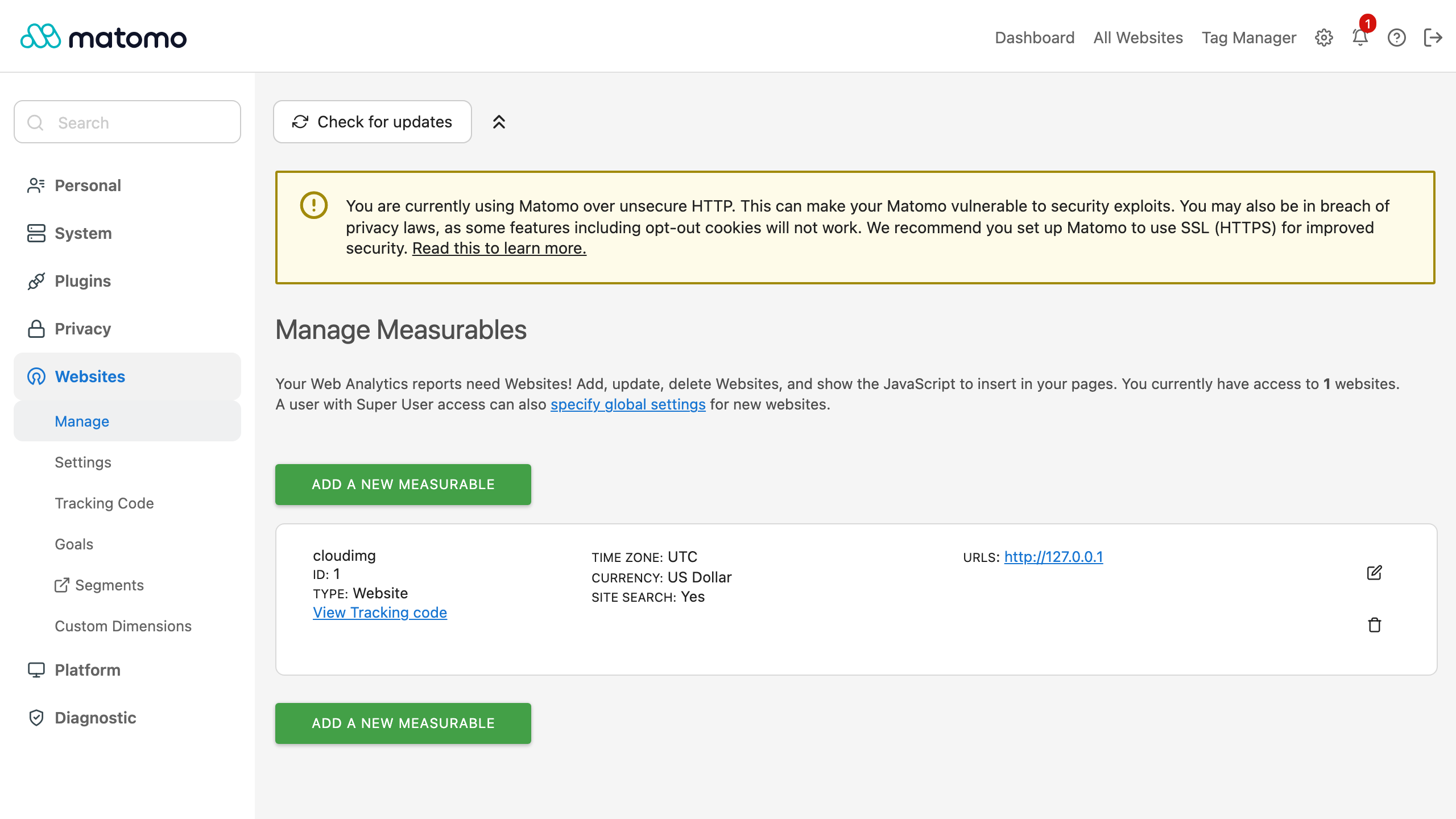
Description
This is a repackaged open source software product wherein additional charges apply for cloudimg support services.
Overview
Matomo is a privacy-first, open source web analytics platform used on over 1 million websites worldwide. This AMI delivers Matomo fully installed and configured as a production LAMP application so you have a complete analytics platform running within minutes of launch - no manual setup, no shared credentials, and full ownership of every byte of visitor data.
Why This AMI Over DIY or Other Images
Unlike a manual install or a generic community image, this AMI ships production-hardened from the start. A dedicated data disk keeps your analytics database independently resizable and survives instance replacement. Systemd manages MariaDB, PHP-FPM and nginx, restarting services on failure. A secure first-boot process generates unique credentials per instance so there are no shared passwords to rotate. And 24/7 cloudimg support means you have engineers available for deployment, tuning and troubleshooting - something unsupported community images cannot offer.
Application Stack
- Matomo on PHP 8.3 with php-fpm, served by nginx on port 80
- MariaDB database on a dedicated, independently resizable EBS data disk
- Systemd service management with automatic restart on failure
- Secure first-boot credential generation unique to each instance
Privacy-First Web Analytics
Track visits, page views, events, goals, ecommerce and campaigns across every site you add. Build segments, funnels and custom reports, watch real-time visitor activity, and explore the visitor log and behaviour flow. Matomo gives you GDPR-friendly analytics with data anonymisation, an opt-out mechanism, configurable data retention and no data sampling - because the data never leaves your server.
Secure First Boot
On the first boot a one-shot service generates a fresh database password and a fresh administrator password, both unique to that instance. It creates the Matomo superuser and pins the dashboard to your instance address. The administrator password is written to a file only the root user can read. No shared or default credentials ship in the image.
Ready To Use
The Matomo dashboard is served on port 80 through nginx. Sign in with the generated administrator credentials to add websites, install the tracking code, configure goals and segments, manage users and explore your reports. The full Reporting API is available for programmatic access with per-user tokens.
Use Cases
- Ecommerce retailer replacing GA4: A multi-brand retailer managing 20+ storefronts consolidates analytics on a single self-hosted instance, passes DPA audits without third-party data processors, and retains full conversion funnel data indefinitely.
- SaaS product team: A B2B SaaS company tracks feature adoption, trial-to-paid funnels and in-app events across staging and production environments with no data sampling, feeding results into their data warehouse via the Reporting API.
- Agency managing client sites: A digital agency tracks campaigns across dozens of client properties from one Matomo instance, providing white-label reports while keeping each client's data isolated.
- Healthcare or public-sector compliance: Organizations subject to HIPAA, GDPR or government data-residency rules host analytics entirely within their own AWS account, eliminating third-party data transfers.
Get Started
Launch the AMI, retrieve your unique admin credentials from the root-only file, and log in to the Matomo dashboard. Add your first site, paste the tracking snippet into your pages, and watch real-time data flow in. For a guided walkthrough of GDPR configuration, TLS setup or scaling, contact cloudimg support at any time.
cloudimg Support
24/7 technical support by email and live chat. Our engineers help with deployment, site and tracking-code setup, the Reporting API, user management, GDPR and privacy configuration, database tuning, TLS and scaling. Critical issues receive a one-hour average response.
All product and company names are trademarks or registered trademarks of their respective holders. Use of them does not imply any affiliation with or endorsement by them.
Key Features
- Production-ready in minutes: Matomo is fully installed on a hardened LAMP stack (PHP 8.3, MariaDB, nginx) with a dedicated, independently resizable data disk for your analytics database. No manual setup - launch the AMI and your self-hosted analytics platform is live. Unlike unsupported community images or manual installs, this AMI includes systemd service management with automatic restart on failure, giving you resilience from day one.
- Full data ownership with GDPR compliance built in: Every byte of visitor data stays on your server. Track visits, events, goals, ecommerce and campaigns across unlimited sites with no data sampling. Configure data anonymisation, visitor opt-out, and retention policies to satisfy GDPR, HIPAA or data-residency requirements without relying on third-party processors.
- Unique-per-instance security and 24/7 expert support: Every launch generates fresh database and administrator passwords stored in a root-only file - no shared or default credentials ever ship. cloudimg engineers provide 24/7 support by email and live chat with a one-hour average response for critical issues, covering deployment, TLS, GDPR configuration, database tuning and scaling.
Related Technologies
Related Products

Apache Spark Single-Node Cluster
This image runs Apache Spark 4.1.2 (built for Hadoop 3) as a single node standalone cluster.

Apache Superset BI Platform
This image runs Apache Superset, the open source data exploration and business intelligence platform, as a complete sing...
ELK Stack - Log Analytics and Observability
Once your instance is running and has passed both status checks (2/2), connect using SSH:
Hadoop Big Data Stack - HDFS MapReduce YARN
The Hadoop Big Data Stack AMI by cloudimg provides a fully preconfigured Apache Hadoop ecosystem ready to run on Amazon ...
Oracle Database 11g Enterprise Edition
Once your instance is running and has passed both status checks (2/2), connect using SSH:
RStudio Desktop IDE for R - Windows Server
Wait for the EC2 instance to pass 2/2 status checks (this may take several minutes for Windows instances).