Base
Hardened build
minimal ports, security patches applied at build time

durable execution engine that runs your workflows reliably through failures, retries and restarts
Temporal is an open source durable execution engine. You write Workflows and Activities in your own code and run them against the Temporal server, which persists every execution's full event history so work survives process and host failures and resumes exactly where it left off. The bundled Web UI lists namespaces, workflows and their full event history.
cloudimg packages the Temporal server, its Web UI and a bundled PostgreSQL as a hardened appliance. The Web UI is fronted by an nginx reverse proxy with a unique per-instance password generated on first boot, the frontend and database bind to the loopback interface only, and a clean database with a pre-registered default namespace is created on first boot. Paired with a detailed deploy guide and 24/7 cloudimg support.
Real screenshots taken while testing this image against its deployment guide.
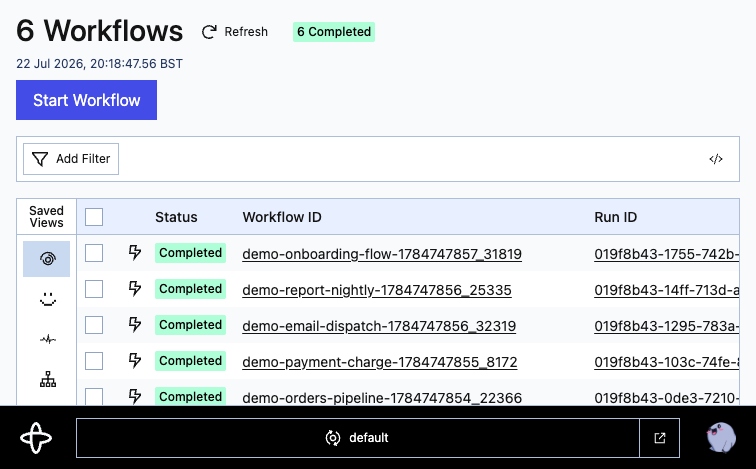
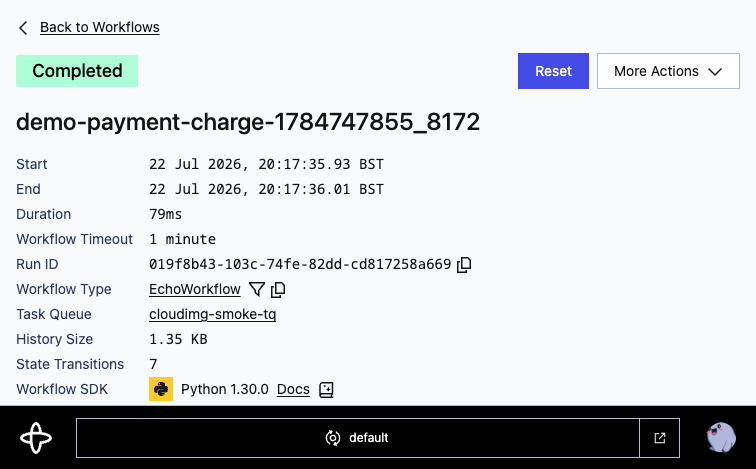
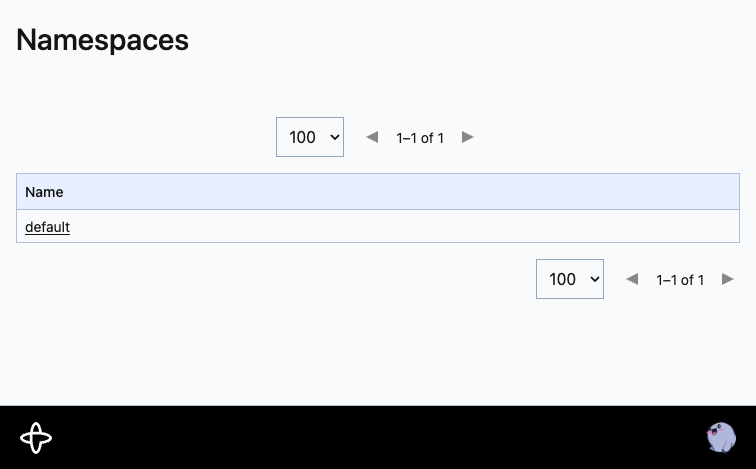
This is a repackaged open source software product wherein additional charges apply for cloudimg support services.
## Overview
Temporal is a popular open source durable execution engine. Your application defines Workflows and Activities in your own code and runs them against the Temporal server, which persists every execution's full event history so work survives process and host failures and resumes exactly where it left off. This AMI delivers a fully installed, security-hardened Temporal appliance - the Temporal server, its Web UI and a bundled PostgreSQL - so a working durable-execution backend is operational within minutes of launch, running privately in your own AWS account.
## Why This Image vs a Manual Install
This image eliminates the manual work of wiring the Temporal server to a database, running schema setup and namespace registration, standing up the Web UI, and hardening the whole stack. Temporal's open source Web UI has no authentication of its own - anyone who can reach it can read every namespace, workflow input, result and full execution history. This image never leaves it exposed: the Temporal frontend and the bundled PostgreSQL are bound to the loopback interface only, and an nginx reverse proxy fronts the Web UI with HTTP Basic authentication whose password is generated uniquely on each instance's first boot. Launch the instance, read your unique credential, and start running workflows.
## Application Stack
The Temporal server, its Web UI, an admin-tools container and a bundled PostgreSQL run as official upstream containers, pinned by image digest, orchestrated by Docker Compose under a single systemd unit. The Temporal frontend (gRPC) and the Web UI publish to the loopback interface only; PostgreSQL is never published to a host port. An nginx reverse proxy on port 80 fronts the Web UI, enforcing HTTP Basic authentication and upgrading the connection for the live UI stream. On first boot the image initialises a clean database, applies the Temporal schema, registers a default namespace, and generates a unique database password and a unique Web UI password - nothing is baked into the image.
## Security Hardening
This image follows a defence-in-depth approach:
Buyers requiring formal compliance documentation should contact cloudimg to discuss specific requirements.
## Concrete Use Cases
## AWS Integration
Deploy on any EC2 instance type; larger instances handle more concurrent workflow executions. Use the unauthenticated health endpoint with an Application Load Balancer for availability monitoring, place the instance in a VPC subnet with security-group control, forward logs to CloudWatch, and snapshot with EBS or AWS Backup to protect your workflow history.
## Evaluate Before You Commit
Launch a small instance type such as t3.medium to validate the product at minimal cost. The AMI is fully functional on any supported instance size, so you can explore the Web UI, connect SDK workers, and run test workflows before scaling up for production workloads.
## Getting Started
Read your credential from the root-only file, open the Web interface, sign in, and explore the pre-registered default namespace. Point your SDK workers at the frontend, start a workflow, and watch its status and event history update live in the Web UI. For a guided walkthrough or help connecting your first workers, contact cloudimg support at any time.

Accent is an open source, developer-oriented translation and localization management platform.
This image runs Apache Archiva, the open source build-artifact repository manager - a central, governed store for the bi...

Launch a production-ready Apache DolphinScheduler workflow scheduler in minutes with zero setup. All-in-one standalone d...

Apache JMeter is the de-facto open-source tool for load and performance testing of web applications, APIs, databases and...

This image runs Apache Subversion (SVN) 1.14, the Apache Software Foundation's enterprise centralised version-control sy...

This image runs Appsmith Community Edition, the open source low-code platform for building internal tools, admin panels,...