Base
Hardened build
minimal ports, security patches applied at build time

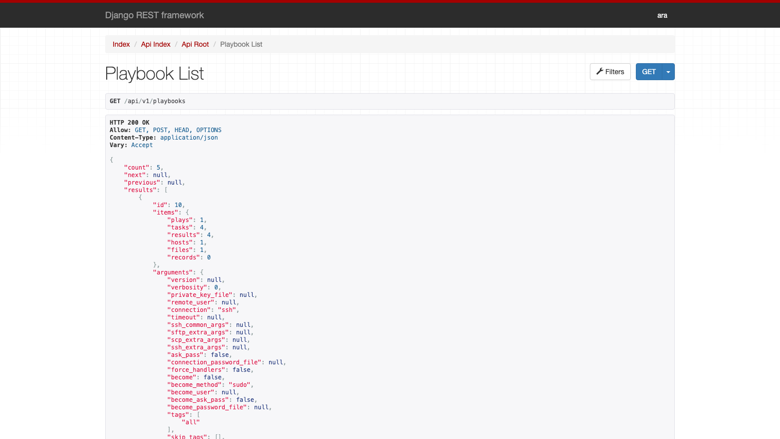
record every Ansible playbook run and browse the results in a web reporting UI and REST API
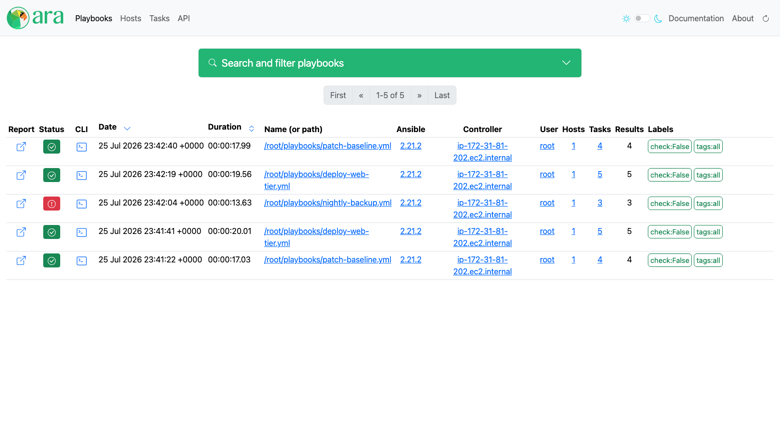
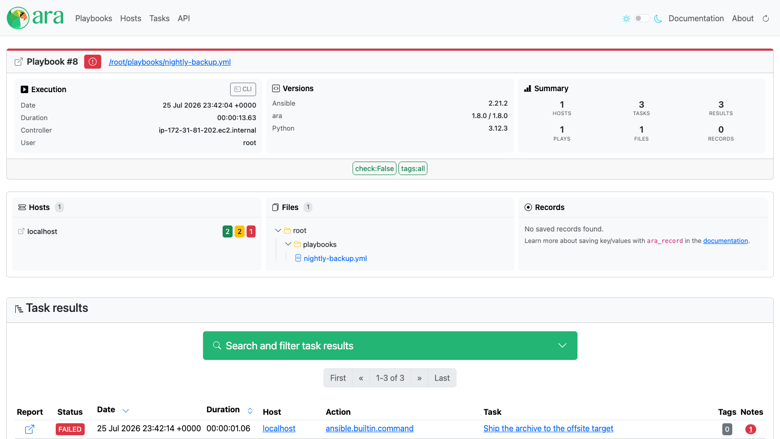
ARA Records Ansible is a self-hosted reporting tool for Ansible. A lightweight callback plugin records the plays, tasks, hosts and results of every playbook run, and a web interface backed by a REST API makes them searchable and easy to troubleshoot. Point your Ansible at the recorder, run your playbooks exactly as you do today, and a durable, queryable record of what ran, where, how long it took and what changed builds up automatically.
A stock ARA server allows unauthenticated reading AND writing of your whole automation history. The cloudimg image requires authentication on the entire interface and the entire API, ships zero user accounts, and generates a fresh application secret key and a unique administrator password on the first boot of every instance, written to a root-only file. Ansible and the recording callback are installed on the appliance itself, so it records runs out of the box, and the application, its virtual environment and the recording database sit on a dedicated, independently resizable data volume. Paired with a step by step deploy guide and 24/7 cloudimg support.
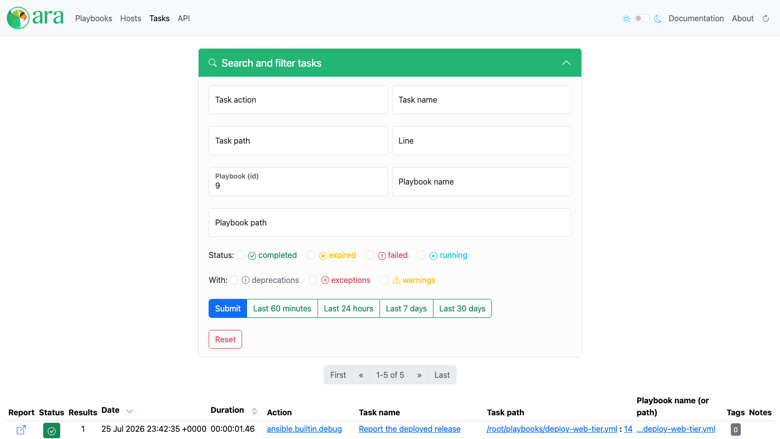
Real screenshots taken while testing this image against its deployment guide.
This is a repackaged open source software product wherein additional charges apply for cloudimg support services.
## See What Your Ansible Actually Did
ARA Records Ansible is a widely adopted open source reporting tool for Ansible. A lightweight callback plugin records the plays, tasks, hosts, and results of every playbook run, while a clean web interface backed by a REST API makes them easy to browse, search, and troubleshoot. Point your Ansible at the recorder, run your playbooks exactly as you do today, and a durable, queryable record of what ran, where, how long it took, and what changed builds up automatically.
This image delivers ARA fully installed and reverse-proxied behind nginx, so a complete Ansible reporting platform is answering within minutes of launch with no manual Django, application server, web server, or database configuration.
## Why This Image Instead of Self-Deploy
Standing up ARA by hand means creating a virtual environment, pinning the server extras, writing an application server unit, configuring a reverse proxy, initialising a database, generating an application secret key, and then closing the security hole that a default install leaves wide open. This image removes all of it:
## Secure by Default
This matters more than it looks. A stock ARA server defaults to unauthenticated read AND unauthenticated write, so anyone who can reach port 80 can read every recorded playbook, every host name, and every task result - and can also write records into your history. This image turns both login requirements on, so the reporting interface and the API are gated behind HTTP authentication from the very first request.
No credential ships in the image at all. The database is deleted before capture, so the image contains zero user accounts. On first boot a one-shot service generates a fresh application secret key, initialises an empty database, creates a single administrator with a random password unique to that instance, and writes it to a file readable only by root. You retrieve it over SSH, sign in from your browser, and start recording. Two instances launched from this image never share a secret.
## How It Is Assembled
The application runs under an unprivileged service account bound to the loopback interface only, with nginx published on port 80 in front of it. The recording database is self-contained, so there is no separate database server to run, patch, or pay for on a single-node deployment, and it lives with the application on its own EBS volume that you can grow as your playbook history does. Only the reverse proxy is reachable from outside the instance.
## Use Cases
## Evaluation and Getting Started
Because this image bills hourly, you can evaluate it on a small instance at minimal commitment - launch, explore the web UI, record a few test playbooks, and terminate when done. No long-term contract is required.
Launch the image, read your administrator password from the root-only credentials file, and sign in. Then export a handful of environment variables on any control node to start sending it your own playbook runs. The paired cloudimg user guide covers sign-in, connecting remote control nodes, user management, TLS, and backup: https://www.cloudimg.co.uk/guides/ara-aws/
## Licensing
This image ships ARA Records Ansible unmodified from the upstream release, distributed under the GNU General Public License version 3. cloudimg is not affiliated with, endorsed by, or sponsored by the ARA project or Red Hat. All product and company names are trademarks or registered trademarks of their respective holders, and their use does not imply any affiliation with or endorsement by them.

Accent is an open source, developer-oriented translation and localization management platform.

Altair GraphQL Client is an open-source, self-hosted GraphQL IDE for building, sending and inspecting GraphQL requests.
This image runs Apache Archiva, the open source build-artifact repository manager - a central, governed store for the bi...

This image runs Apache Camel Karavan, an open source visual integration designer and toolkit for Apache Camel.

Apache JMeter is the de-facto open-source tool for load and performance testing of web applications, APIs, databases and...

Launch a content crawler and search index in minutes. ManifoldCF, PostgreSQL and Apache Solr come preinstalled and wired...