Base
Hardened build
minimal ports, security patches applied at build time

Self-hosted workflow and cron orchestration, defined as YAML DAGs and run from a built-in web UI, packaged by cloudimg
Dagu is a self-contained workflow and cron orchestration engine. You describe work as a DAG, a directed acyclic graph of steps, in a single readable YAML file, and Dagu runs it on demand or on a schedule with dependencies, retries, timeouts and preconditions. A built-in web UI shows workflows, live run graphs, per-run logs and execution history, and a REST API and CLI drive the same engine. It needs no database or message broker: it ships as a single binary and keeps all state on the local filesystem.
The cloudimg image runs Dagu behind an nginx reverse proxy with the full web UI and API gated by HTTP Basic Auth, generates a unique admin password on each instance's first boot that is never baked into the image, keeps workflow definitions, logs and run history on a dedicated data volume, and is backed by 24/7 cloudimg support.
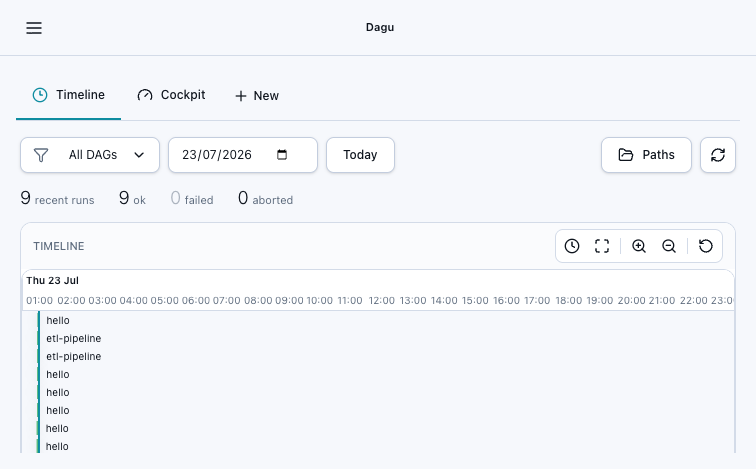
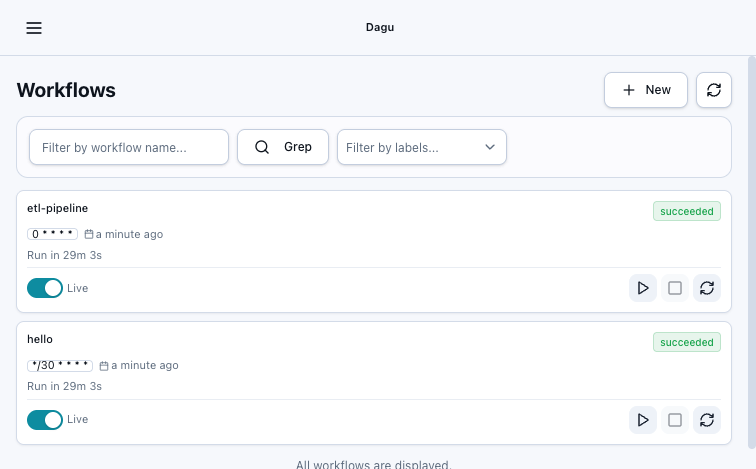
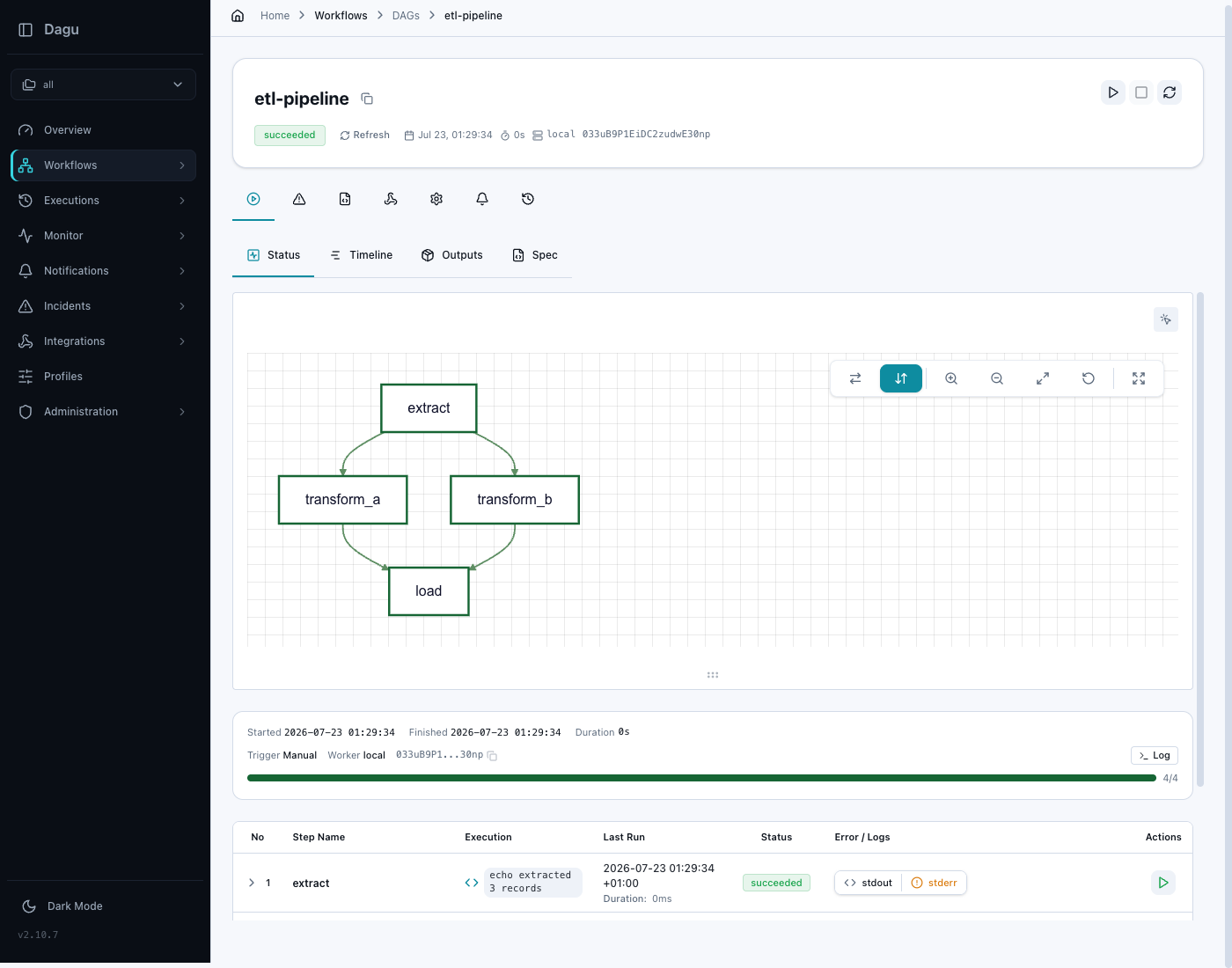
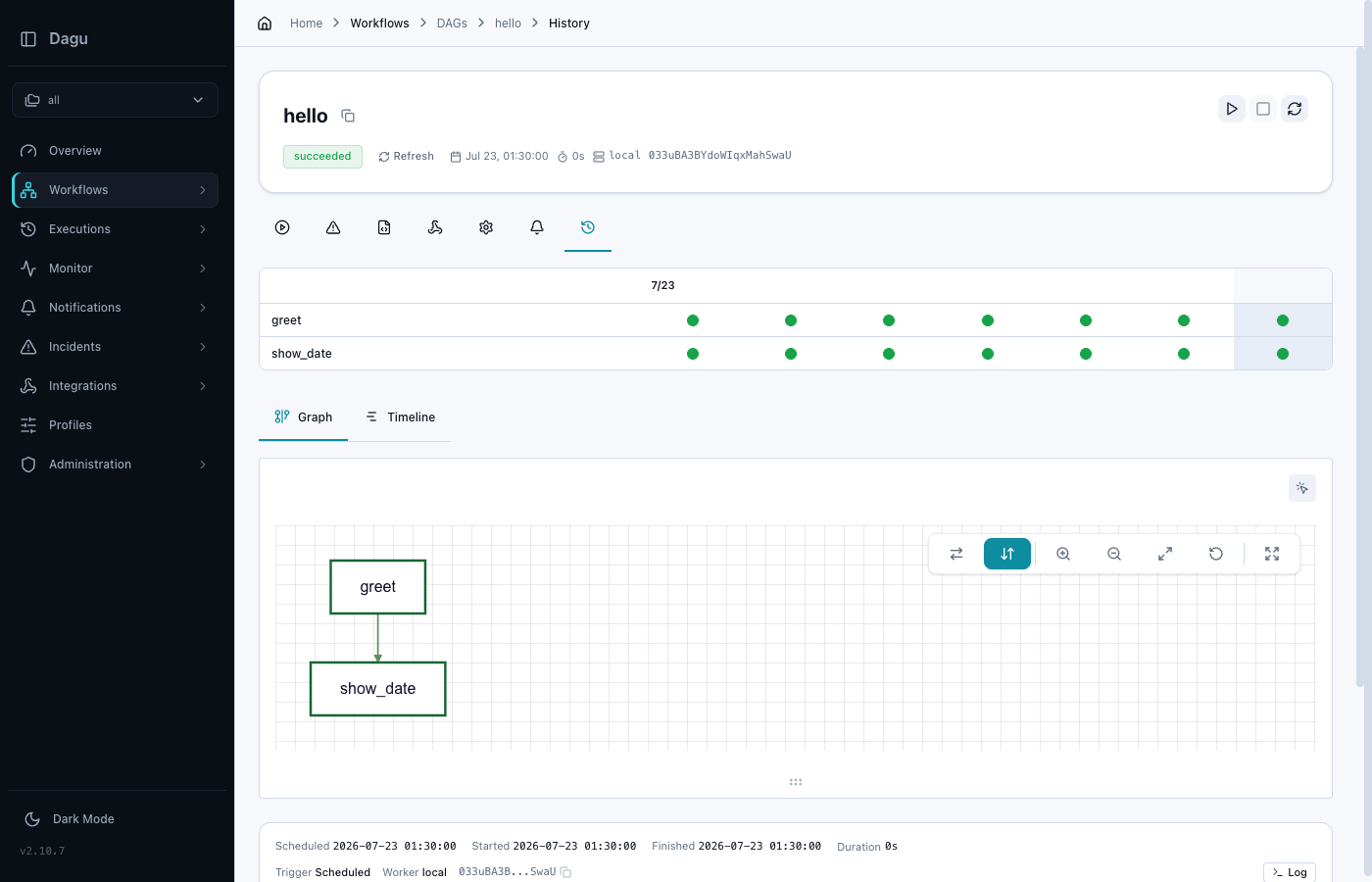
Real screenshots taken while testing this image against its deployment guide.
This is a repackaged open source software product wherein additional charges apply for cloudimg support services.
## Overview
Dagu is a self-contained workflow and cron orchestration engine. You describe your work as a DAG, a directed acyclic graph of steps, in a single readable YAML file, and Dagu runs it on demand or on a schedule, handling dependencies between steps, retries, timeouts, preconditions and lifecycle hooks. A built-in web UI lets you browse workflows, start and stop runs, watch each step of a run graph in real time, inspect per-run logs and browse execution history, while a REST API and a full command line interface drive the same engine from scripts and automation.
## Why This Image vs a Manual Install
Unlike heavyweight schedulers, Dagu needs no database, no message broker and no complex runtime. It ships as a single self-contained binary and keeps all of its state on the local filesystem, so it starts instantly and stays lightweight. This image eliminates the manual binary download and verification, systemd unit authoring, reverse-proxy configuration and credential hardening that a manual install requires. What normally takes several steps across download, service configuration and security hardening is completed for you at image build time. Launch the instance, read your unique credential, and start defining workflows. An example workflow is included so the engine has something to run on first boot.
## Application Stack
A single dagu start-all process runs the HTTP server, scheduler and executor together as a dedicated unprivileged system user under a hardened systemd unit, bound to the loopback interface only and fronted by an nginx reverse proxy on port 80. systemd starts the daemon and the web server on boot and restarts them on failure. The workflow definitions, run logs and execution history live on a dedicated data volume, independently resizable and separate from the OS disk.
## Security Hardening
This image follows a defence-in-depth approach:
Buyers requiring formal compliance documentation should contact cloudimg to discuss specific requirements.
## Concrete Use Cases
## AWS Integration
Deploy on any EC2 instance type. Use the unauthenticated health endpoint with an Application Load Balancer for availability monitoring. Back up your workflow definitions and run history using EBS snapshots or AWS Backup. Resize the dedicated data volume independently of the OS disk as your run history grows.
## Getting Started
Read your credential from the root-only file, open the web interface in your browser, sign in as admin, and browse the included example workflow. Define your own workflows as YAML DAGs under the data directory, run and monitor them from the UI or the command line, and schedule them with cron expressions. To evaluate the AMI, launch it on a small instance type and run the included example workflow to confirm the full stack is working before building your own.
## Resources
cloudimg provides a step-by-step user guide for this image at https://www.cloudimg.co.uk/guides/dagu-aws/, covering credential retrieval, signing in, defining your first DAG and scheduling. Two example workflows - a hello DAG and an ETL-style pipeline - ship in the image under the data directory so the engine works out of the box.
## cloudimg Support
24/7 technical support by email and chat. Help with deployment, reverse-proxy termination with your own domain and certificate, workflow and schedule configuration, and backup planning for your workflow store.

Accent is an open source, developer-oriented translation and localization management platform.
This image runs Apache Archiva, the open source build-artifact repository manager - a central, governed store for the bi...

This image runs Apache Camel Karavan, an open source visual integration designer and toolkit for Apache Camel.

Launch a production-ready Apache DolphinScheduler workflow scheduler in minutes with zero setup. All-in-one standalone d...

Apache JMeter is the de-facto open-source tool for load and performance testing of web applications, APIs, databases and...

This image runs Apache Subversion (SVN) 1.14, the Apache Software Foundation's enterprise centralised version-control sy...