Base
Hardened build
minimal ports, security patches applied at build time

draw.io, a browser based diagram editor for flowcharts, UML, ERD, network and BPMN diagrams, ready to run the moment it boots.
draw.io (also known as diagrams.net) is a full featured, open source diagram editor that runs entirely in the browser. You draw flowcharts, UML and ER diagrams, network and cloud architecture diagrams, BPMN, org charts and mind maps on an infinite canvas with a large shape library, then export to PNG, SVG, PDF or the open drawio format. Because the editor is client side, your diagrams live in your browser and on your own device (or in storage you connect, such as Google Drive, OneDrive or GitHub) rather than on the server, which makes self hosting a natural fit for teams that want a private, in house alternative to a cloud diagramming service.
cloudimg ships draw.io fully patched and preconfigured, with the official release served on Apache Tomcat behind an nginx reverse proxy that terminates HTTPS with a per instance certificate generated on first boot, so the editor answers over TLS the moment the instance boots. The servlet container is hardened before capture: the Tomcat manager and host manager consoles are removed and the users file is shipped empty, so there is no admin console and no default credential. The editor has no login of its own, so the paired deployment guide shows how to restrict access with your security group, and every image is backed by 24/7 support.
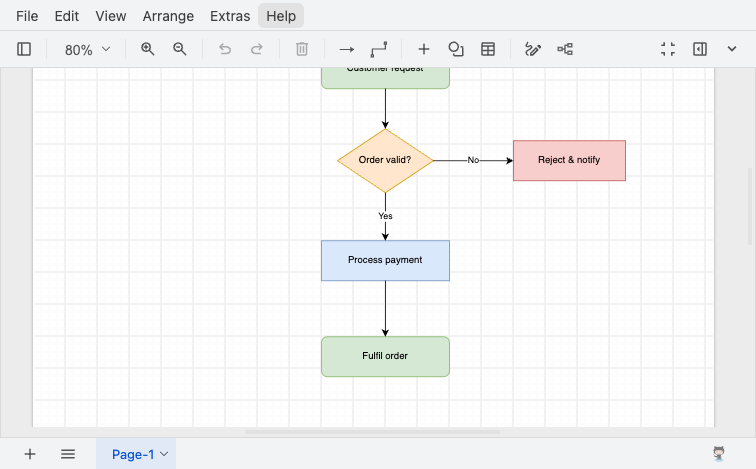
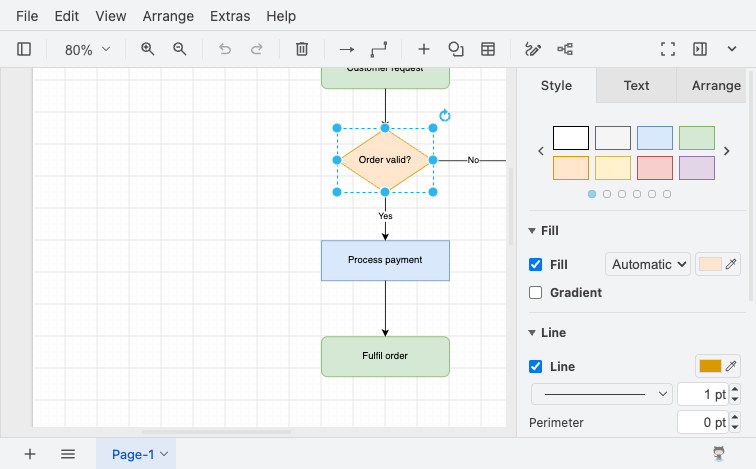
Real screenshots taken while testing this image against its deployment guide.
This is a repackaged open source software product wherein additional charges apply for cloudimg support services.
## Overview
draw.io (also known as diagrams.net) is a popular open-source diagram editor for creating flowcharts, UML, entity-relationship, network, BPMN, org-chart, mind-map, and wireframe diagrams in your browser. This AMI delivers a fully installed, security-hardened self-hosted draw.io server so a working diagram editor is available over HTTPS within minutes of launch, running entirely in your own AWS account.
The draw.io editor runs client-side in the browser; this appliance hosts the application and serves it over TLS, so your diagram data stays in your browser or in whatever storage you choose to connect (local device, Google Drive, OneDrive, or GitHub). It is a stateless editor host - there is no server-side database and no diagram data kept on the instance.
## About cloudimg
cloudimg specializes in delivering pre-hardened, production-ready AMIs on AWS. This listing includes a software charge for ongoing cloudimg technical support services including deployment assistance, security patching guidance, and configuration help.
## Why This Image vs a Manual Install
This image eliminates the Java runtime and servlet-container setup, WAR deployment, reverse-proxy configuration, TLS termination, and Tomcat hardening that a bare install requires. A stock Tomcat ships administrative web applications and a users file that are a well-known attack surface; this image removes the manager and host-manager applications, ships an empty users file, disables the shutdown port, and binds the application to the loopback interface so only the hardened nginx HTTPS front door is reachable. Launch the instance and start diagramming - no configuration files to edit and no additional packages to install.
## Application Stack
The official draw.io web application is deployed on Apache Tomcat 9 (matching the runtime the draw.io project itself ships) on OpenJDK 17, bound to the loopback interface. An nginx reverse proxy on port 443 forwards to it over a self-signed TLS certificate that is regenerated uniquely on each instance's first boot; port 80 serves an unauthenticated health endpoint and redirects everything else to HTTPS. Image export to PNG, SVG, or PDF is performed client-side by your browser, so no additional export service is exposed.
## Security Hardening
This image follows a defence-in-depth approach:
## Concrete Use Cases
## AWS Integration
Deploy on any EC2 instance type; the application is lightweight because rendering happens in the browser. Front the instance with an Application Load Balancer using the unauthenticated health endpoint on port 80 for availability monitoring, and restrict inbound access to your own network with the instance Security Group. The AMI enforces IMDSv2 for metadata security.
## Getting Started
1. Launch the AMI from this listing with a key pair and a Security Group allowing inbound ports 22, 80, and 443 - ideally restricted to your own IP range.
2. Open https://
3. Start creating diagrams; export to PNG, SVG, or PDF from the File menu when done.
4. For production, put your own domain and a CA-signed certificate in front of the instance and restrict inbound access to your network.

Accent is an open source, developer-oriented translation and localization management platform.
This image runs Apache Archiva, the open source build-artifact repository manager - a central, governed store for the bi...

This image runs Apache Camel Karavan, an open source visual integration designer and toolkit for Apache Camel.

Launch a production-ready Apache DolphinScheduler workflow scheduler in minutes with zero setup. All-in-one standalone d...

Apache JMeter is the de-facto open-source tool for load and performance testing of web applications, APIs, databases and...

This image runs Apache Subversion (SVN) 1.14, the Apache Software Foundation's enterprise centralised version-control sy...