Base
Hardened build
minimal ports, security patches applied at build time

an ultra low latency camera streaming gateway that restreams your cameras to any browser over WebRTC, secure by default
go2rtc is an open source camera streaming application and restreaming gateway. It connects to cameras and video sources over RTSP, ONVIF, RTMP, HTTP and USB, and republishes each stream over whatever protocol the viewer needs: WebRTC for sub second latency in a browser, Media Source Extensions, HLS, MJPEG and RTSP. It is a single self contained Go binary driven by one readable configuration file, with a web dashboard and a full REST API, so a working streaming gateway is answering within minutes and you skip hours of media server setup.
cloudimg ships go2rtc secure by default, closing the gap left by the upstream open web interface. go2rtc binds to the local host behind an nginx TLS reverse proxy, and HTTP Basic authentication is enforced on every request. A unique username, password and self signed certificate are generated on each instance's first boot and never baked into the image, so no two instances share a login. It runs as a hardened, non root systemd service, comes with a bundled demonstration stream so the pipeline works the moment you sign in, ships with a paired step by step deploy guide, and is backed by 24/7 cloudimg support.
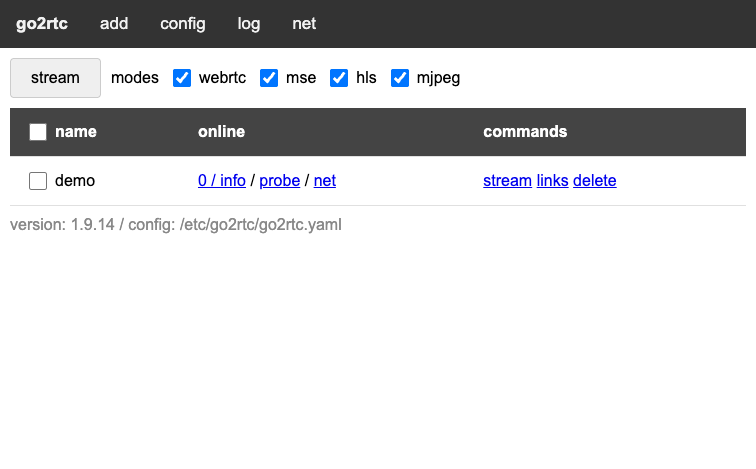
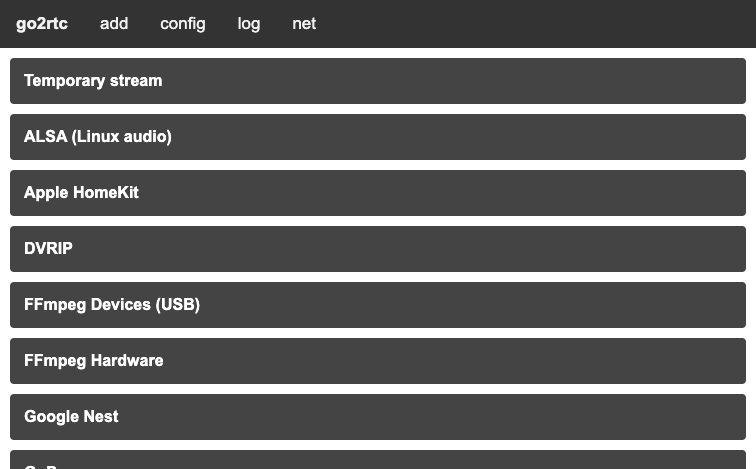
Real screenshots taken while testing this image against its deployment guide.


This is a repackaged open source software product wherein additional charges apply for cloudimg support services.
go2rtc is an open source, ultra low latency camera streaming application and restreaming gateway. It connects to your cameras and video sources over the protocols they speak, RTSP, ONVIF, RTMP, HTTP, USB and many vendor specific APIs, and republishes each stream over whatever protocol the viewer needs, including WebRTC for sub second latency in a browser, Media Source Extensions, HLS, MJPEG and RTSP. It is a single self contained Go binary with no database and no runtime dependencies beyond ffmpeg, so a working streaming gateway is answering within minutes of launch and you skip hours of manual media server setup.
This image delivers go2rtc fully installed and configured, running under systemd as a hardened, non root service. go2rtc is driven entirely by one readable file, /etc/go2rtc/go2rtc.yaml, where each named stream lists one or more sources. A built in web dashboard lets you add cameras, watch live streams, copy embed links and inspect every stream, and a full REST API exposes the same control for automation and integration with tools such as Home Assistant and Frigate.
Secure by default with no known credential: upstream go2rtc ships with its web interface and API completely open, which is unsafe on any network. This image closes that gap. go2rtc binds only to the local host and sits behind an nginx TLS reverse proxy on port 443, and HTTP Basic authentication is enforced on every request, including the local ones the proxy makes, so the interface is never open. There is no default or shared password: a unique username and password are generated on each instance's first boot, written once to a root only file, and never baked into the image, alongside a per instance self signed certificate.
Application stack: go2rtc runs as a dedicated non root service exposing the web UI and REST API on the local host only, an RTSP restream server on port 8554, and WebRTC media on port 8555 with automatic public address discovery. nginx terminates TLS on port 443, proxies to go2rtc, upgrades the WebSocket used for browser playback and signalling, and serves an unauthenticated health endpoint for liveness. ffmpeg is installed for transcoding, snapshots and the bundled demonstration stream.
Key capabilities: connect to RTSP, ONVIF, RTMP, HTTP and USB cameras and republish them over WebRTC, MSE, HLS, MJPEG and RTSP; ultra low latency browser playback with no plugins; a clean web dashboard plus a full REST API for automation; on the fly transcoding through ffmpeg when a source and a viewer speak different codecs; and a bundled demonstration stream so you can see the pipeline working the moment you sign in. The demonstration stream is a self contained test pattern with no camera hardware required; the deploy guide shows how to swap it for your own cameras.
Get started: sign in to the dashboard with the per instance credentials, watch the bundled demonstration stream, then add your first camera by pasting its RTSP or ONVIF address, and embed the low latency player wherever you need it. cloudimg engineers can help with camera onboarding, WebRTC and TLS configuration, transcoding and integration with Home Assistant, Frigate and other platforms after purchase.
All product and company names are trademarks or registered trademarks of their respective holders. Use of them does not imply any affiliation with or endorsement by them.

Launch a ready-to-use AKHQ Kafka GUI with a pre-configured broker in minutes. Secured by default with unique credentials...

This image runs Apache ActiveMQ Artemis, the high performance, non blocking message broker from the Apache ActiveMQ proj...
This image runs Apache ActiveMQ Classic, the long established open source message broker from the Apache Software Founda...

Arroyo is a distributed stream processing engine that lets you run SQL over real-time data streams.

Centrifugo pre-configured behind an nginx reverse proxy: a scalable real-time messaging server that pushes events to onl...

RabbitMQ is a widely-used open source message broker that implements the AMQP protocol. This image provides RabbitMQ 4.3...