Base
Hardened build
minimal ports, security patches applied at build time

open source vulnerability scanning for containers, filesystems and SBOMs, backed by cloudimg support
Grype is Anchore's open source vulnerability scanner. It finds known CVEs in operating system packages and language dependencies across container images, directories, filesystems and software bills of materials, and reports each finding with its severity and the version that fixes it. cloudimg ships Grype fully installed with the vulnerability database pre loaded, so you can connect over SSH and scan straight away.
The cloudimg image installs the checksum verified Grype binary and pre loads the vulnerability database into a shared system cache, so your first scan works offline with no setup. It comes with a paired deployment guide and 24/7 cloudimg support.
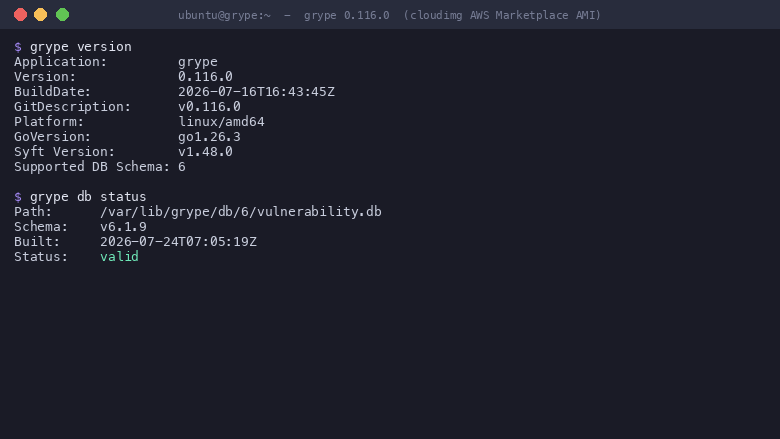
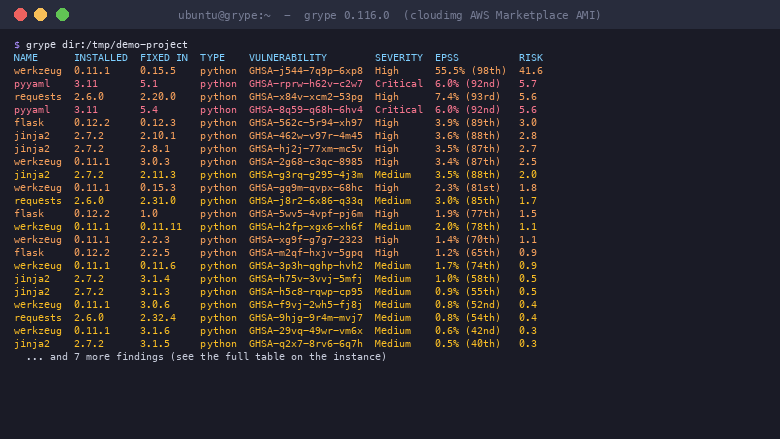
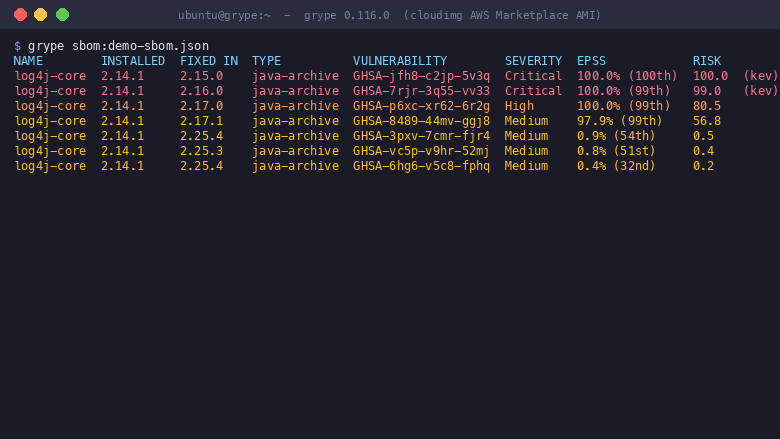
Real screenshots taken while testing this image against its deployment guide.
This is a repackaged open source software product wherein additional charges apply for cloudimg support services.
## Overview
Grype is the open source, Apache-2.0 licensed vulnerability scanner from Anchore - one of the most widely adopted open source container security tools in the DevSecOps ecosystem. From a single command line it finds known vulnerabilities (CVEs) in operating-system packages across major Linux distributions and in language dependencies (Java, Python, JavaScript, Ruby, Go, .NET, Rust, PHP and others), across container images, directories, filesystems, archives and Git checkouts, and it reads a Syft, SPDX or CycloneDX software bill of materials produced earlier in your pipeline. This AMI delivers Grype fully installed and configured as a ready-to-use scanning workstation - SSH in and start scanning immediately with no setup required.
## Why Choose This AMI Over Self-Installation
Deploying Grype from scratch means installing the binary, downloading the vulnerability database, configuring cache paths, and verifying checksums - a process that typically takes 15-30 minutes of manual effort per instance. This AMI eliminates that entire workflow:
## What You Can Scan
## Getting Started
1. Launch the AMI on your preferred EC2 instance type
2. Connect over SSH using your key pair
3. Run `grype version` to confirm the toolchain and `grype db status` to see the pre-loaded database
4. Point Grype at any target - `grype dir:/path`, `grype
5. Review results immediately - the pre-loaded database means no download wait
## Sample Scan Output
A typical scan produces a table showing each vulnerability's ID, its severity (Critical, High, Medium, Low, Negligible), the affected package and installed version, and the version that fixes it. JSON output (`grype -o json`) provides machine-readable results including EPSS exploit-probability scores, making it straightforward to feed findings into policy engines, dashboards, or CI gates.
## CI Pipeline Integration
Use this AMI as a CI runner image or scanning bastion within your environment:
## Security Practices
The Grype binary is verified against the official release checksum during the AMI build process. The image runs no network service beyond SSH, and all scanning is performed locally on the instance - no scan data leaves your environment unless you explicitly configure external reporting. SSH access uses key-based authentication.
## Use Cases
## cloudimg Support
24/7 technical support by email and live chat covers scan configuration, severity gating and exit codes, ignore rules, SBOM scanning, container-image and filesystem scanning, database refresh and air-gapped operation, and CI integration. Critical issues receive a one-hour average response.
## Next Steps
Contact support@cloudimg.co.uk to request a sample scan report, schedule a CI integration walkthrough, or ask any pre-purchase questions about the product.
All product and company names are trademarks or registered trademarks of their respective holders. Use of them does not imply any affiliation with or endorsement by them.

This image runs AIDE (Advanced Intrusion Detection Environment), the open source, GPL-2.0 licensed host-based file and d...

This image runs Apache Directory Server (ApacheDS) 2.0, the Apache Software Foundation's extensible, embeddable director...

This image runs Authgear, the open source authentication server and identity provider.
This image runs Beelzebub, the open source low code honeypot and deception framework.

The image installs the official Casdoor release, a single self contained Go binary that bundles its pre built web consol...

This image runs Certimate, the open source platform that automates the full life cycle of your SSL/TLS certificates.