Base
Hardened build
minimal ports, security patches applied at build time

Self hosted real time web log viewer and tailer, searchable and filterable in the browser over any log source.
Logdy is an open source, self hosted real time web log viewer and tailer. It follows a file, a program's standard output, journald or a socket and streams every line live into a clean browser interface, parsing structured JSON into sortable columns with per column facets, full text search and composable filters so you can slice a noisy log down to exactly the events you care about. Low code TypeScript parsers let you shape and colour arbitrary formats.
It is a single Go binary that holds logs in an in memory buffer, so it starts instantly and needs no database or external services. That makes it a fast, visual alternative to tailing and grepping in a terminal, and a lightweight option next to a full centralized logging stack.
The cloudimg image installs Logdy behind an nginx reverse proxy, with the whole interface, including the live stream WebSocket, protected by HTTP Basic authentication. There is no default password: a unique credential is generated on each instance's first boot, stored only as a bcrypt hash and written once to a root only file, never baked into the image. Logdy binds only to loopback and only a static health endpoint is left open. A demo generator populates the columns, search and filters on first boot so you can see it working immediately, a paired step by step deploy guide shows you how to point Logdy at your own logs and add TLS, and every image is backed by 24/7 cloudimg support.
Real screenshots taken while testing this image against its deployment guide.
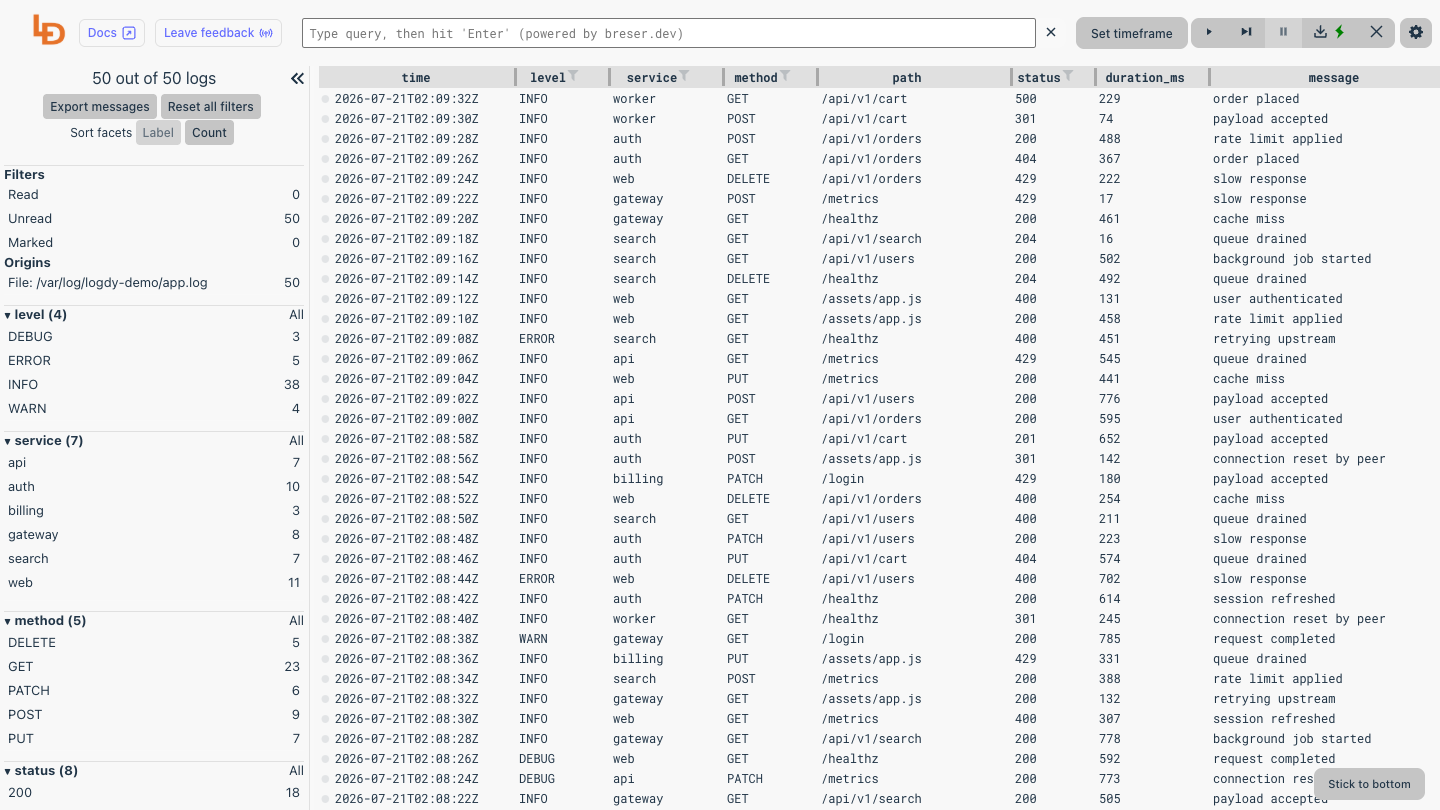
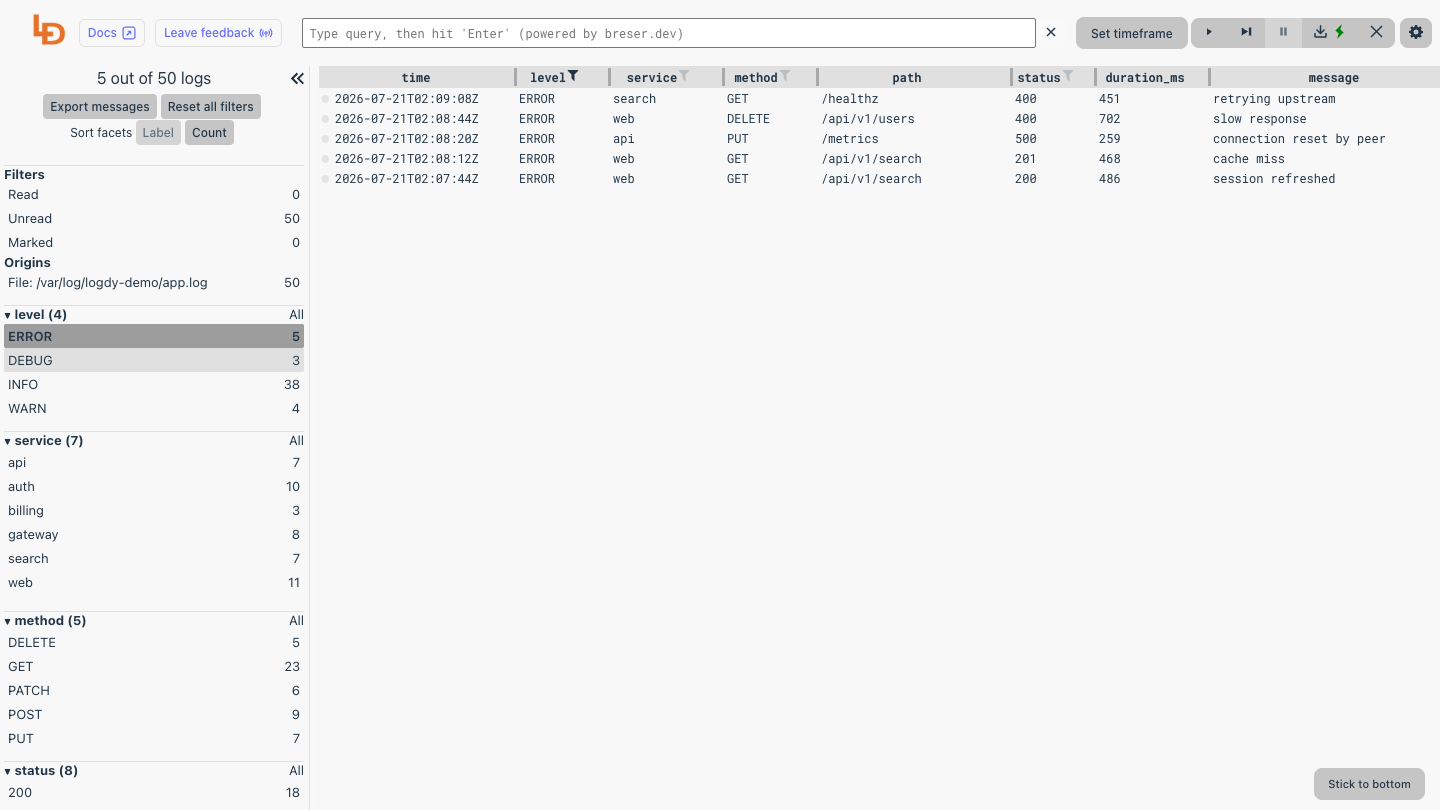
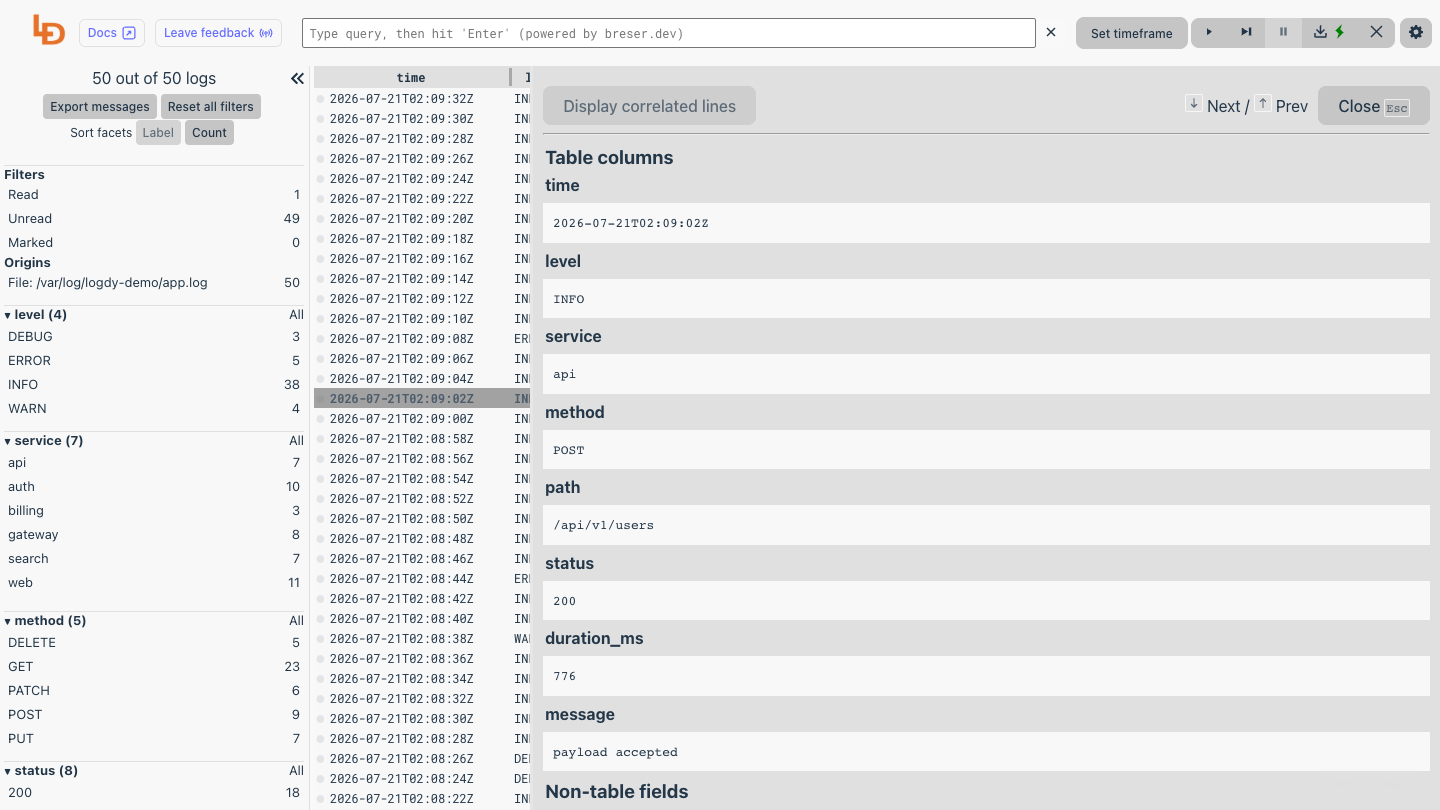
This is a repackaged open source software product wherein additional charges apply for cloudimg support services.
Logdy is a self-hosted, web-based real-time log viewer and tailer for DevOps engineers, SREs and small platform teams who need fast, visual log inspection without deploying a heavy centralized logging stack. It follows a log source, a file you point it at, a program's standard output, journald, or a socket, and serves a clean browser interface that streams every line live, with sortable columns, full text search and composable filters so you can slice a noisy log down to exactly the events you care about. Structured JSON logs are parsed into real columns automatically, and low-code TypeScript parsers let you shape and colour arbitrary formats, so tailing a file in a terminal becomes a fast, visual, shareable experience. It is a single Go binary that holds logs in an in-memory buffer, so it stays lightweight, starts instantly and needs no database or external services. The current release available is Logdy 0.17.
Who this is for: an SRE debugging a failed deployment on a single EC2 instance can filter structured application logs in real time, isolating error events from thousands of lines a minute without shipping data to an external platform. A small team monitoring service output gets instant visibility without provisioning databases, configuring Elasticsearch clusters or tuning Java heap sizes, just launch the image and open your browser.
This image delivers Logdy fully installed and reverse proxied behind nginx, so a working log viewer is running within minutes of launch, with no manual package installation, no dependency troubleshooting and no proxy configuration required. To show the interface working the moment the instance boots, the image ships a small demo generator that appends structured log lines to a demo file that Logdy follows, so the columns, search and filters are populated on first boot, this is demo data only, and the paired guide shows you how to switch Logdy to your own file, journald or socket in a single step.
Why this beats a bare deployment: unlike installing Logdy from source or running a multi-component stack such as ELK or Loki plus Grafana, this image is configured to be secure by default.
Features include live tailing of files, standard output, journald and sockets, automatic parsing of structured JSON into columns, full text search and multi condition filtering, low-code TypeScript parsers for custom formats, and a single self contained binary with an in-memory buffer for instant startup.
Getting started: launch the image, retrieve your generated credential from the root-only file, open your browser and you are viewing live logs. The paired deployment guide walks you through switching Logdy from the demo log to your own sources, configuring TLS termination and writing custom parsers.
This is a repackaged open source software product with additional charges for cloudimg support services. Logdy is distributed under the Apache License 2.0. All product and company names are trademarks or registered trademarks of their respective holders. Use of them does not imply any affiliation with or endorsement by them.

This image runs AnythingLLM, the all-in-one open source application for chatting with your documents using any large lan...

This image runs the full ELK Stack as a single node deployment. Elasticsearch is the distributed search and analytics en...
A preconfigured Elasticsearch, Logstash and Kibana stack with coordinated versions, ready for log analytics on launch.

The LAMP Stack AMI by cloudimg provides a fully preconfigured Linux, Apache, MySQL, and PHP environment ready to run on ...
This image gives you the four components of the MEAN Stack -- MongoDB, Express, Angular and Node.js -- installed, config...

The cloudimg image ships the free and open source, MIT licensed docker-mailserver, run the officially supported way as t...