Base
Hardened build
minimal ports, security patches applied at build time

the open source web dashboard that turns predefined shell commands into safe buttons: home lab and devops automation without handing anyone a shell, secured from first boot by cloudimg.
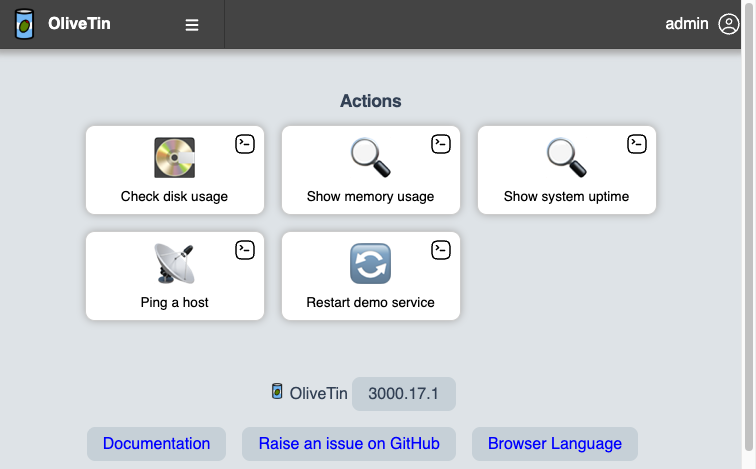
OliveTin gives you a clean web interface of buttons, where each button runs one predefined shell command that you have approved in advance. Instead of granting people SSH access to run ad hoc commands, an administrator defines a curated set of actions in a single configuration file, and users simply click to run them and watch the live output. It is ideal for letting less technical users, or your future self, safely trigger routine operations: restart a service, check disk space, ping a host, kick off a backup, run a playbook, from a phone or a browser.
Actions can prompt for inputs constrained to fixed choices, be grouped into dashboards, run on a schedule or a webhook, and stream their output back to the page. Because every button is a command running on the server, the whole value of OliveTin depends on it being locked down, which is exactly how cloudimg ships it.
cloudimg ships OliveTin secure by default, because an open OliveTin is remote command execution. The web interface is reachable only through a reverse proxy that terminates TLS and enforces authentication, with a unique administrator password generated on the first boot of every instance and no default login surviving into the image, so no two deployments share a credential. The command runner itself is bound to loopback and never exposed directly, and it runs as a dedicated unprivileged user rather than as root, with a single narrowly scoped rule for the one demo action that needs elevation. Only a small set of safe, non destructive actions ship out of the box, every argument constrained to a fixed list so there is no free form command injection, and the paired guide shows you how to add your own actions carefully. The command runner state and logs live on a dedicated data volume, the base is fully patched with unattended security upgrades enabled, and every deployment is backed by 24/7 cloudimg support.
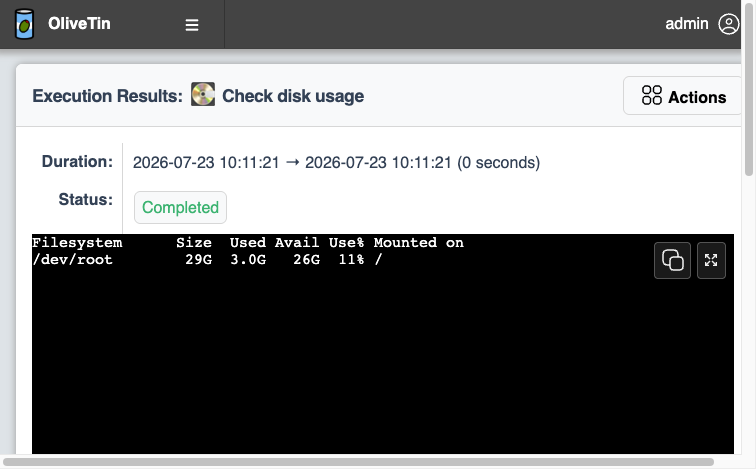
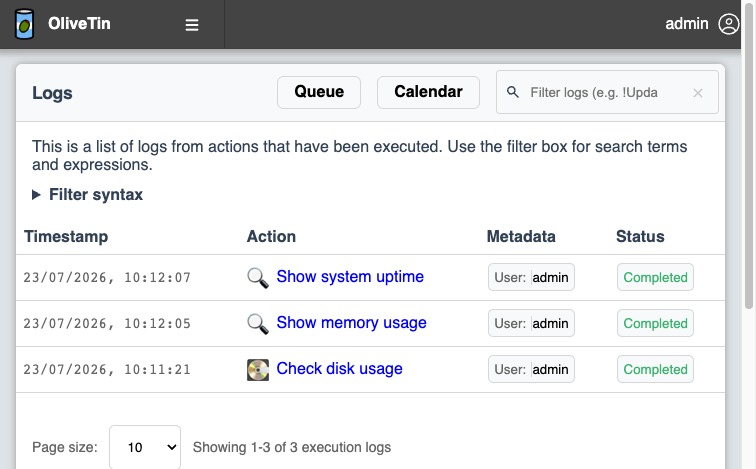
Real screenshots taken while testing this image against its deployment guide.
This is a repackaged open source software product wherein additional charges apply for cloudimg support services.
## Overview
OliveTin is a self-hosted web interface that turns a curated set of predefined shell commands into safe, one-click buttons. Instead of handing people SSH access to run ad hoc commands, an administrator defines a vetted set of actions in a single YAML file, and users click to run them and watch the live output stream back to the page. It is a natural fit for operations teams, home labs, and on-call engineers who want to let less technical users safely trigger routine jobs - restarting a service, checking disk space, pinging a host, or running a playbook - from a browser or a phone. This AMI delivers a fully installed, security-hardened OliveTin appliance so a working automation dashboard is operational within minutes of launch.
## Why This Image vs a Manual Install
Because every button is a real shell command running on the server, an OliveTin instance reachable without authentication is, in effect, remote command execution. This image is built around that fact and ships secure by default, eliminating the manual reverse-proxy, TLS, service-hardening, and credential setup a bare install requires. OliveTin is bound to the loopback interface and never exposed directly; an nginx reverse proxy terminates TLS and enforces HTTP Basic authentication whose password is generated uniquely on each instance's first boot. Launch the instance, read your unique credential, and start clicking.
## Application Stack
OliveTin 3000.17.1, the official release, is installed from the vendor package and runs as a dedicated unprivileged system user under a systemd unit, bound to the loopback interface only. An nginx reverse proxy on port 443 terminates TLS with a self-signed certificate regenerated per instance at first boot, redirects port 80 to HTTPS, serves an unauthenticated health endpoint for load balancers, and forwards the authenticated identity to OliveTin as spoof-proof headers. systemd starts the command runner and the web server on boot and restarts them on failure.
## Security Hardening
This image follows a defence-in-depth approach:
Buyers requiring formal compliance documentation should contact cloudimg to discuss specific requirements.
## Concrete Use Cases
## AWS Integration
Deploy on any EC2 instance type; the appliance is CPU-only and lightweight. Use the unauthenticated health endpoint with an Application Load Balancer for availability monitoring, place the instance in a VPC subnet with security-group control over what its actions can reach, and forward logs to CloudWatch for centralized auditing.
## Getting Started
1. Launch the AMI on your chosen EC2 instance type
2. Read your unique credential from the root-only file
3. Open the web interface over HTTPS and accept the per-instance self-signed certificate
4. Sign in and click a shipped sample action to watch its output stream live
5. Edit /etc/OliveTin/config.yaml to add your own carefully-constrained actions
For a guided walkthrough, architecture consultation, or help wiring OliveTin to your identity provider, contact cloudimg support at any time.
## cloudimg Support
24/7 technical support by email and chat.

Accent is an open source, developer-oriented translation and localization management platform.
This image runs Apache Archiva, the open source build-artifact repository manager - a central, governed store for the bi...

This image runs Apache Camel Karavan, an open source visual integration designer and toolkit for Apache Camel.

Launch a production-ready Apache DolphinScheduler workflow scheduler in minutes with zero setup. All-in-one standalone d...

Apache JMeter is the de-facto open-source tool for load and performance testing of web applications, APIs, databases and...

This image runs Apache Subversion (SVN) 1.14, the Apache Software Foundation's enterprise centralised version-control sy...