Base
Hardened build
minimal ports, security patches applied at build time

self hosted diagram as code rendering, powered by cloudimg
PlantUML Server renders plain text diagram source into UML and other diagrams in your browser and over a stateless HTTP API. Paste PlantUML source into the editor and get a live sequence, class, activity, state or component diagram as SVG, PNG or ASCII, or point a wiki or documentation pipeline at the encoded URL API to embed always current diagrams generated straight from text in source control. The cloudimg image runs the renderer bound to loopback behind an HTTPS reverse proxy with per instance authentication, so diagram rendering stays entirely inside your own account.
The cloudimg image is secure by default: PlantUML Server has no login of its own, so it is bound to loopback and fronted by nginx over HTTPS with HTTP Basic auth whose password and TLS certificate are generated uniquely on each instance first boot. The renderer runs with an internet grade security profile that blocks local file includes and internal address fetches. Graphviz is bundled, the appliance container store and logs live on a dedicated data volume, and every instance is backed by 24/7 cloudimg support.
Real screenshots taken while testing this image against its deployment guide.
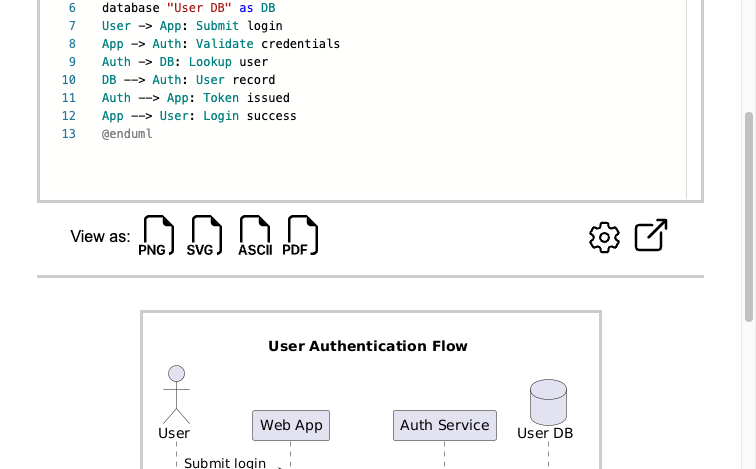
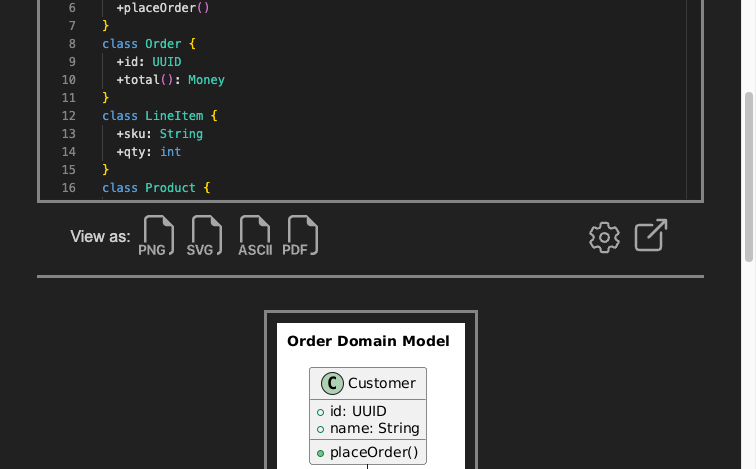
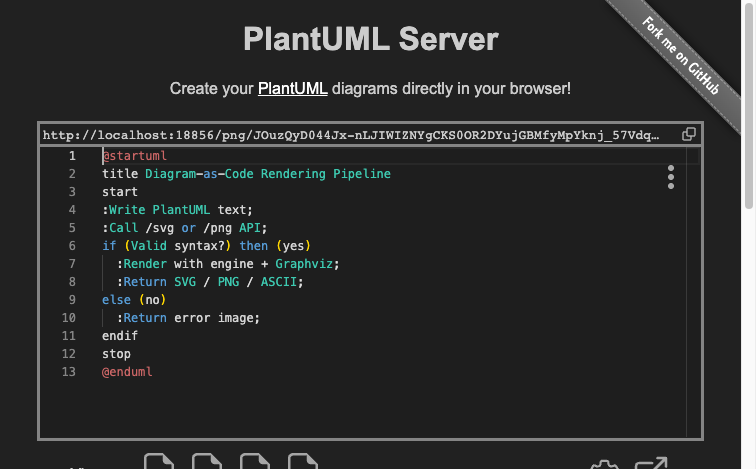
This is a repackaged open source software product wherein additional charges apply for cloudimg support services.
## Overview
PlantUML Server is a browser-based rendering server for PlantUML, the popular open source diagram-as-code language. Type or paste plain-text diagram source into the editor and watch it render live as a UML diagram - sequence, class, activity, state, component, use-case, deployment and more - which you can download as SVG, PNG or ASCII art. It also exposes a stateless HTTP rendering API: an encoded diagram in the URL returns the rendered image, so wikis, documentation sites and editors can embed always-current diagrams generated straight from text in source control. This image delivers a fully installed, security-hardened PlantUML Server appliance so a working diagram-rendering endpoint is operational within minutes of launch, self-hosted in your own AWS account.
## Why This Image vs a Manual Install
This image eliminates the Java runtime and servlet-container setup, Graphviz installation, reverse-proxy configuration, TLS termination and credential hardening that a bare install requires. PlantUML Server has no authentication of its own, so exposing it directly would put an unauthenticated diagram renderer on the network. This image never leaves it exposed: the server is bound to the loopback interface only, and an nginx reverse proxy fronts it over HTTPS with HTTP Basic authentication whose password is generated uniquely on each instance's first boot. The renderer additionally runs with an internet-grade security profile that blocks local-file includes and requests to internal network addresses. Launch the instance, read your unique credential, and start rendering diagrams.
## Application Stack
PlantUML Server runs from the maintainer's official pinned distribution, which bundles the diagram engine and Graphviz, bound to the loopback interface. An nginx reverse proxy on port 443 forwards to it over a per-instance self-signed TLS certificate, enforcing HTTP Basic authentication; port 80 serves an unauthenticated health endpoint and redirects everything else to HTTPS. The server is stateless - it stores no diagrams and keeps no per-user data - and the appliance's container store and logs live on a dedicated, independently-resizable data volume mounted at /var/lib/plantuml.
## Security Hardening
This image follows a defence-in-depth approach:
## Concrete Use Cases
## AWS Integration
Deploy on any EC2 instance type; larger instances render bigger diagrams faster. Keep the appliance's container store and logs on the dedicated EBS data volume and snapshot it independently with AWS Backup. Use the unauthenticated health endpoint with an Application Load Balancer for availability monitoring.
## Pricing and Evaluation
This listing includes a software charge in addition to standard AWS infrastructure costs. See the Pricing tab for the current rate. To evaluate at low cost, launch on a small instance type and scale up when ready.
## Getting Started
1. Launch the AMI from this listing with a key pair and a Security Group allowing inbound ports 22, 80 and 443.
2. SSH into the instance and retrieve your unique web password from /root/plantuml-server-credentials.txt.
3. Open https://
4. Paste PlantUML source into the editor to render a diagram, or call the encoded-URL API from your wiki.

Accent is an open source, developer-oriented translation and localization management platform.
This image runs Apache Archiva, the open source build-artifact repository manager - a central, governed store for the bi...

This image runs Apache Camel Karavan, an open source visual integration designer and toolkit for Apache Camel.

Launch a production-ready Apache DolphinScheduler workflow scheduler in minutes with zero setup. All-in-one standalone d...

Apache JMeter is the de-facto open-source tool for load and performance testing of web applications, APIs, databases and...

This image runs Apache Subversion (SVN) 1.14, the Apache Software Foundation's enterprise centralised version-control sy...