Base
Hardened build
minimal ports, security patches applied at build time

one self hosted repository manager for every package format your builds use
Sonatype Nexus Repository is a universal artifact repository manager. It proxies and caches public registries such as Maven Central, npm and PyPI so your builds stop pulling the same dependencies over the internet, hosts the packages and container images your own pipelines publish, and groups several repositories behind a single URL so a build tool needs only one entry. Access is governed by fine grained roles and permissions, and everything is stored and served from infrastructure you control.
The cloudimg image ships the current upstream release rather than an end of life build, running on the distribution's own patched Java runtime with no separately maintained bundled runtime left in the image. The application is bound to the loopback interface behind a reverse proxy tuned for large artifact uploads, and an unauthenticated health endpoint is ready to use as a load balancer probe. Every blob store, the embedded database, the search index and the logs sit on a dedicated data volume you can resize independently of the operating system disk. No security database and no bootstrap password ship in the image: first boot mints a unique administrator password, disables anonymous access and verifies the credential authenticates before recording it in a root only file. Paired with a step by step deploy guide and 24/7 cloudimg support.
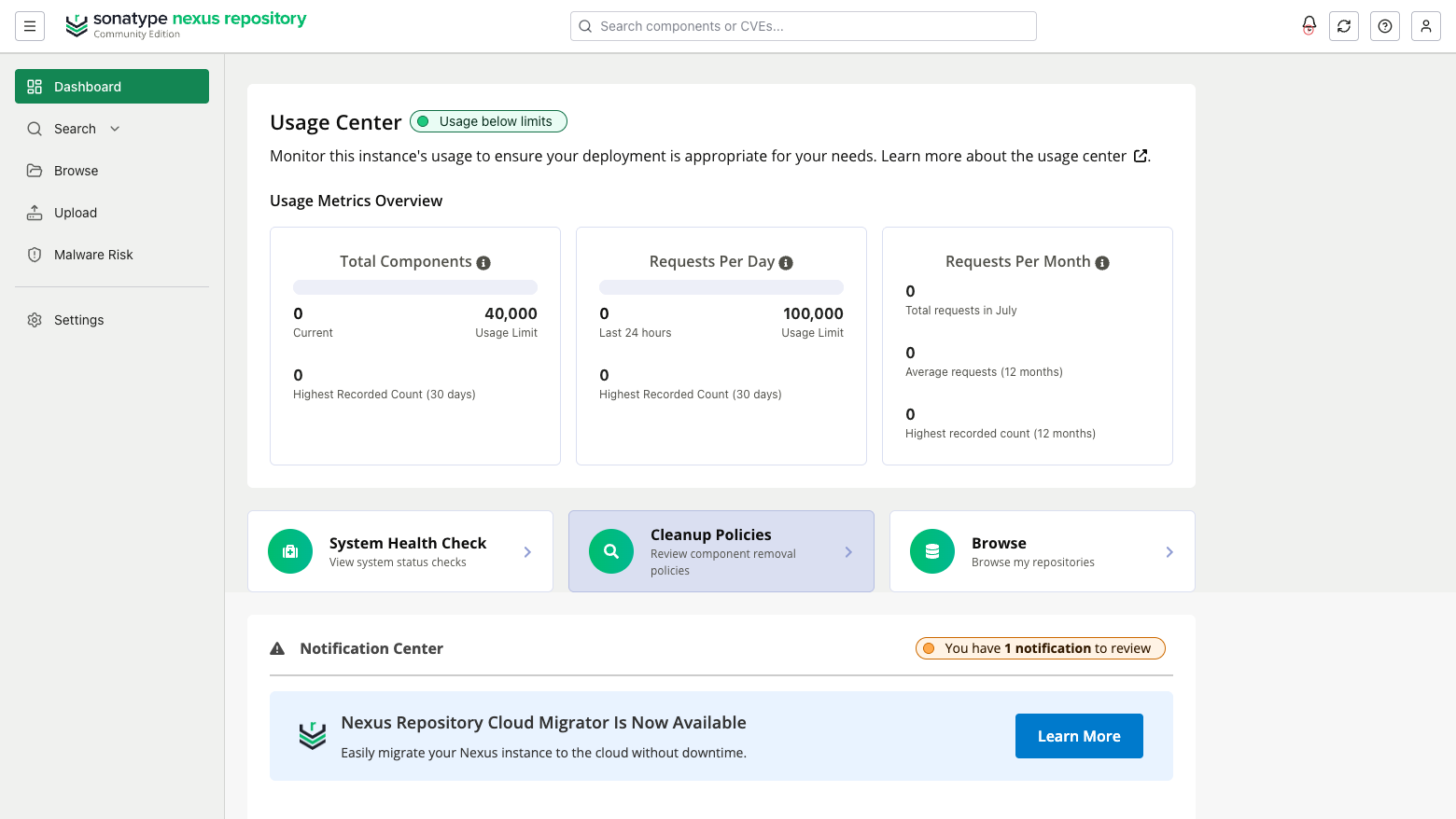
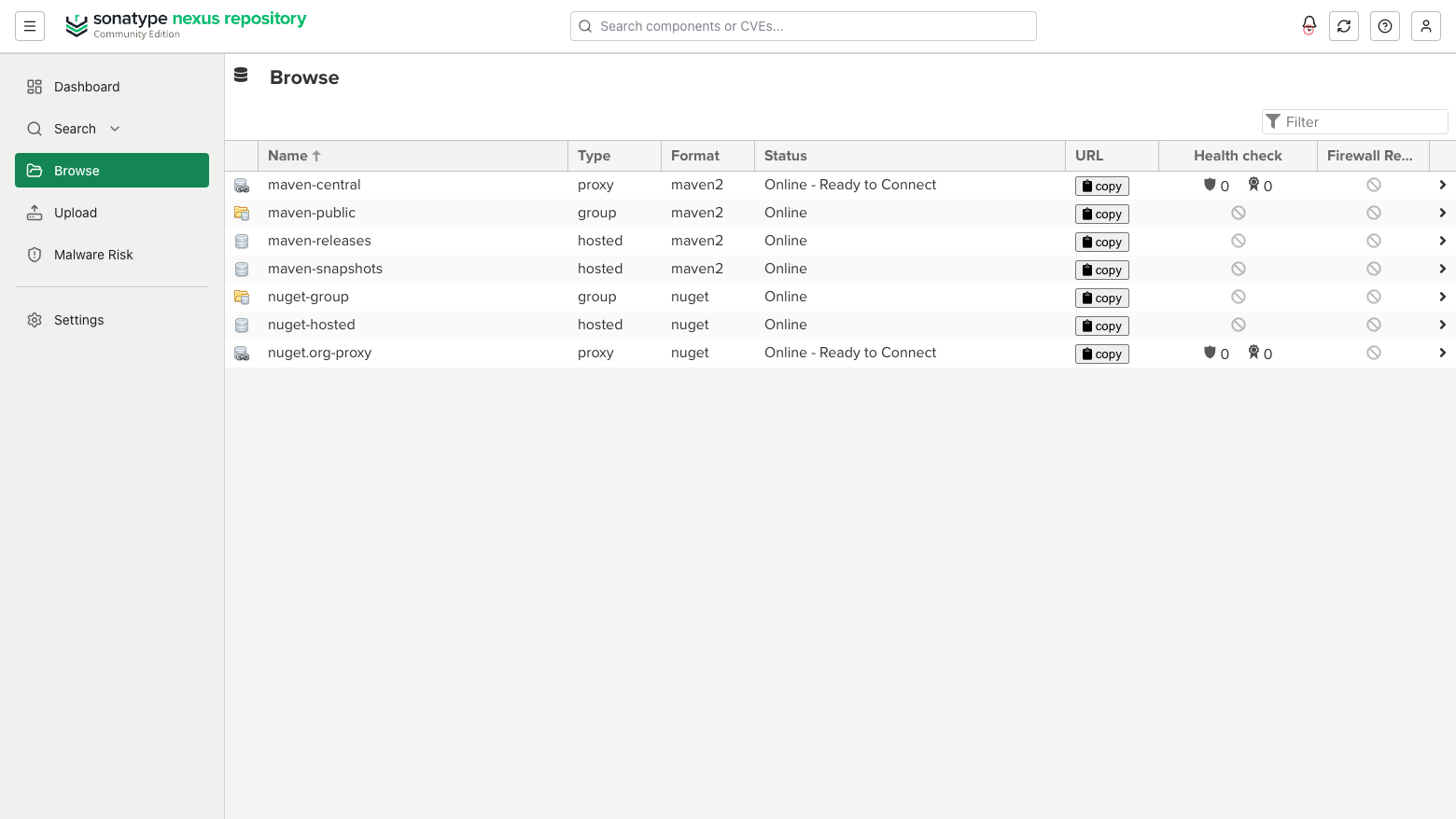
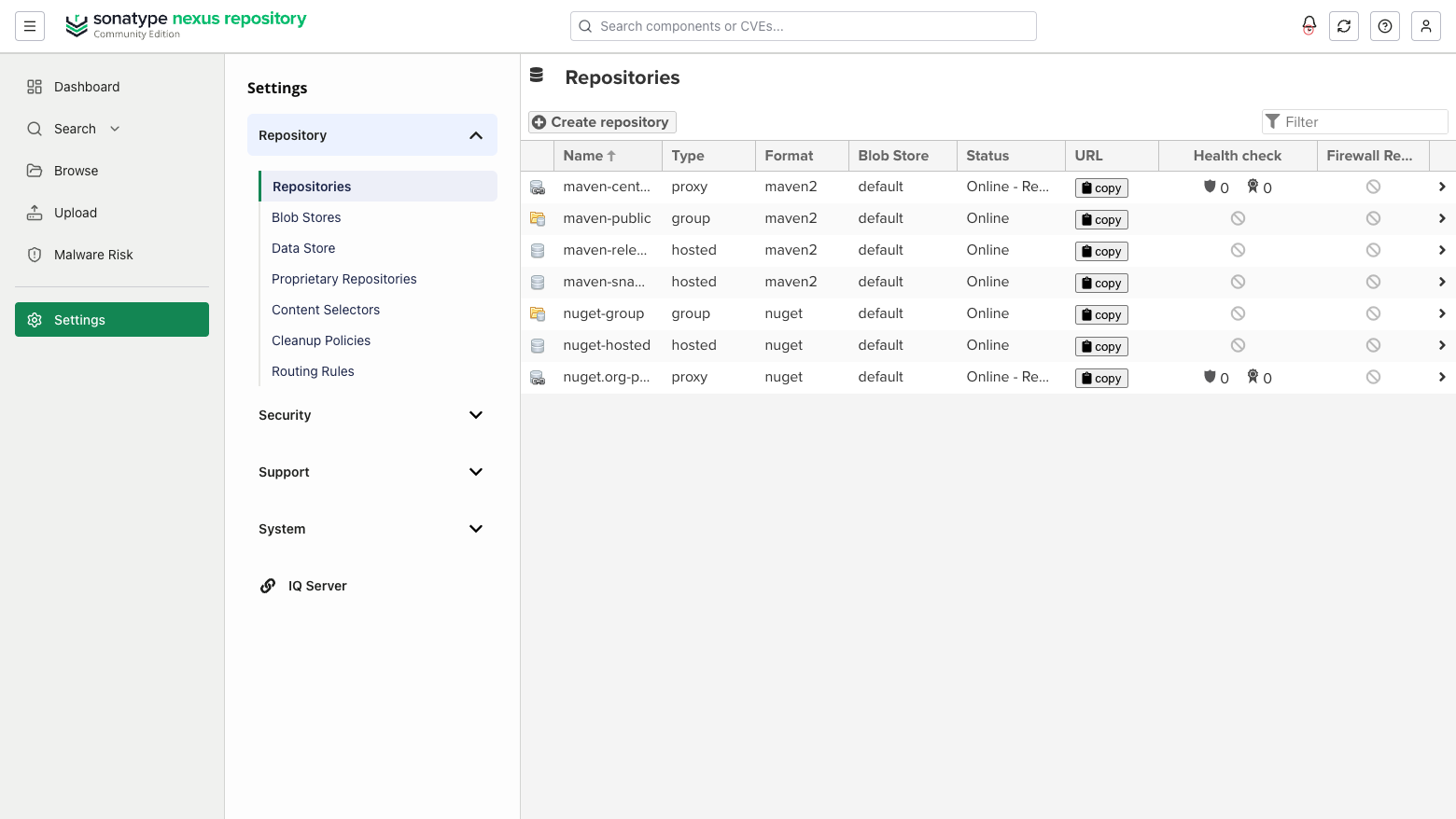
Real screenshots taken while testing this image against its deployment guide.
This is a repackaged open source software product wherein additional charges apply for cloudimg support services.
## One Repository Manager for Every Package Format
Sonatype Nexus Repository is the universal artifact repository manager: a single self-hosted service that proxies, caches, hosts and groups packages across Maven, npm, Docker, NuGet, PyPI, RubyGems, Go, Helm, APT, YUM and raw formats. Point your builds at it once and every dependency your teams pull is cached locally, every internal artifact your pipelines publish has a home, and both are governed in one place.
This image delivers Nexus Repository fully installed and answering behind a hardened nginx reverse proxy, with its data directory already on a dedicated 100 GiB disk, so your repository is live within minutes of launch.
## Why This Image Instead of Self-Deploy
Standing up Nexus Repository by hand means pinning a Java runtime, creating a service account, relocating the data directory, writing systemd units that do not deadlock first boot, configuring a reverse proxy for large uploads, and rotating the bootstrap password before anyone can reach it. This image removes all of it:
## How It Is Assembled
Nexus runs as an unprivileged service account under systemd, bound to the loopback interface only, with nginx published on port 80 in front of it. The entire data directory - every blob store, the embedded configuration and security database, the search index and the logs - sits on a dedicated disk snapshotted into the image and re-provisioned on every instance you launch. The embedded database means no separate database server to run, patch or pay for.
## Secure by Default
Nexus writes a bootstrap password to disk on first start. No such file, and no security database of any kind, exists in this image: it is wiped before capture. On first boot a one-shot service waits for the application to initialise, reads that bootstrap password, replaces it with a random per-instance password, disables anonymous access, verifies it authenticates, and records it in a root-only credentials file. Nothing else can log in, and no two instances ever share a password.
Only the reverse proxy is published on the instance interface. For HTTPS, point a DNS hostname at the instance and attach Let's Encrypt, or terminate TLS on an AWS Application Load Balancer. For data at rest, enable EBS encryption on the dedicated blob store volume.
## Use Cases
## Evaluate Quickly
Launch on an m5.large instance, read your administrator password from the root-only credentials file, and sign in. The image is production-ready from first boot, so you can create a repository and prove proxy caching straight away. On first sign-in Nexus presents its onboarding wizard, where you accept Sonatype's end user licence agreement before adding components. The paired cloudimg user guide covers that step, repository creation, DNS, TLS and build tool configuration: https://www.cloudimg.co.uk/guides/nexus-repository-aws/
## Editions and Licensing
This image ships the free tier of Nexus Repository, unmodified from the upstream release. No Sonatype commercial licence is installed and no Sonatype Professional capability is included or implied.
Sonatype's open source core is licensed under the Eclipse Public License 1.0. The free tier is distributed as Community Edition, which applies usage thresholds published by Sonatype, currently 40,000 total components and 100,000 requests per day, above which the addition of new components pauses until usage falls back below them. Teams expecting to exceed those thresholds should license Nexus Repository Professional directly from Sonatype. cloudimg is not affiliated with, endorsed by, or sponsored by Sonatype.

Accent is an open source, developer-oriented translation and localization management platform.

Altair GraphQL Client is an open-source, self-hosted GraphQL IDE for building, sending and inspecting GraphQL requests.
This image runs Apache Archiva, the open source build-artifact repository manager - a central, governed store for the bi...

This image runs Apache Camel Karavan, an open source visual integration designer and toolkit for Apache Camel.

Apache JMeter is the de-facto open-source tool for load and performance testing of web applications, APIs, databases and...

Launch a content crawler and search index in minutes. ManifoldCF, PostgreSQL and Apache Solr come preinstalled and wired...