We

WeTTY on Ubuntu 24.04

Azure Developer Tools

WeTTY, a full terminal in your browser backed by SSH, that gives your team a real shell on a server from any modern browser with nothing to install on the client.

Base
Hardened build
minimal ports, security patches applied at build time
Access
Unique credentials
generated on first boot, readable only by root
Verified
Boots working
services pass a health gate before release
Support
24/7, 365 days
by email and live chat, 24 hour response SLA

Overview

WeTTY is an open source terminal in the browser. It serves a genuine, fully interactive shell over HTTP or HTTPS, backed by SSH, so anyone with a browser gets a real command line on the server without a desktop SSH client, a downloaded key file, or any local setup. The web front end is a complete xterm terminal, so editors, pagers, colours, resizing and long running commands all behave exactly as they would in a native terminal, and every session is a normal SSH login under the hood.

Because the browser session is simply an SSH login, WeTTY fits naturally as a break glass console, a lightweight bastion, or a shared teaching and lab environment. It does not replace SSH so much as make it reachable from anywhere a browser can go, while all the usual server side controls over who may log in and how still apply.

Why the cloudimg image

cloudimg ships WeTTY secure by default, because its authentication is the SSH login itself and no known credential ever ships. A dedicated browser terminal login account is created with its password locked, and a unique password is generated on the first boot of every instance and written only to a file that root can read, so no two instances share a secret and nothing usable is baked into the image. Password login is enabled solely for that one account, leaving every other account on the key based policy, and the application is bound to the loopback interface behind an nginx reverse proxy that terminates HTTPS with a certificate generated per instance at first boot. The terminal and the proxy are held back from serving until that first boot finishes, the base stays fully patched with unattended security upgrades enabled, and every image is paired with a step by step deploy guide and backed by 24/7 cloudimg support.

Common uses

  • Give operators break glass shell access to a server from any browser without distributing SSH clients or keys
  • Stand up a lightweight browser based bastion console for administering a box behind HTTPS
  • Provide a shared, ready to use terminal for teaching, labs and demo environments

See it running

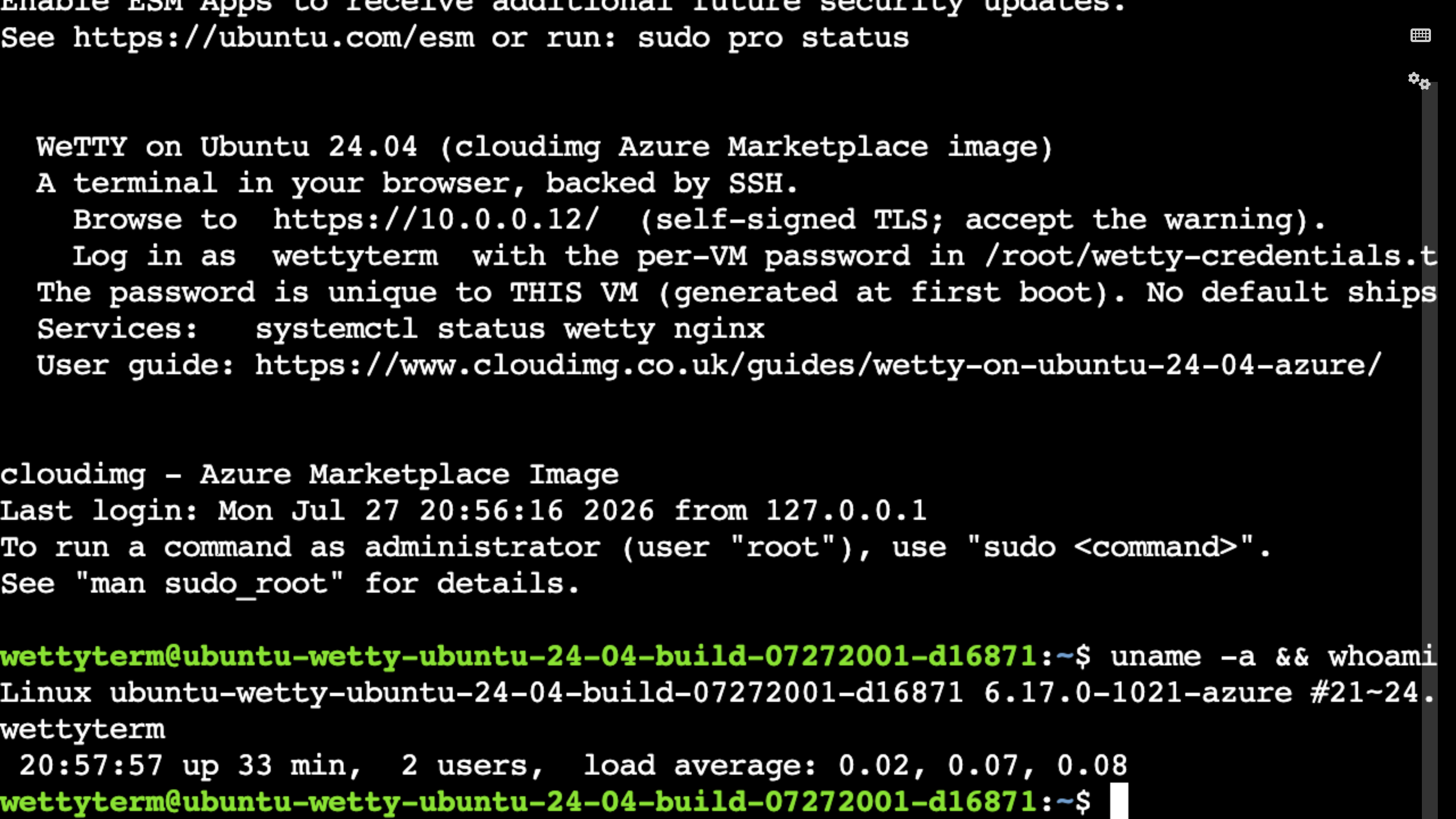
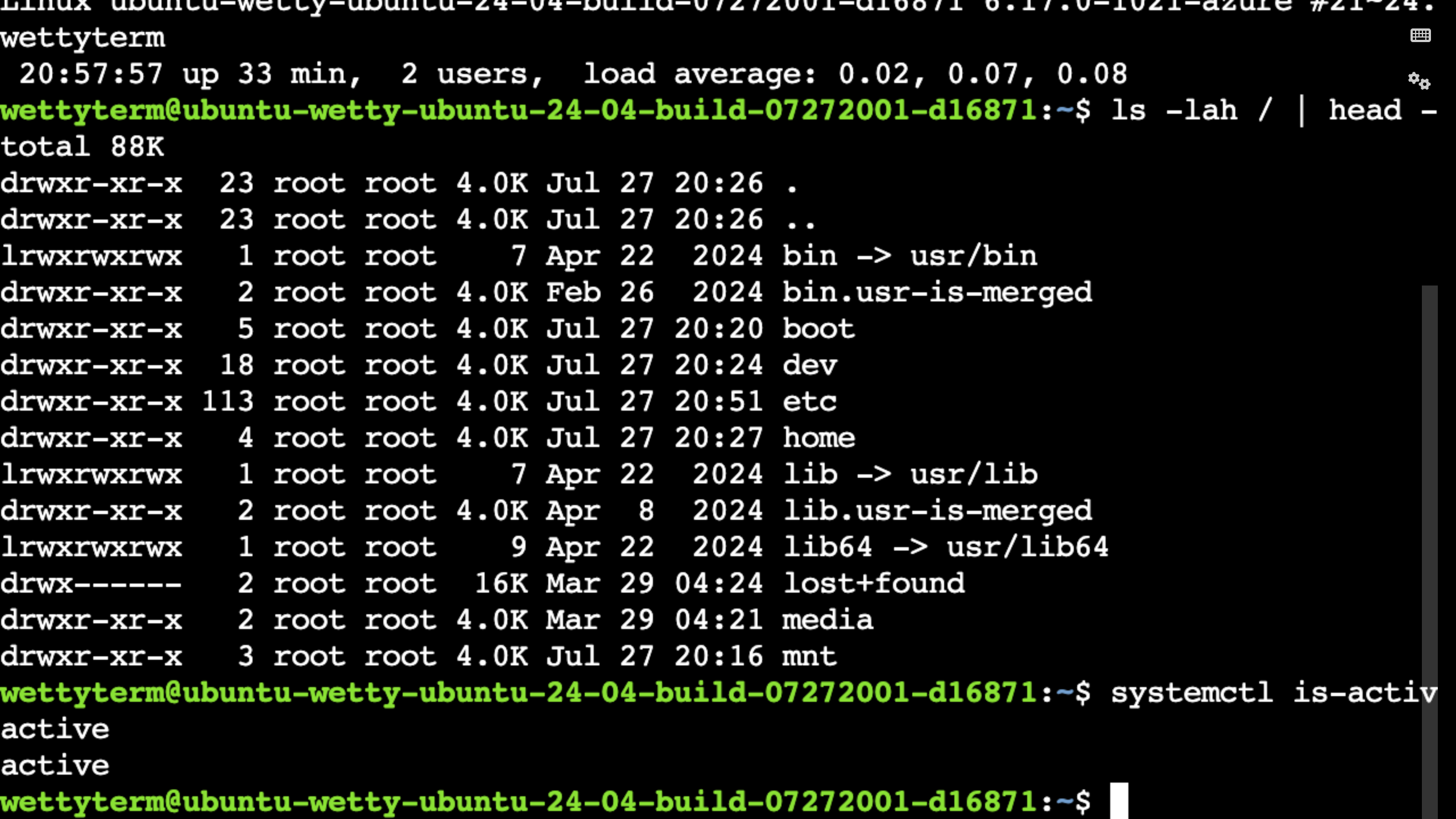
Real screenshots taken while testing this image against its deployment guide.
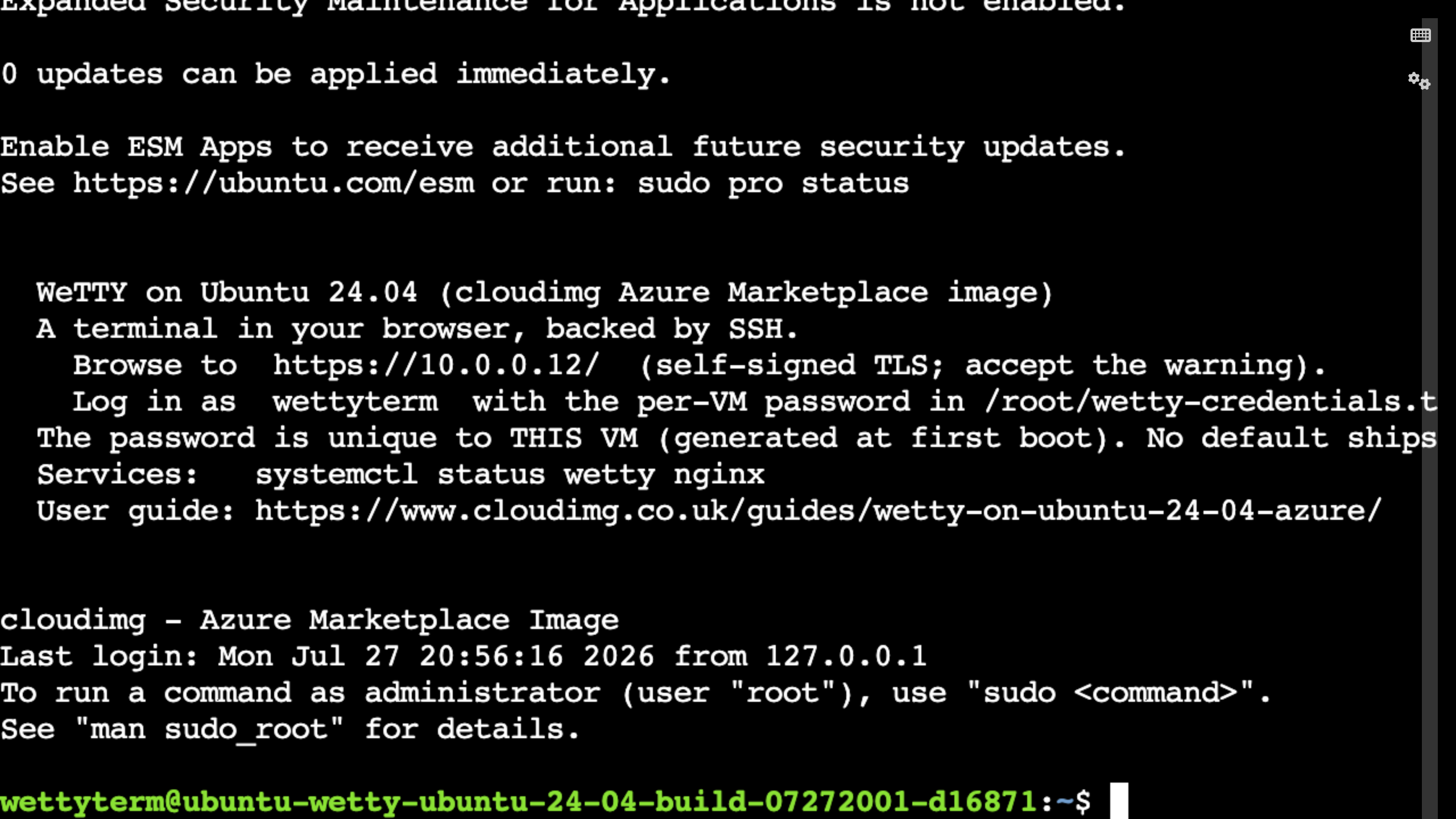
WeTTY on Ubuntu 24.04 screenshot 1 WeTTY on Ubuntu 24.04 screenshot 2 WeTTY on Ubuntu 24.04 screenshot 3 WeTTY on Ubuntu 24.04 screenshot 4