Base
Hardened build
minimal ports, security patches applied at build time

Production-ready OCI container registry - secure, serving over HTTPS in minutes with a built-in web UI. Backed by 24/7 cloudimg support.
This image arrives installed, configured and hardened, so there is no manual setup before you can use it. It is built on a patched base, runs with credentials generated uniquely for your instance on first boot, and passes an automated health check before every release. Every deployment is backed by 24/7 support from cloudimg engineers.
Real screenshots taken while testing this image against its deployment guide.
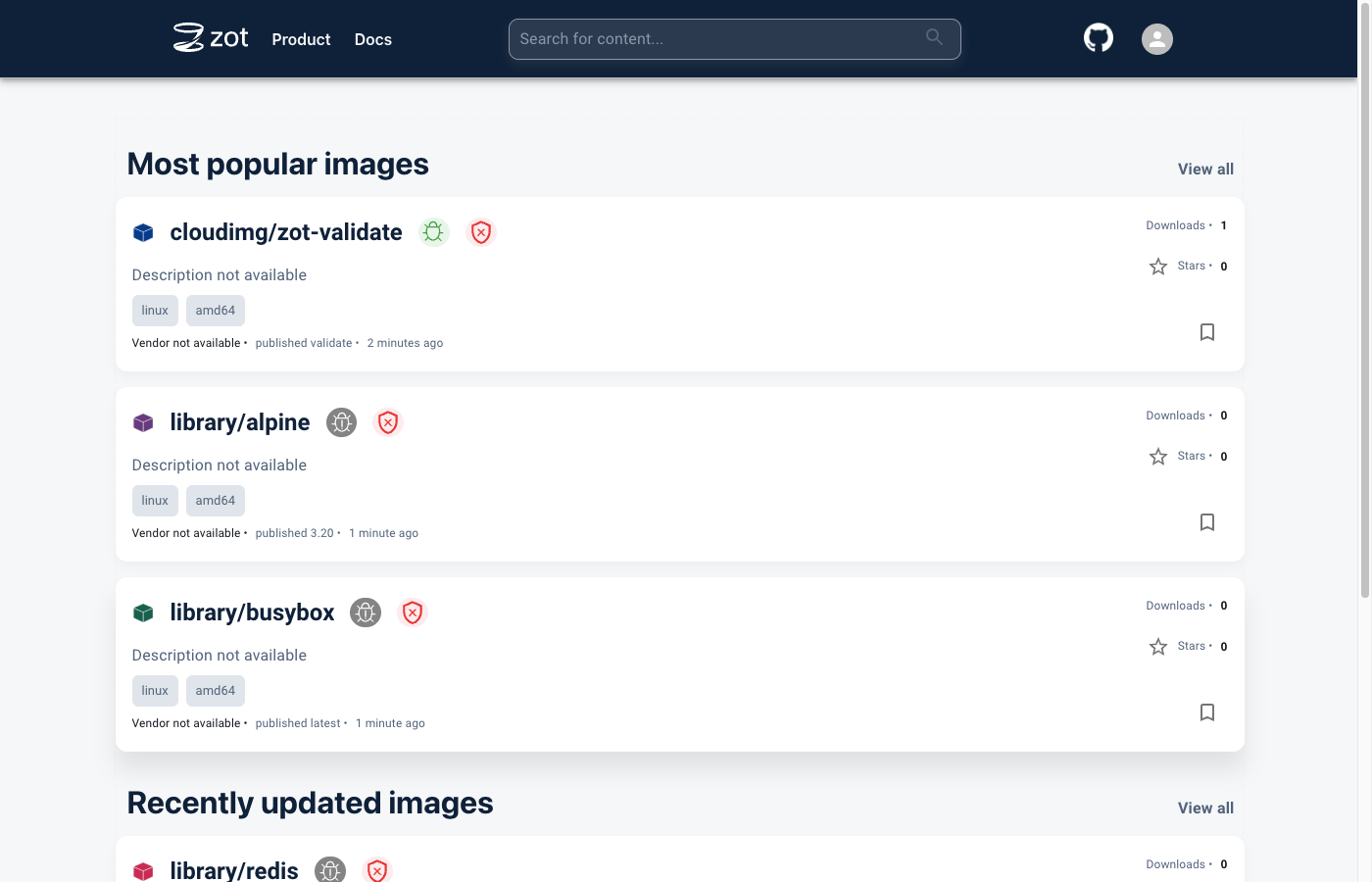
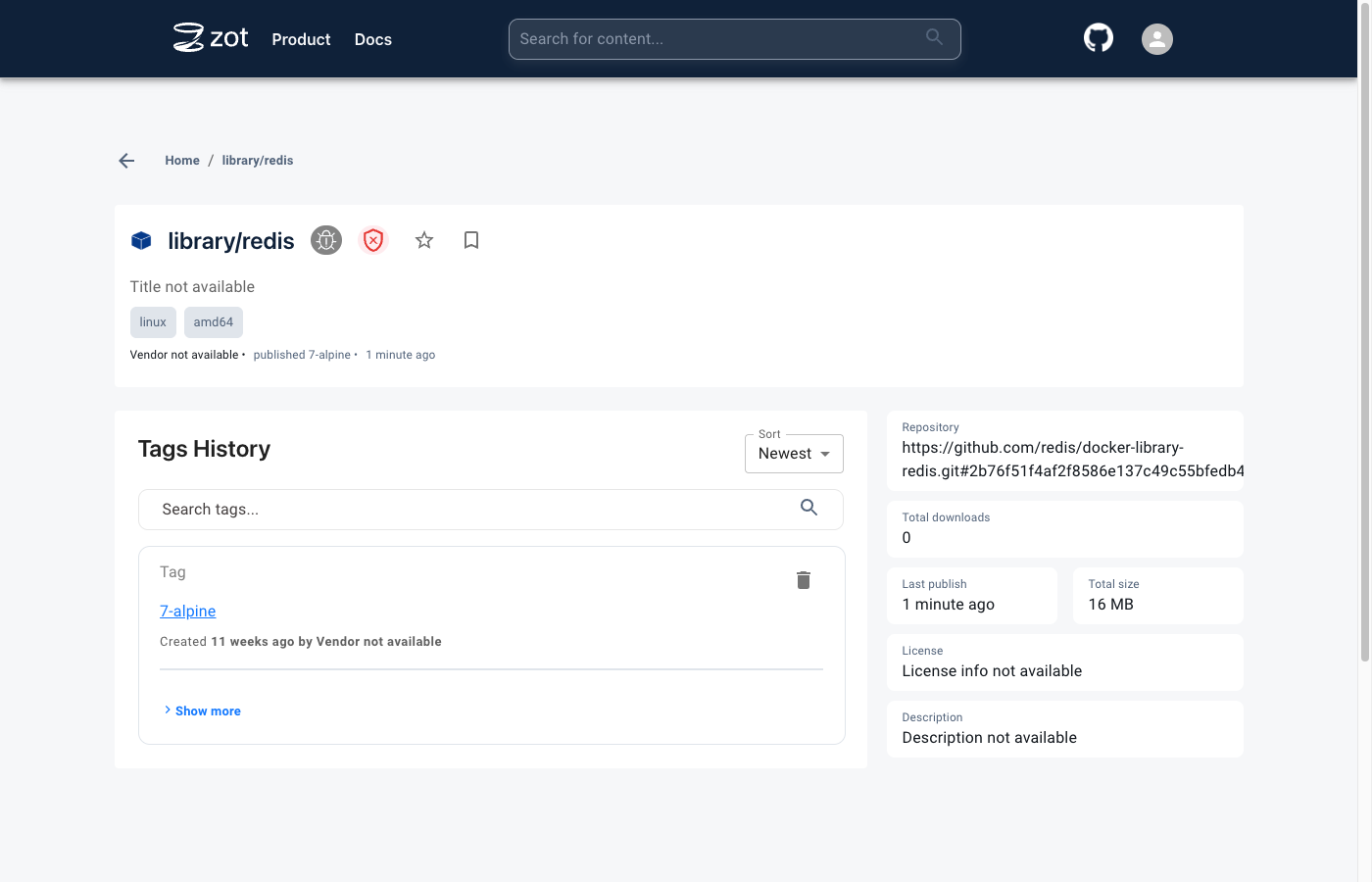
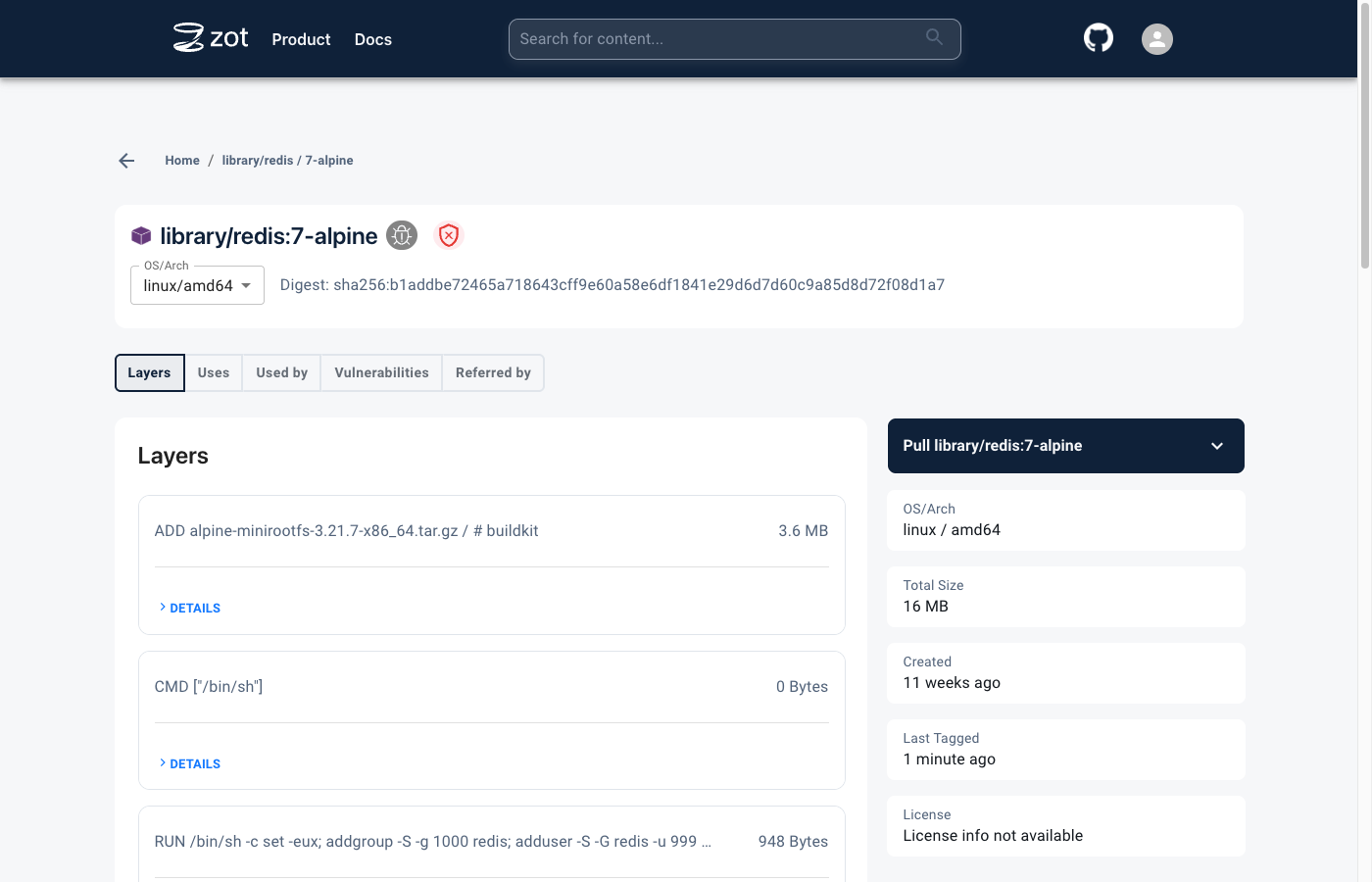
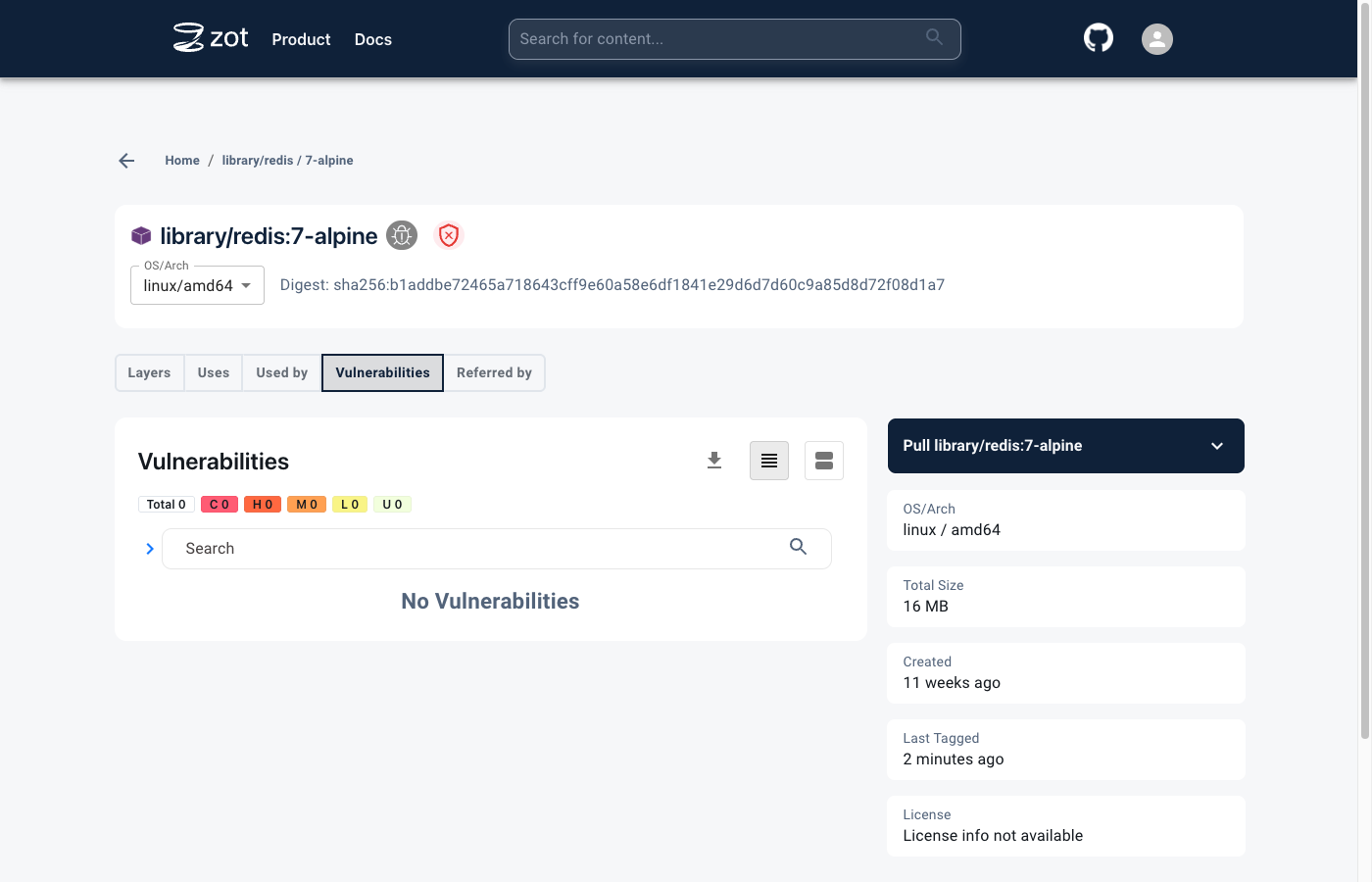
This is a repackaged open source software product wherein additional charges apply for cloudimg support services.
## Private OCI Container Registry - Secure and Serving in Minutes
Zot is a production-ready, vendor-neutral, OCI-native container image registry for storing and distributing container images and OCI artifacts. Unlike multi-container registry stacks that require manual hardening, this image delivers a single-binary registry fully installed and locked down behind an nginx HTTPS reverse proxy - ready to receive your first image push within minutes of launch.
The current release available is Zot 2.1.17.
## Why Zot
## Application Stack
Zot binds to the loopback interface and is fronted by nginx, which terminates TLS on the standard HTTPS port and streams image layers of any size. systemd starts both services on boot and restarts them on failure. Only the HTTPS proxy port and SSH are reachable from the network - the registry port is never exposed directly.
## Secure By Default
On first boot, a one-shot service generates a fresh admin password unique to that instance, mints a self-signed TLS certificate, and records the credentials in a file only the root user can read. No shared or default credentials and no shared TLS key ship in the image. Anonymous pull and push are denied, so nothing is readable or writable without authentication.
## Push, Pull and Browse
Log in with docker, podman, skopeo, or oras and push and pull images and OCI artifacts over HTTPS. Content deduplication and garbage collection keep storage compact. Open the built-in web UI in a browser to browse repositories, inspect tags and manifests, and review per-image vulnerability information from the bundled search extension.
## Key Capabilities
## Use Cases
## Getting Started
Launch the image, retrieve the generated admin password from the instance, log in, and start pushing images. The built-in health endpoint answers on the reverse proxy for load-balancer integration. To ask pre-purchase questions or get help planning your deployment, contact cloudimg support.
## cloudimg Support
24/7 technical support by email and live chat. Our engineers help with deployment, replacing the self-signed certificate with a CA-signed one, configuring access control and additional users, setting up registry sync and mirroring, and planning storage and upgrades.
All product and company names are trademarks or registered trademarks of their respective holders. Use of them does not imply any affiliation with or endorsement by them.

Apache Ozone is the scalable, distributed object store for Hadoop and cloud-native workloads. It exposes both an S3-comp...

This image runs ArozOS, a self hosted web desktop operating system and cloud file platform.

Backrest is a popular open source web interface and orchestrator for restic, the fast, secure, deduplicating backup prog...

This image runs Barman (Backup and Recovery Manager), the open source disaster-recovery manager for PostgreSQL from Ente...

This image runs Cloud Commander 19.19.1, the open source web based orthodox (two panel) file manager with a built in Edw...

The image installs Bacula 13.0.4 and runs the Director, a Storage Daemon writing to a file based volume, a local File Da...