Base
Hardened build
minimal ports, security patches applied at build time

Kestra, a declarative data and workflow orchestrator where pipelines are built as YAML flows and run, scheduled and monitored from a web UI with a built in code editor, scheduler and full execution history.
Kestra is an open source, event driven orchestration platform for building and running data and business workflows. Pipelines are declared as YAML flows, so logic is readable and version controllable, and a large plugin catalogue connects them to databases, cloud services, message queues and scripts in any language. The server schedules and executes flows, persists every execution so work survives restarts, and its web interface provides a flow editor, a live executions view with a Gantt and topology breakdown, and a dashboard for monitoring.
cloudimg ships Kestra hardened and fully patched, running the standalone server and a bundled PostgreSQL together under one service so a durable orchestrator answers the moment the instance boots. Because Kestra executes arbitrary tasks, the UI and API are never left open: they are fronted by a reverse proxy and by Kestra's own authentication, both gated by a single strong password generated uniquely on first boot, with no default or blank login. The bundled database is created fresh per instance with its own generated password, the secret encryption key is generated per machine, a step by step deploy guide is tested against the exact image, and 24/7 support backs it.
Real screenshots taken while testing this image against its deployment guide.
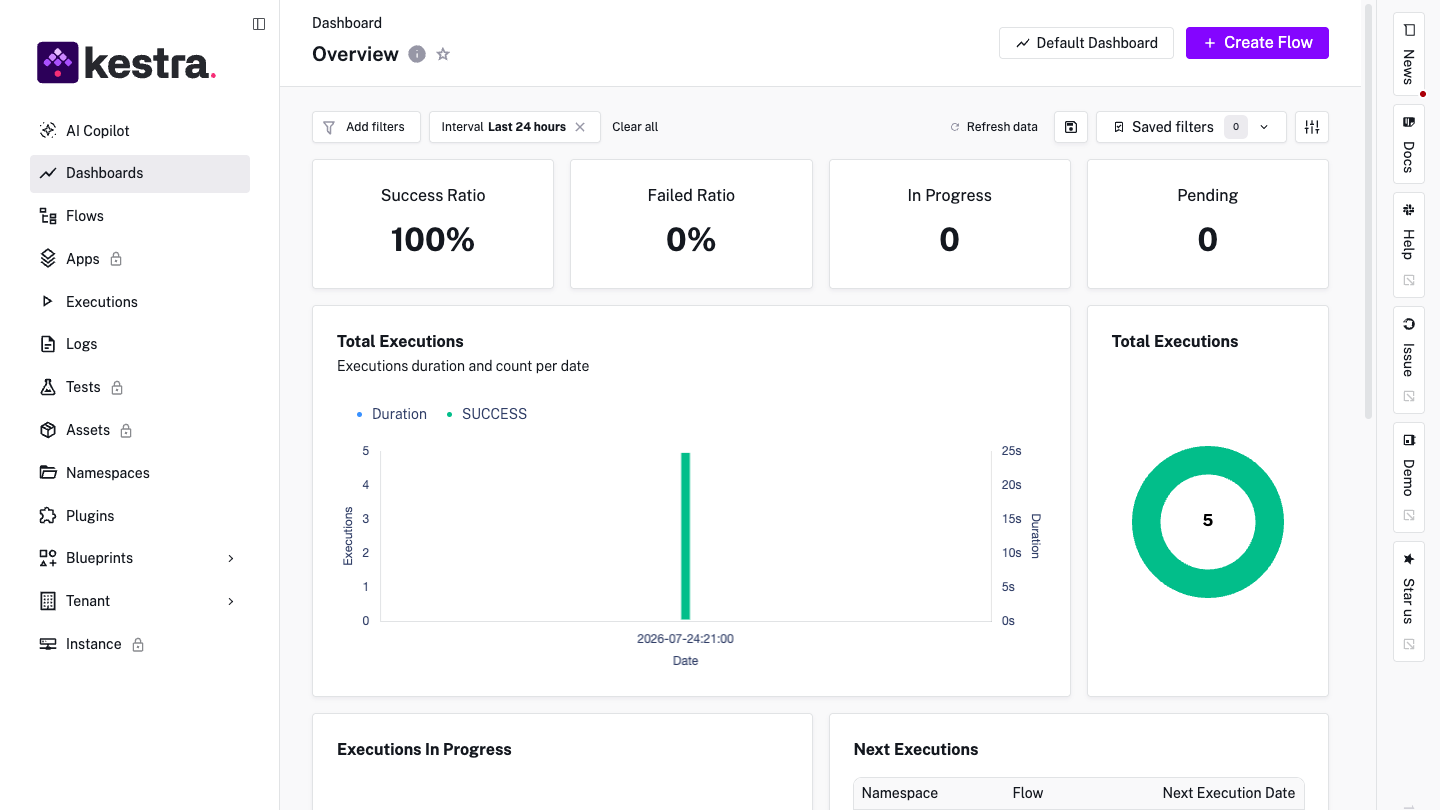
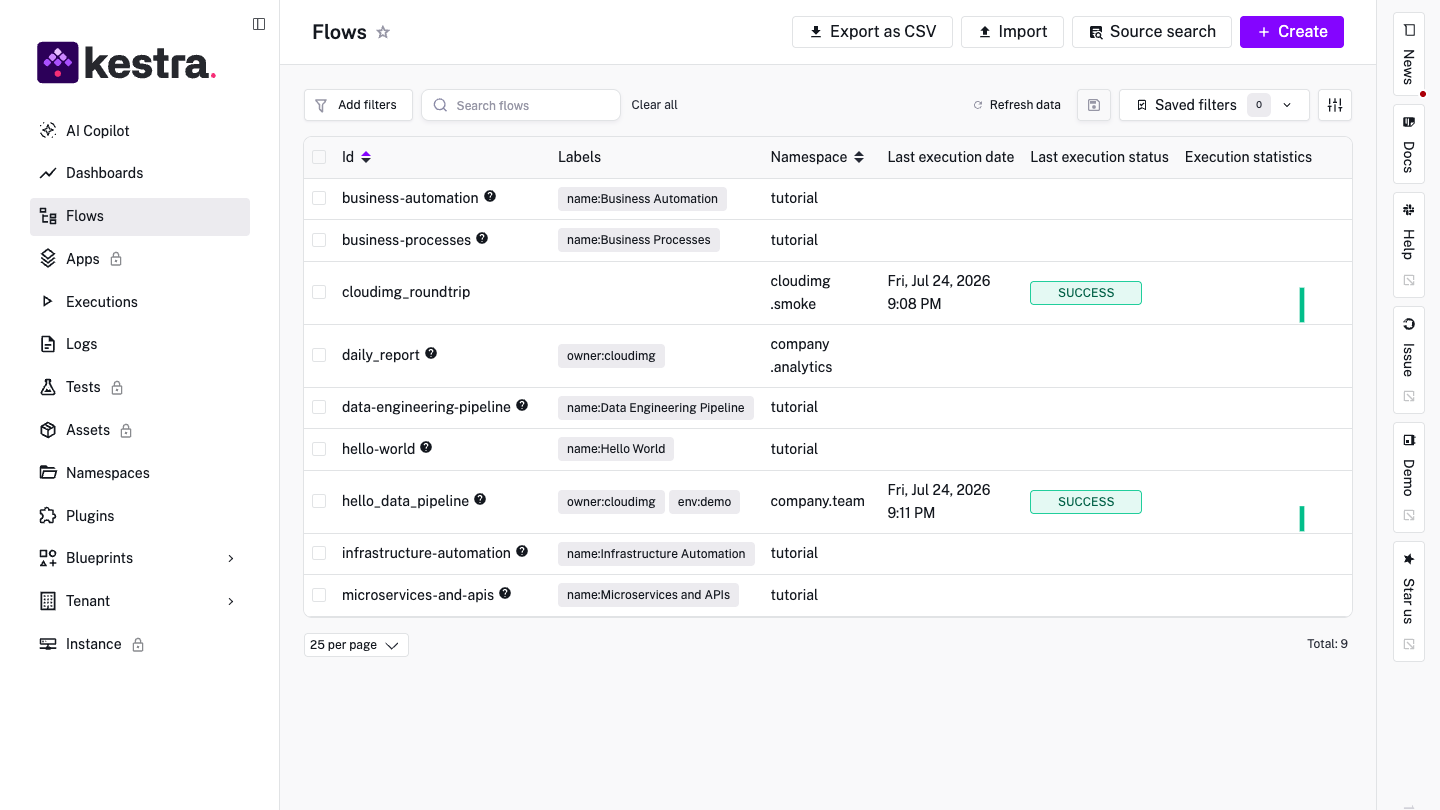
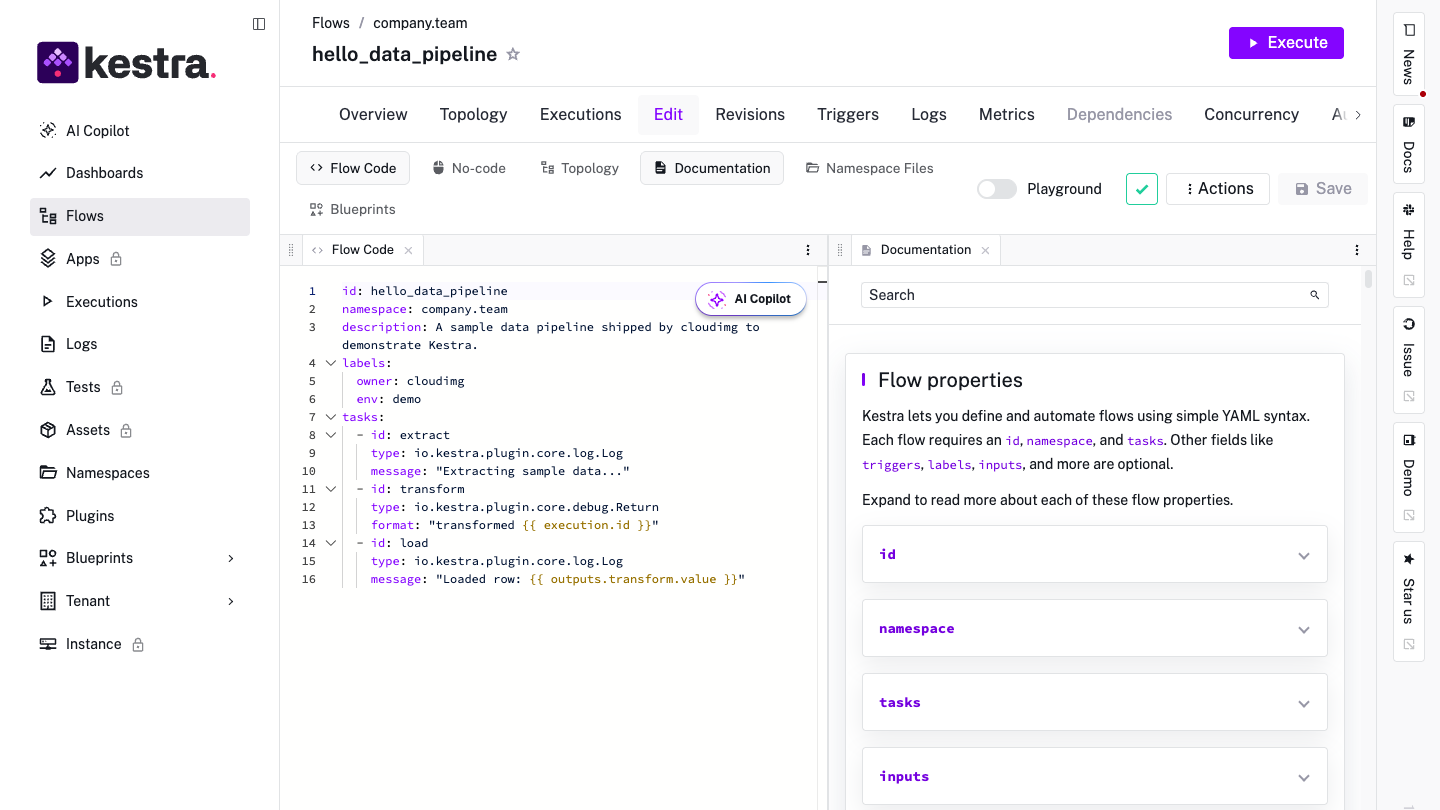
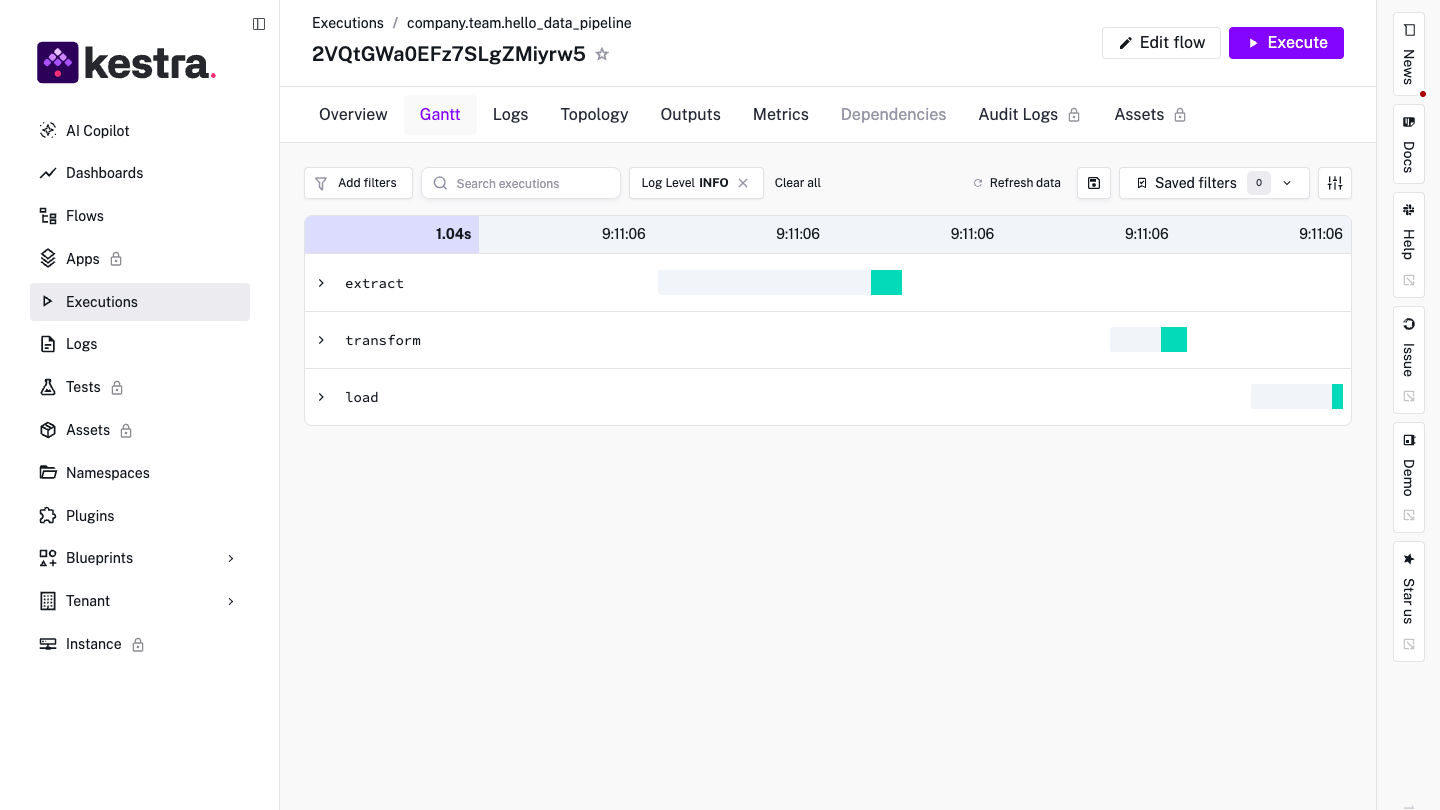
This is a repackaged open source software product wherein additional charges apply for cloudimg support services.
## Why This Kestra AMI Over Self-Managed Installation
Kestra is an open-source, event-driven orchestration platform for building and running data and business workflows. You declare pipelines as YAML flows - readable, reviewable and version-controllable - and a large plugin catalogue (600+ plugins) connects them to databases, cloud services, message queues, containers and scripts in any language.
This AMI eliminates the setup work that typically takes hours of dependency wrangling, database configuration and security hardening. A fully configured, production-shaped Kestra server answers within minutes of launch - unlike self-managed installs that default to an in-memory H2 database (losing state on restart) and ship with no authentication (exposing remote code execution).
## Application Stack
## Security and Hardening
Unique Credentials Per Instance: Unlike default Kestra which ships no authentication, on first boot this image generates a fresh Web UI/API password, a fresh PostgreSQL password and a fresh secret encryption key - all unique to that instance and written to a root-only file. No shared or default credential ships in the image.
Defense in Depth: The UI and API are reachable only through an nginx reverse proxy on port 443 (per-instance self-signed TLS) gated by HTTP Basic authentication, AND Kestra's own basic authentication is configured with the same per-instance credential. Kestra itself binds to loopback only; PostgreSQL is never published to a host port.
Network Security Guidance: Restrict port 443 to trusted IP ranges in your security group, or place the instance behind an AWS Application Load Balancer with a trusted ACM certificate. Enable EBS encryption on your volumes for data-at-rest protection.
## Concrete Use Case: E-Commerce Data Pipeline
A mid-size e-commerce team uses this AMI to orchestrate nightly ingestion of order, inventory and clickstream data from multiple APIs into Amazon Redshift. Flows are authored as YAML, version-controlled in Git, and scheduled to run every 15 minutes during peak hours - with full execution history, Gantt views and topology visualization in the Kestra web UI for monitoring and debugging.
## Additional Use Cases
## Getting Started
1. Launch the AMI on your chosen EC2 instance type
2. Allow inbound TCP 443 (and 22 for SSH) from your IP in the security group
3. Wait approximately two minutes for first-boot credential generation to complete
4. SSH in and retrieve your credentials from the root-only file
5. Browse to https://your-instance-ip/, accept the self-signed certificate, answer the basic-auth prompt, and start authoring flows
Want a guided walkthrough? Contact cloudimg support to schedule a free 15-minute deployment session.
## About cloudimg
cloudimg provides 24/7 technical support by email and live chat. Our engineers specialize in orchestration operations and help with deployment, upgrades, plugin configuration, flow authoring, performance tuning and PostgreSQL administration.
Kestra is a trademark of its respective holder. This image is not affiliated with or endorsed by Kestra Technologies Inc. All other product and company names are trademarks or registered trademarks of their respective holders.

Accent is an open source, developer-oriented translation and localization management platform.

Altair GraphQL Client is an open-source, self-hosted GraphQL IDE for building, sending and inspecting GraphQL requests.
This image runs Apache Archiva, the open source build-artifact repository manager - a central, governed store for the bi...

This image runs Apache Camel Karavan, an open source visual integration designer and toolkit for Apache Camel.

Launch a production-ready Apache DolphinScheduler workflow scheduler in minutes with zero setup. All-in-one standalone d...

Apache JMeter is the de-facto open-source tool for load and performance testing of web applications, APIs, databases and...