Base
Hardened build
minimal ports, security patches applied at build time

Launch a production ready MockServer, the open source HTTP and HTTPS mock, service virtualization and proxy server, in minutes - pre hardened with HTTP Basic Auth, an nginx reverse proxy and systemd auto recovery, no manual setup and no default credentials. A unique admin password is generated per instance. Backed by 24/7 cloudimg support.
This image arrives installed, configured and hardened, so there is no manual setup before you can use it. It is built on a patched base, runs with credentials generated uniquely for your instance on first boot, and passes an automated health check before every release. Every deployment is backed by 24/7 support from cloudimg engineers.
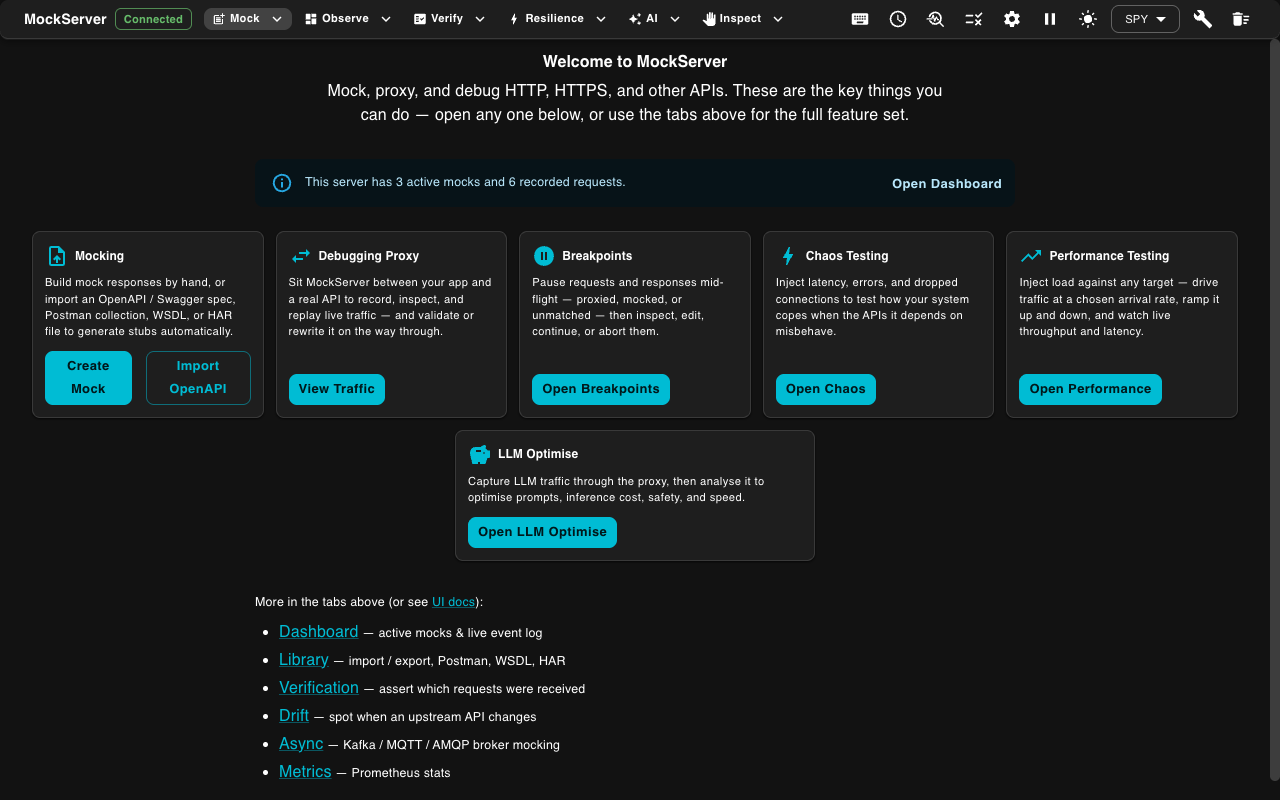
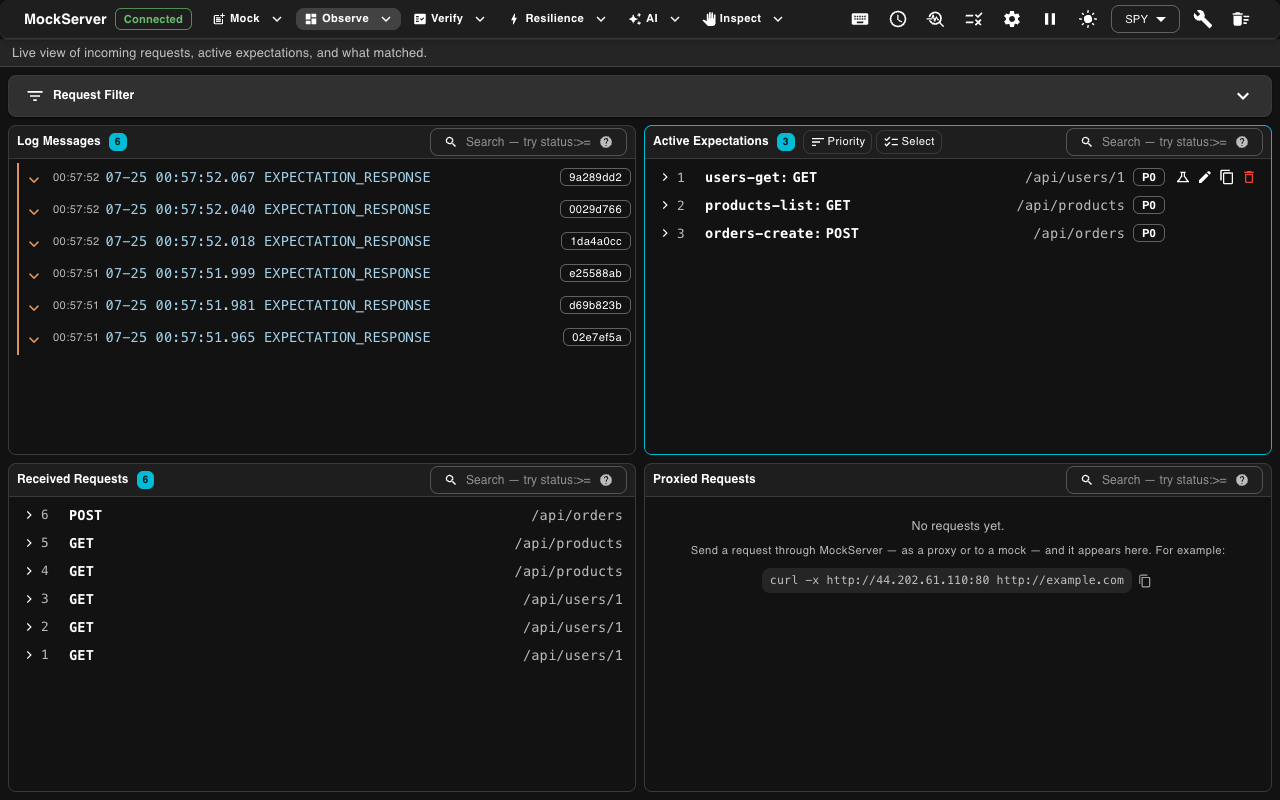
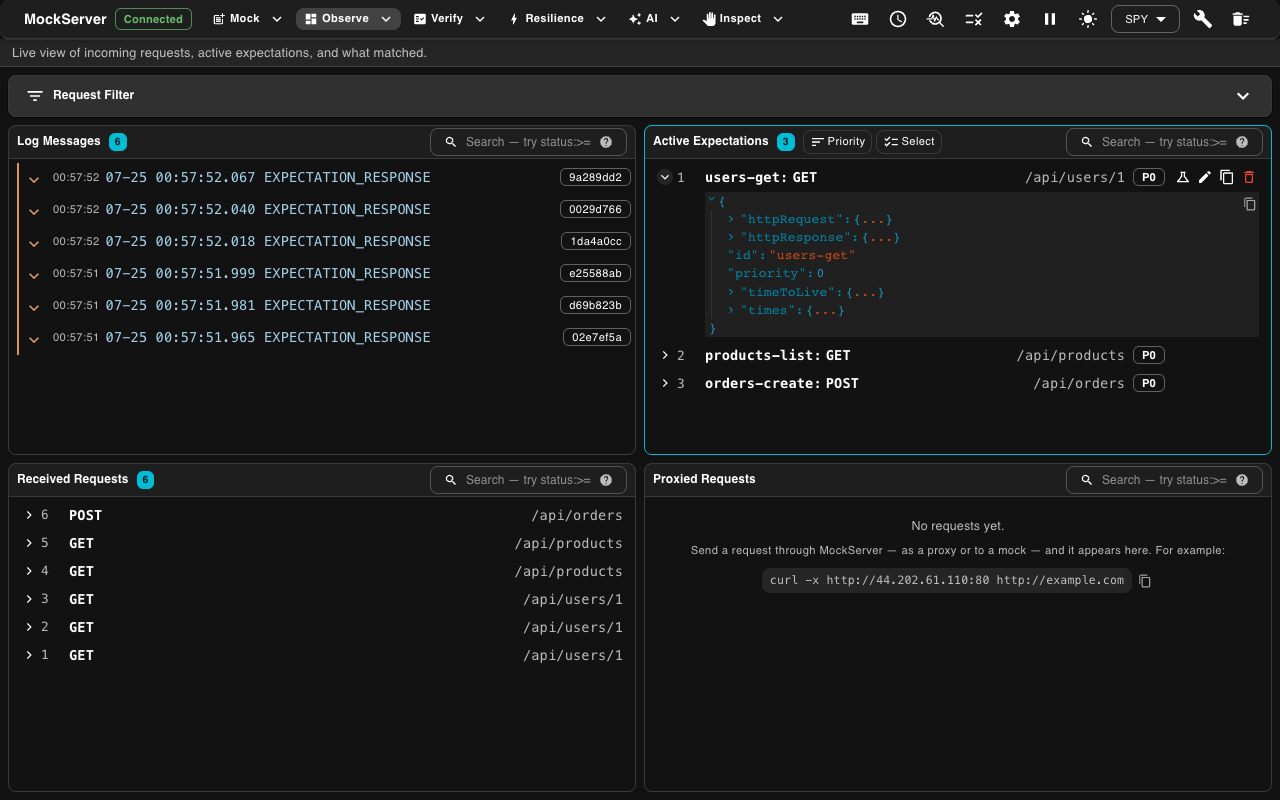
Real screenshots taken while testing this image against its deployment guide.
This is a repackaged open source software product wherein additional charges apply for cloudimg support services.
Why This Image Instead of a Manual MockServer Deployment
Setting up MockServer yourself means installing Java, configuring systemd, hardening the control API behind authentication, setting up a reverse proxy, and testing the whole stack, typically an hour or more of engineering time per environment. This image eliminates that work entirely. You launch an instance and within minutes have a fully hardened, production ready mock server with auto generated credentials, automatic service recovery, and a health endpoint ready for your load balancer.
Unlike the upstream MockServer default configuration, which exposes an unauthenticated control API, this image enforces zero trust by default: MockServer is bound to loopback only and reachable exclusively through an nginx HTTP Basic Auth gate with a unique per instance password.
Application Stack
The pinned official MockServer runnable jar, executed by a dedicated unprivileged service account under a headless OpenJDK 21 runtime. An nginx reverse proxy that publishes the control API, dashboard and mock endpoints on port 80 behind HTTP Basic Auth, with a separate unauthenticated health endpoint for load balancer and target group checks. A systemd service pair that starts MockServer and nginx on boot and restarts them automatically on failure. Secure credential generation: a one shot service creates a fresh bcrypt admin password on first boot, stored in a root only file.
Mock and Virtualize Any HTTP Dependency
Configure an expectation through the control API and MockServer returns the exact response, status code, headers, latency or error you specify. Your systems under test behave deterministically without touching real services. Run it as a forward or reverse proxy to record live traffic and replay it later, or load a fixed set of expectations at startup from an initialization file. The live web dashboard shows every received request and the expectation that matched it, which makes debugging integrations and reproducing hard to trigger failures straightforward.
Use Case: Isolating CI/CD Integration Tests
Consider a development team running hundreds of integration tests nightly against third party APIs that are rate limited, slow, or intermittently unavailable. By pointing the test suite at this MockServer instance, the team records real API responses once, then replays them deterministically on every pipeline run. Flaky test failures caused by upstream instability disappear, and test execution time drops because mocked responses return instantly. The unauthenticated health endpoint integrates with AWS target groups, so auto scaling test infrastructure can verify MockServer readiness before dispatching test jobs.
Secure First Boot
MockServer's control API and dashboard are unauthenticated by default. This image binds MockServer to loopback and fronts it with nginx, so the only reachable path is through the HTTP Basic Auth gate. On the first boot of your instance a one shot service generates a fresh admin password, unique to that instance, writes it as a bcrypt htpasswd entry and stores it in a root only file, then proves the gate and a mock serves round trip before resetting the server to ship with zero expectations. No shared or default credentials ship in the image.
Use Cases
Mock and virtualize HTTP and HTTPS service dependencies for deterministic testing. Isolate integration and end to end tests from flaky or rate limited third parties. Develop against APIs that are not yet built by defining expected request and response contracts. Reproduce error, timeout and latency conditions on demand for resilience testing. Record and replay real traffic through the built in proxy for regression suites.
Getting Started
The MockServer dashboard is served on port 80 at /mockserver/dashboard. Sign in with the generated administrator credentials to inspect requests and expectations, and drive the control API at /mockserver to create mocks, configure the proxy and reset state.
cloudimg Support
24/7 technical support by email and chat. Our engineers help with deployment, expectation authoring, the control API, proxy record and replay, authentication, TLS termination and JVM tuning.
MockServer is a well known open source project, licensed under the Apache License 2.0. All product and company names are trademarks or registered trademarks of their respective holders. Use of them does not imply any affiliation with or endorsement by them.

Accent is an open source, developer-oriented translation and localization management platform.

Altair GraphQL Client is an open-source, self-hosted GraphQL IDE for building, sending and inspecting GraphQL requests.
This image runs Apache Archiva, the open source build-artifact repository manager - a central, governed store for the bi...

This image runs Apache Camel Karavan, an open source visual integration designer and toolkit for Apache Camel.

Launch a production-ready Apache DolphinScheduler workflow scheduler in minutes with zero setup. All-in-one standalone d...

Apache JMeter is the de-facto open-source tool for load and performance testing of web applications, APIs, databases and...