Base
Hardened build
minimal ports, security patches applied at build time

Plane, an open source project and issue tracker that gives software teams their planning, sprints and backlog on infrastructure they control.
Plane is an open source project and issue tracking tool, a self hosted alternative to Jira and Linear. Teams work in workspaces and projects, tracking work items that carry states, priorities, labels, assignees, estimates and sub items. Work items group into cycles for time boxed sprints and into modules for the larger streams of work that run across several sprints, and the same backlog can be read as a list, a kanban board, a calendar or a spreadsheet, with saved views and filters for each team. A rich text editor with live collaborative editing handles descriptions and project pages, attachments go into a built in object store, and a REST API plus outbound webhooks let the tracker be driven from a build pipeline rather than only from a browser. Because it is self hosted, every work item, comment and attachment stays inside your own network.
The whole Plane stack, the API, the background worker and scheduler, the web, admin, public pages and live collaboration front ends, the PostgreSQL database, the Valkey cache, the RabbitMQ queue and the MinIO object store, comes up wired together behind a single reverse proxy, and only that proxy is reachable from outside the instance. Nothing shared ever ships: the image is captured with no database, no administrator and only placeholder secrets, and on first boot your own instance generates the database password, the session signing key, the object store keys, the queue password, an administrator password and a REST API key, then proves the defaults no longer work. The whole stateful tier, the container image store, the database, the cache, the queue and uploaded attachments, lives on a dedicated data disk that you can resize, snapshot and back up on its own. A paired step by step deployment guide and 24/7 cloudimg support come with it.
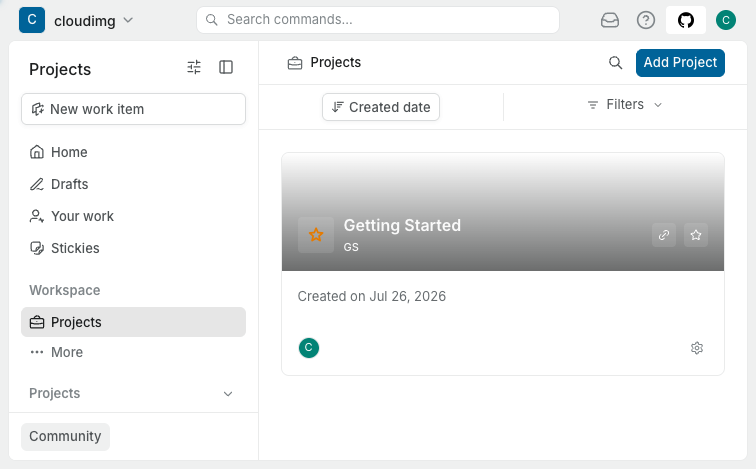
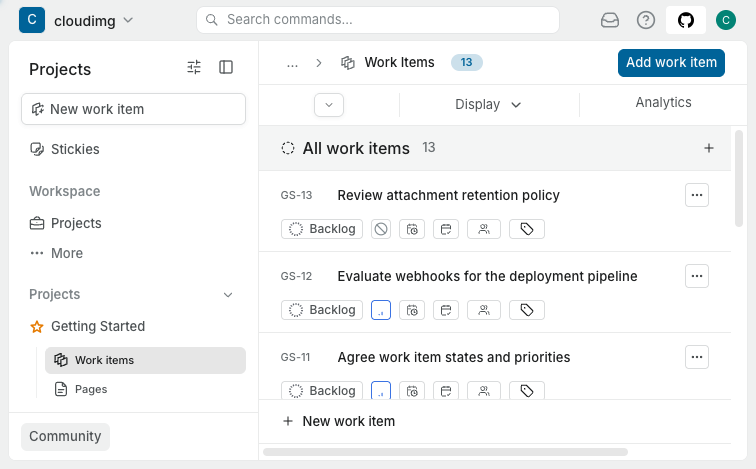
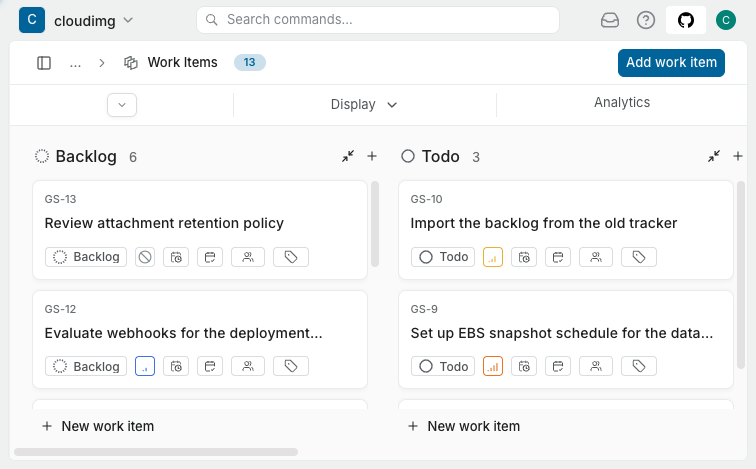
Real screenshots taken while testing this image against its deployment guide.

This is a repackaged open source software product wherein additional charges apply for cloudimg support services.
## Plane: self hosted project and issue tracking on AWS
Plane is an open source project and issue tracker that gives software teams full control over their work management data. It is a self hosted alternative to Jira and Linear, running entirely within your AWS account with no per seat licence fee and no project data leaving your infrastructure.
## Who this is for
Engineering teams that need data residency. A 10 to 20 person development team can run two week sprint cycles with full board, list, calendar and spreadsheet views while every work item, attachment and comment stays inside their own VPC rather than in a vendor's cloud.
Platform teams automating workflows. Use the REST API and outbound webhooks to create work items from CI/CD pipelines, link deployments to work items and script bulk operations, turning Plane into a programmable backbone for engineering operations.
## What you get in minutes
This image delivers Plane Community v1.3.1 as a fully wired twelve container appliance behind a single reverse proxy. Launch an instance, allow ports 22, 80 and 443, and a working tracker answers on port 80 with a workspace and project already created for your team.
The stack includes:
* Plane API, background worker and scheduler
* Web, admin, public pages and live collaboration front ends
* PostgreSQL database, Valkey cache and RabbitMQ queue
* MinIO object store for attachments
* The reverse proxy, which is the only container that publishes a host port
The database, cache, queue and object store are reachable only on the private container network.
## Security: no shared secrets
The image is captured with no database, no administrator account and only placeholder secrets, and the stack is never started before capture. On your instance's first boot:
* The database password, the session signing key, the object store access and secret keys, the queue password and the collaboration server key are all generated fresh on the instance
* The database initialises against those unique credentials
* An administrator account, its password and a REST API key are created and written to a root only file
No secret is ever shared between deployments. The build proves the upstream default credentials are rejected before the image is captured.
## Production shaped architecture
* Dedicated gp3 data volume. The container image store, the PostgreSQL cluster, the cache, the queue and uploaded attachments all live on a separate EBS volume mounted by filesystem UUID, so you can resize, snapshot and back it up independently of the operating system disk
* Automatic address resolution. The appliance reads its public address from instance metadata on every boot and rewrites the application URL and allowed origins, so the web console keeps working after a stop and start with no hand editing
* Managed by systemd. The stack is pinned by image tag and digest, comes back after a reboot, and an upgrade is a deliberate, reviewable change
* Patched base. The operating system is fully patched at build time with unattended security upgrades enabled
## Key capabilities
* Work items with states, priorities, labels, assignees, estimates and sub items
* Cycles for time boxed sprints and modules for larger streams of work
* Board, list, calendar and spreadsheet views with saved filters
* Rich text editor with live collaborative editing
* REST API and outbound webhooks for automation
## Community edition only
The image ships stock, unmodified upstream Plane at the v1.3.1 tag, whose entire source tree is licensed AGPL-3.0-only. Nothing in this listing is a paid, Pro or Enterprise capability, and no commercial add on is bundled or implied.
## Getting started
1. Launch the instance and allow ports 22, 80 and 443
2. Read your unique credentials with sudo cat /root/plane-credentials.txt
3. Sign in at http://your-instance-address/
4. Front the appliance with your own DNS name and TLS certificate for production use
The paired deployment guide covers DNS, TLS termination and ongoing operations.
## Licensing
Plane is free software licensed under the GNU Affero General Public License v3.0 (AGPL-3.0-only), verified against LICENSE.txt and COPYRIGHT.txt at the shipped v1.3.1 tag. This image ships stock, unmodified upstream Plane; the corresponding source is the pinned upstream release, linked from the deployment guide. The cloudimg charge covers packaging, security patching, image maintenance and support. Plane itself charges nothing.

This image runs the Actual Budget 26.6 sync server, the open source local-first personal finance and envelope budgeting ...

This image runs Admidio, the open source, self hosted membership management platform used by clubs, associations and non...

Pre-hardened for AdventureLog, a self-hosted travel tracker and trip planner. Launch a private travel journal with inter...

This image runs Apache Answer, the open source question and answer platform for teams at any scale.

Apache Fineract is the open source core banking engine behind the Mifos ecosystem.

Apache OFBiz, the open-source ERP, CRM, e-commerce and supply-chain suite, preinstalled and running behind nginx and rea...