Base
Hardened build
minimal ports, security patches applied at build time

SRS Simple Realtime Server, an open source live streaming and real time media server that ingests RTMP, SRT and WebRTC and delivers HLS, HTTP FLV and WebRTC from a bundled web console and player.
SRS (Simple Realtime Server) is a free, open source, high efficiency live streaming and real time media server. A publisher such as OBS Studio, ffmpeg, a hardware encoder or a mobile app pushes a live feed over RTMP, SRT or WebRTC, and SRS delivers that stream in real time as RTMP, HLS, HTTP FLV and WebRTC for low latency playback in browsers and native players. A bundled web console reports live streams, connected clients and server statistics, and a JSON HTTP API drives automation.
It suits live broadcasters, streaming platforms, low latency and interactive video pipelines, and anyone self hosting a multi protocol streaming origin inside their own cloud account.
cloudimg makes SRS secure and production ready out of the box. A unique administrator password is generated on the first boot of every instance and written to a root only file, protecting the web console and the HTTP API behind an nginx reverse proxy, so no two instances share a credential and none is baked into the image. The instance public address is resolved automatically on first boot and written into the SRS configuration so WebRTC connectivity works immediately. The live media output lives on a dedicated, independently resizable data disk, ffmpeg ships in the image, the base is fully patched with automatic security updates enabled, and every deployment is paired with a step by step deploy guide and backed by 24/7 cloudimg support.
Real screenshots taken while testing this image against its deployment guide.
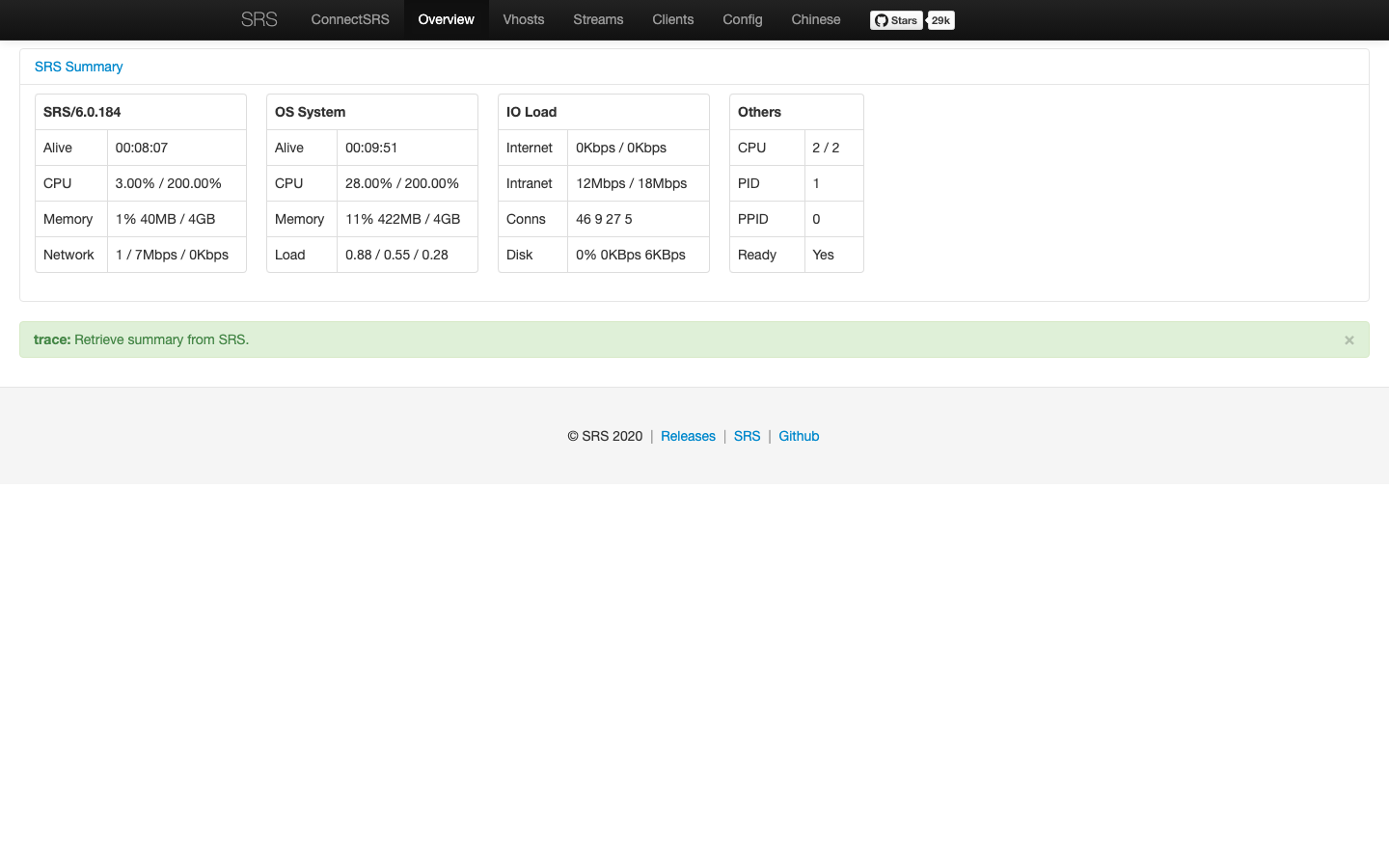
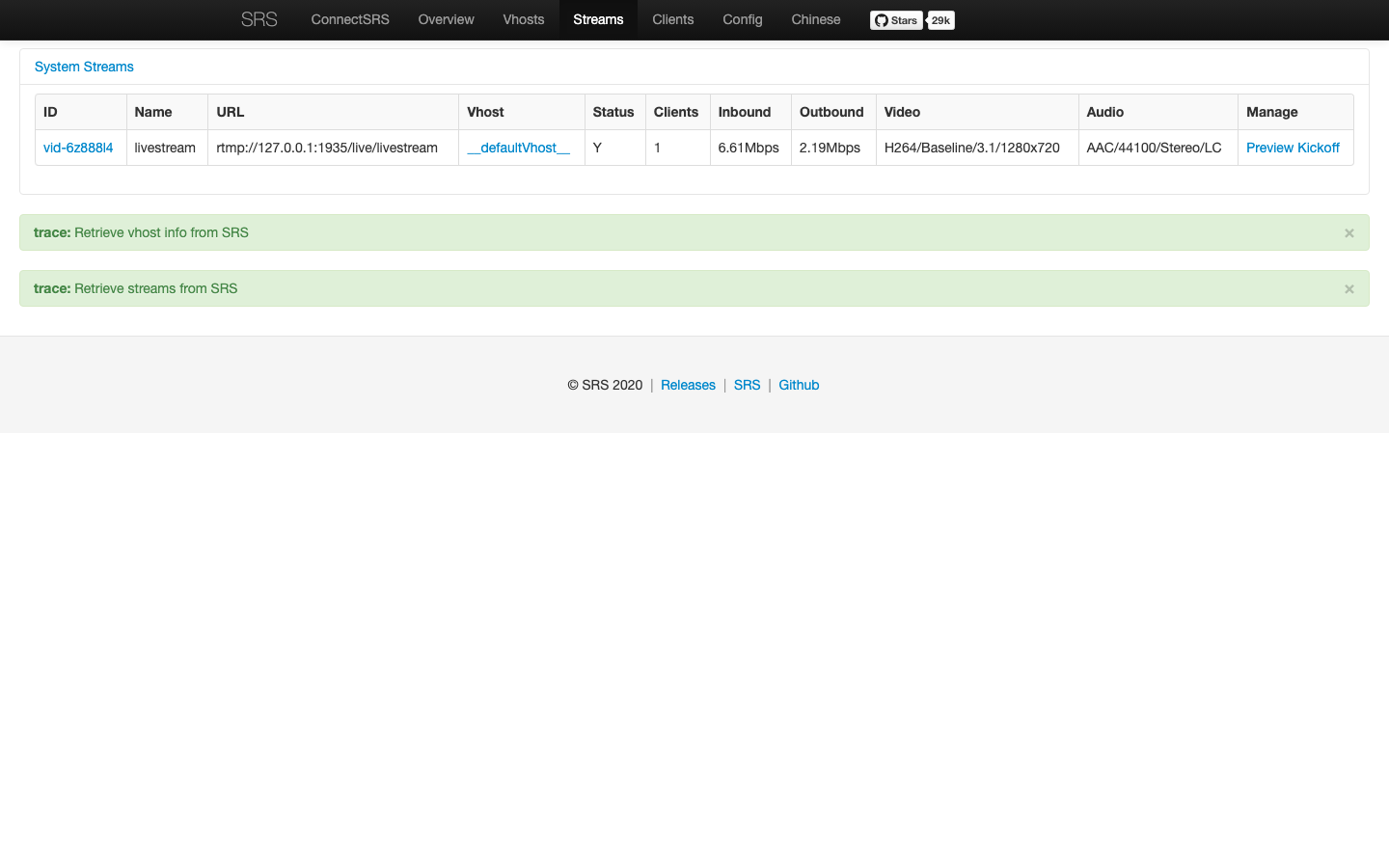
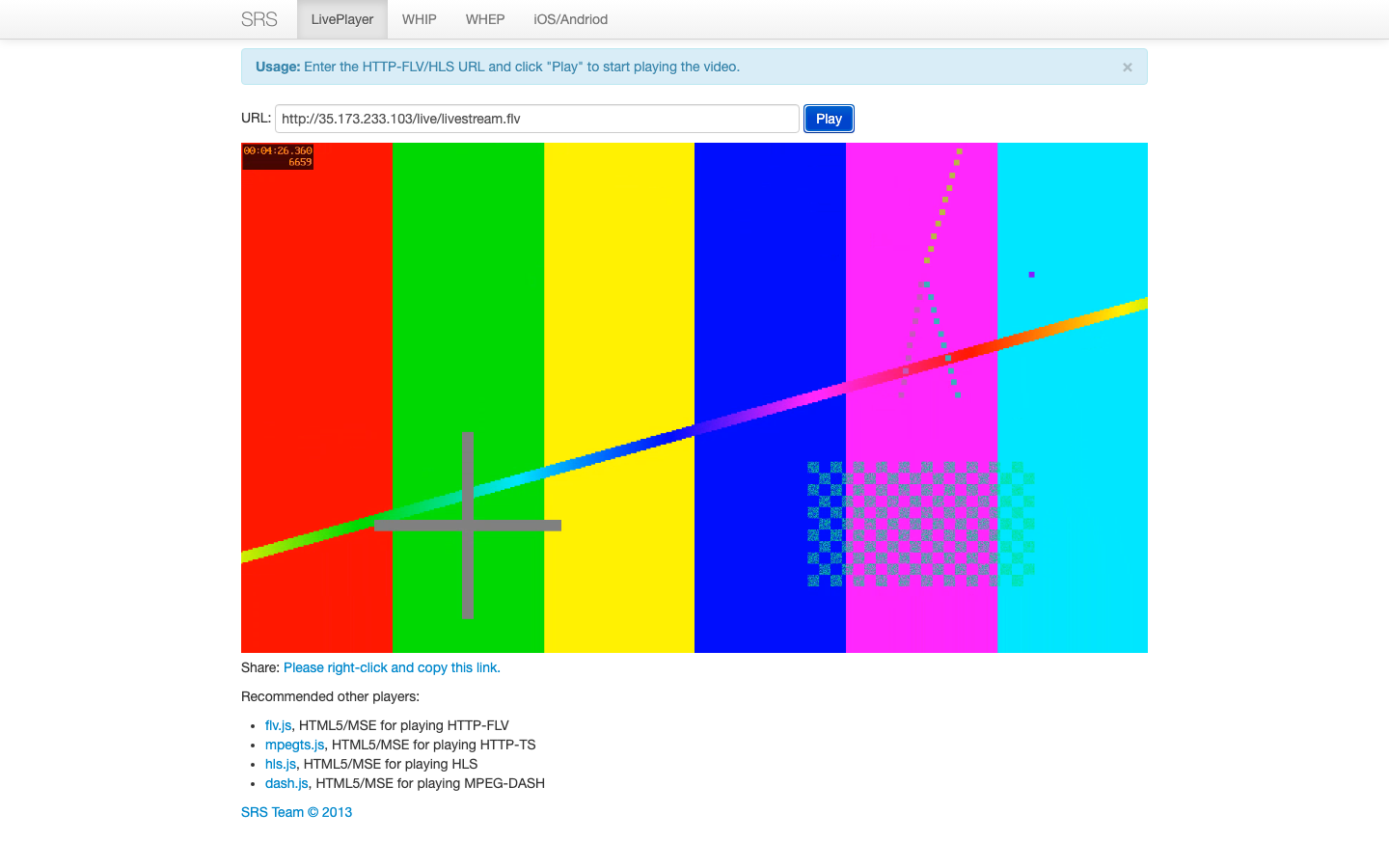
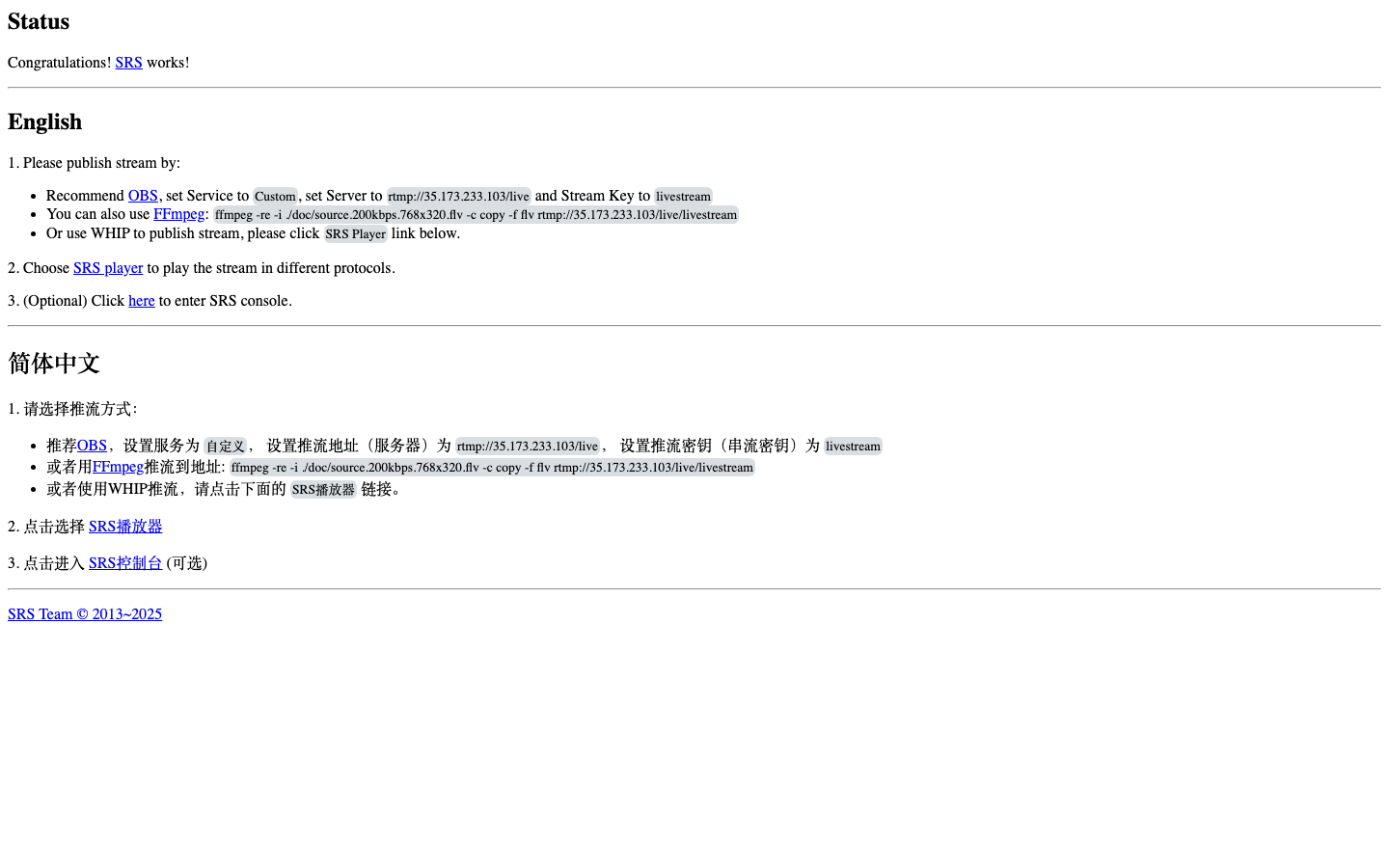
This is a repackaged open source software product wherein additional charges apply for cloudimg support services.
Overview
SRS (Simple Realtime Server) is a high-performance, open-source live streaming and real-time media server trusted by a large global community of developers and broadcasters. This AMI delivers SRS 6.0 fully installed and running behind an nginx reverse proxy, with a bundled web console and test player, so a working streaming server is serving within minutes of launch on your own AWS infrastructure.
Why This AMI Over DIY Deployment
Self-installing SRS requires configuring systemd services, setting up nginx as a reverse proxy, hardening credentials, resolving public IP for WebRTC, and attaching storage - tasks that typically take hours. This AMI eliminates that work entirely. Compared to managed streaming platforms, you retain full control of your media pipeline, pay only for EC2 compute, and keep all streams within your own VPC with no vendor lock-in.
Application Stack
The official SRS 6.0 server runs as a systemd-managed container with host networking, so RTMP (port 1935) and WebRTC UDP media ports bind directly to the instance for correct low-latency delivery without NAT traversal issues that plague bridged networking. nginx serves the console, player and stream output on port 80 and reverse-proxies the SRS HTTP API, protected by HTTP Basic authentication. A health endpoint answers without authentication for load-balancer and uptime checks.
Multi-Protocol Ingest and Delivery
Ingest live video over RTMP, SRT or WebRTC and deliver the same stream simultaneously as RTMP, HLS, HTTP-FLV and WebRTC. WebRTC delivery targets sub-second glass-to-glass latency for interactive use cases, while HLS provides broad device compatibility. Point a browser at the bundled console to see live streams, connected clients and server statistics, and use the built-in player to watch a stream end to end. A JSON HTTP API reports streams, clients, versions and summaries for automation and monitoring.
Security and Encryption
On first boot a one-shot service generates a fresh admin password unique to that instance, stored in a file only the root user can read. No shared or default credentials ship in the image. The instance public address is resolved automatically so WebRTC connectivity works out of the box. nginx supports TLS termination - configure a Let's Encrypt certificate or your own certificate to enable HTTPS for the console, API and HLS delivery. SRT ingest is encrypted by default at the protocol level. The dedicated data disk can be encrypted using AWS KMS for recordings at rest. We recommend placing the instance in a VPC with security groups restricting ingest ports to known publisher IPs.
Dedicated Data Disk
Live media output and recordings reside on a dedicated, independently resizable EBS volume. This prevents root volume exhaustion during extended recordings and lets you scale storage without downtime or instance replacement.
Use Cases
Getting Started
1. Launch the AMI and ensure your security group opens TCP 1935 (RTMP), TCP 80 (HTTP), TCP 443 (HTTPS, optional), and UDP 8000-8100 (WebRTC media).
2. SSH into the instance and retrieve the generated admin password from /root/.srs_admin_password.
3. Open http://your-instance-ip in a browser, log in with the admin credentials, and explore the console.
4. Publish a test stream from OBS or ffmpeg to rtmp://your-instance-ip/live/stream and watch it play back in the bundled player over HLS, HTTP-FLV or WebRTC.
cloudimg Support
24/7 technical support by email and live chat. Our engineers assist with deployment architecture, HTTPS and Let's Encrypt configuration, RTMP, SRT and WebRTC publishing, HLS segment tuning for low latency, recording to S3, storage scaling and upgrade planning.
All product and company names are trademarks or registered trademarks of their respective holders. Use of them does not imply any affiliation with or endorsement by them.

This image runs the Actual Budget 26.6 sync server, the open source local-first personal finance and envelope budgeting ...

This image runs Admidio, the open source, self hosted membership management platform used by clubs, associations and non...

Pre-hardened for AdventureLog, a self-hosted travel tracker and trip planner. Launch a private travel journal with inter...

This image runs Apache Answer, the open source question and answer platform for teams at any scale.

Apache Fineract is the open source core banking engine behind the Mifos ecosystem.

Apache OFBiz, the open-source ERP, CRM, e-commerce and supply-chain suite, preinstalled and running behind nginx and rea...