Base
Hardened build
minimal ports, security patches applied at build time

Production ready VictoriaLogs log database preinstalled as a systemd service with multi protocol log ingestion, a LogsQL query UI and an authenticating nginx proxy. Backed by 24/7 cloudimg support.
This image arrives installed, configured and hardened, so there is no manual setup before you can use it. It is built on a patched base, runs with credentials generated uniquely for your instance on first boot, and passes an automated health check before every release. Every deployment is backed by 24/7 support from cloudimg engineers.
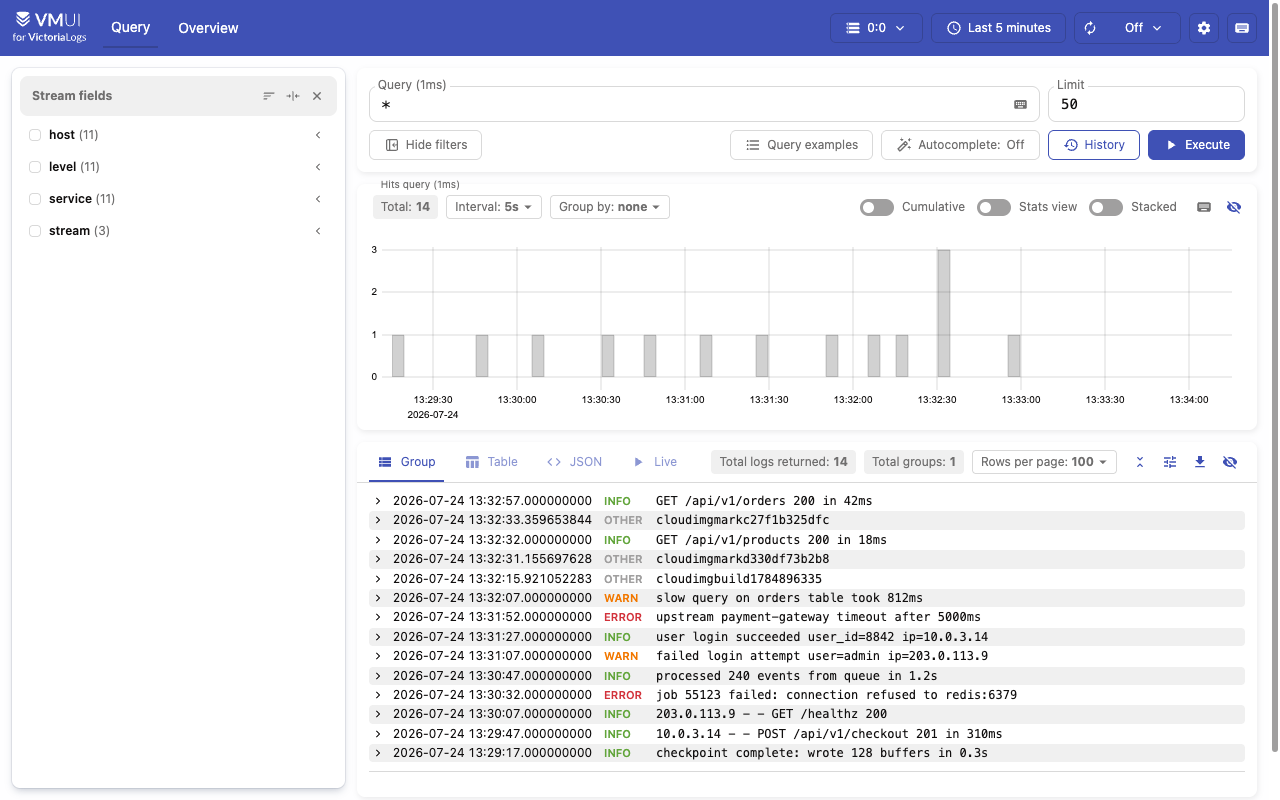
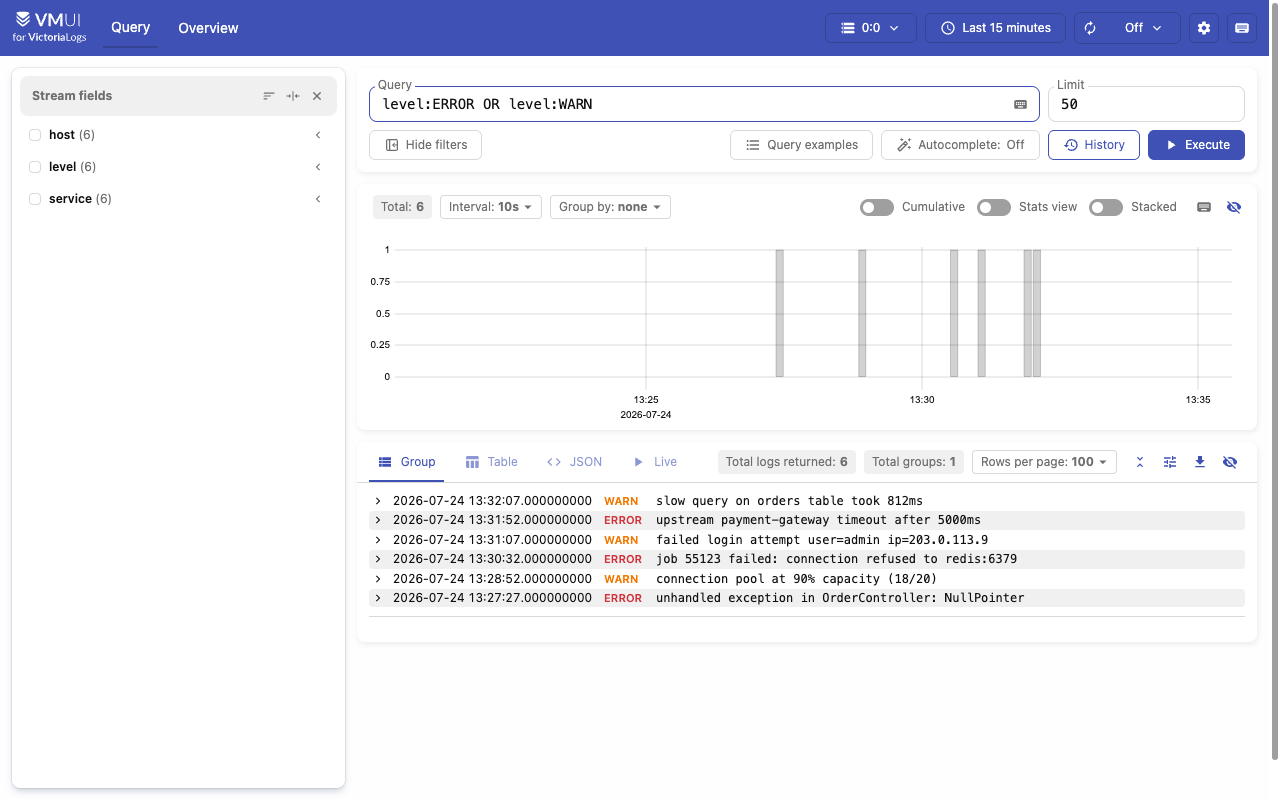
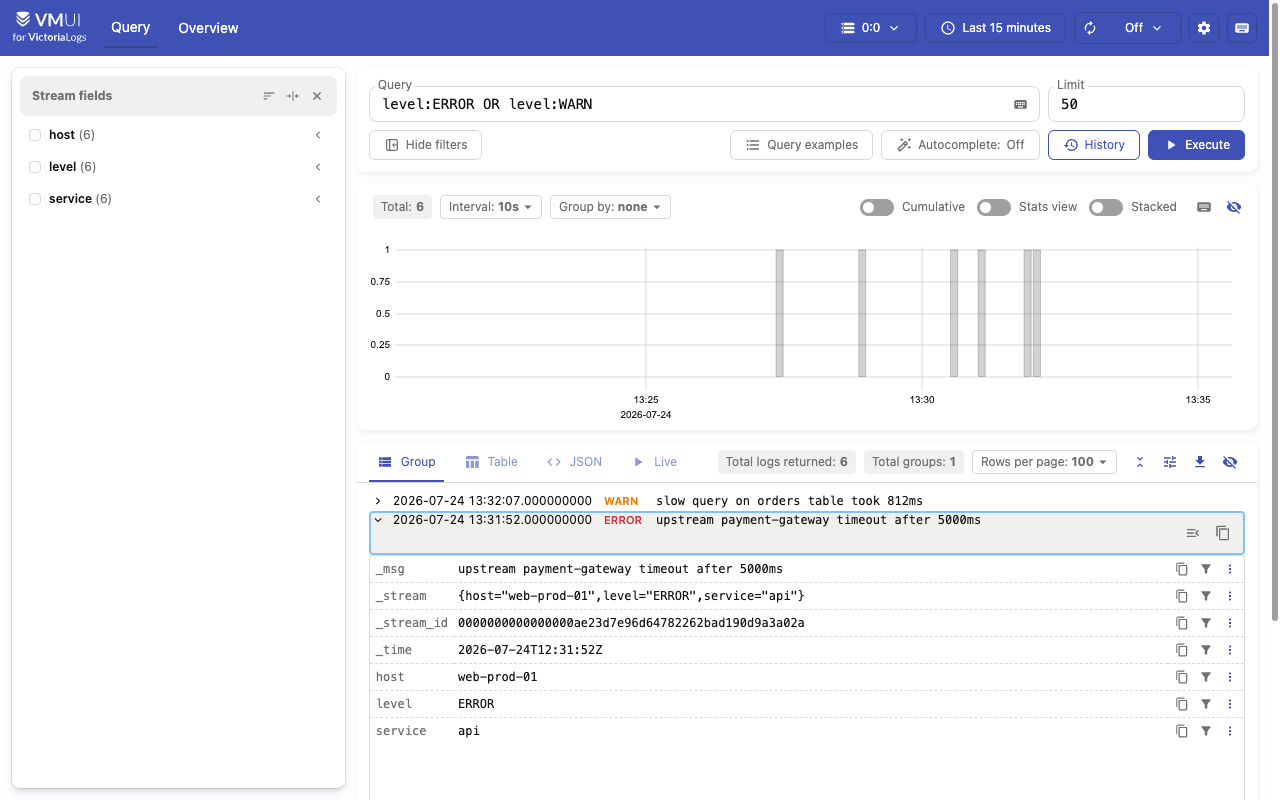
Real screenshots taken while testing this image against its deployment guide.
This is a repackaged open source software product wherein additional charges apply for cloudimg support services.
## Store and Search Your Logs in Your Own VPC
VictoriaLogs is a fast, cost efficient database for logs from the VictoriaMetrics team. It ingests structured and plaintext logs over many protocols, stores them compactly on disk, and queries them back with the LogsQL query language through a built in browser UI and HTTP APIs, from a single static Go binary with no external storage dependency. There is no Elasticsearch cluster, no Kibana and no object store to operate: ingestion, indexing and query all live in one process on one instance.
This image delivers VictoriaLogs fully installed as a systemd service, fronted by an authenticating nginx reverse proxy, with log storage on a dedicated EBS volume.
## Who This Is For
Platform and SRE teams who want log storage inside their own VPC rather than a third party SaaS, without running an Elasticsearch plus Kibana cluster to do it. Application teams shipping logs from Loki, Fluent Bit, Vector, an OpenTelemetry Collector or syslog who need an endpoint to point at on day one. Observability owners replacing a multi node log backend with a single instance appliance.
## Application Stack
## Secure By Default
VictoriaLogs, like every component in the VictoriaMetrics family, ships with no authentication of its own. For a log store that matters twice over: an open ingest endpoint lets anyone poison the store, and an open query endpoint leaks every log line in it, including hostnames, URLs, user identifiers, tokens and internal topology. This image therefore never gives the database a public listener.
## Getting Started
1. Launch the AMI, opening port 80 in your security group alongside SSH
2. SSH in and read the generated password: sudo cat /root/victorialogs-credentials.txt
3. Open http://
4. Ship logs to http://
5. Query logs programmatically at /select/logsql/query
6. Verify the appliance end to end at any time: sudo /usr/local/sbin/victorialogs-selftest.sh
## Retention and Sizing
Log retention defaults to 30 days, and storage is capped at 80 percent of the data volume so a log burst cannot fill the disk and wedge the service. Both are single flag settings the user guide explains how to change. Size the volume against your ingest rate.
## 24/7 cloudimg Support
Every deployment is backed by cloudimg engineers available around the clock via email. Support covers:
VictoriaLogs and VictoriaMetrics are trademarks of their respective owners. cloudimg is not affiliated with or endorsed by VictoriaMetrics. All product and company names are trademarks or registered trademarks of their respective holders.

Accent is an open source, developer-oriented translation and localization management platform.

Altair GraphQL Client is an open-source, self-hosted GraphQL IDE for building, sending and inspecting GraphQL requests.
This image runs Apache Archiva, the open source build-artifact repository manager - a central, governed store for the bi...

This image runs Apache Camel Karavan, an open source visual integration designer and toolkit for Apache Camel.

Launch a production-ready Apache DolphinScheduler workflow scheduler in minutes with zero setup. All-in-one standalone d...

Apache JMeter is the de-facto open-source tool for load and performance testing of web applications, APIs, databases and...