Base
Hardened build
minimal ports, security patches applied at build time

OpenRefine, a browser based workbench for exploring, cleaning and transforming messy tabular data with no coding required.
OpenRefine is a free, open source power tool for working with messy data. Import tabular data from CSV, TSV, Excel, JSON or XML into a project workbench, then explore it with facets and filters, clean and normalise values with GREL, Jython or Clojure expressions, cluster and merge near duplicate entries, and reconcile your data against external sources such as Wikidata. Every change is recorded as a reproducible operation history you can undo, redo and export, so a whole cleanup can be replayed on a fresh dataset.
It suits data teams, journalists, librarians, researchers and analysts who need to turn inconsistent spreadsheets and exports into clean, structured data, all in a self hosted workbench where the data never leaves their own instance.
cloudimg delivers OpenRefine fully installed and running behind an nginx reverse proxy, so the workbench answers the moment the instance boots with no Java, service or web server setup. Because OpenRefine has no built in login, the image is secure by default and carries no usable credential at all: OpenRefine binds only to loopback so the reverse proxy is the sole way in, and on the first boot of every instance a one shot service generates a fresh administrator password unique to that instance, writing it to a file only the root user can read. The base OS is fully patched with unattended security upgrades enabled, and every deployment is paired with a step by step deploy guide and backed by 24/7 cloudimg support.
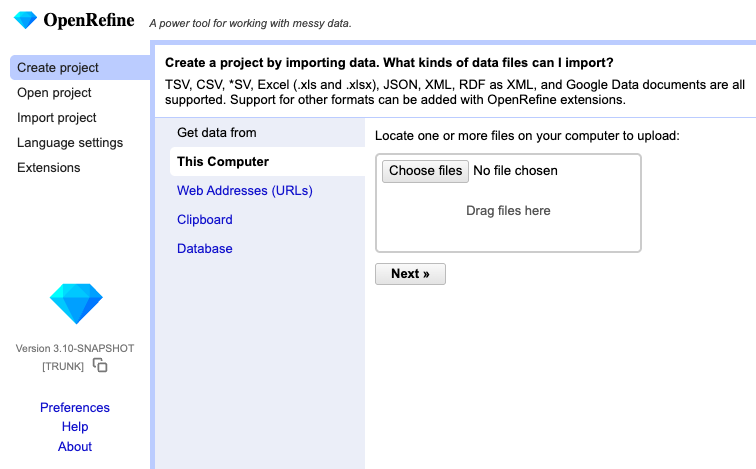
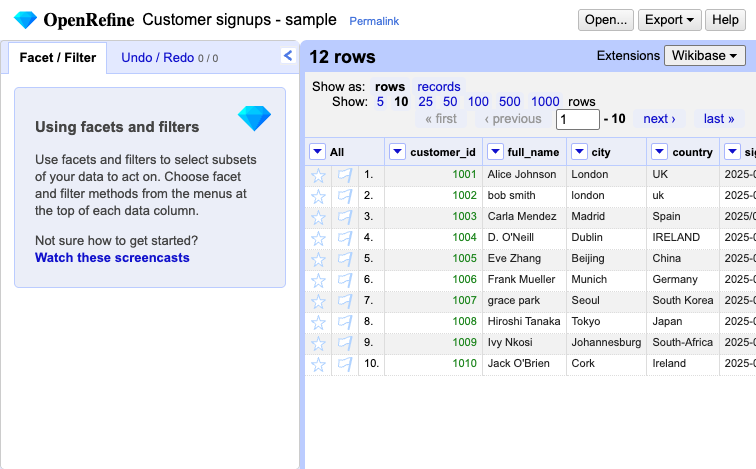
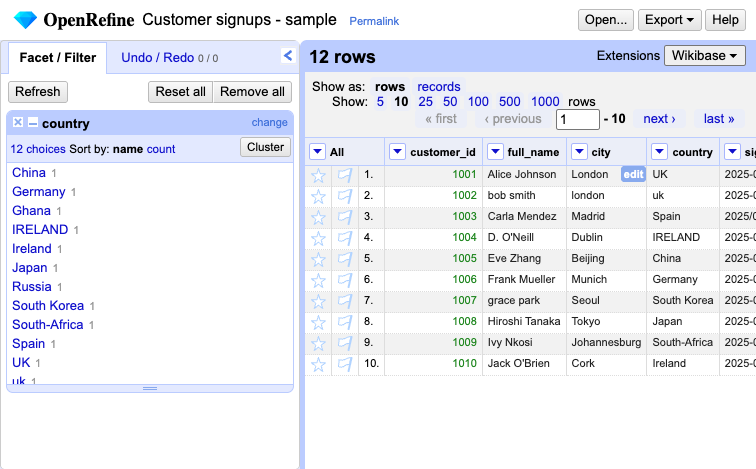
Real screenshots taken while testing this image against its deployment guide.
This is a repackaged open source software product wherein additional charges apply for cloudimg support services.
## Overview
OpenRefine is a popular open source power tool for working with messy tabular data. Import data from CSV, TSV, Excel, JSON or XML into a project workbench, then explore it with facets and filters, clean and normalise values with GREL, Jython or Clojure expressions, cluster and merge near-duplicate entries, and reconcile your data against external sources such as Wikidata - all through a browser-based data grid. Every change is recorded as a reproducible operation history you can undo, redo and export. This image delivers a fully installed, security-hardened OpenRefine 3.10 appliance so a working data workbench is operational within minutes of launch, self-hosted and fully under your control in your own AWS account.
## Why This Image vs a Manual Install
This image eliminates the manual Java runtime setup, systemd service authoring, reverse-proxy configuration, TLS termination and credential hardening that a bare install requires. OpenRefine has no authentication of its own - it assumes a single trusted local user - so exposing it directly would put an unauthenticated data workbench with full read and write access to your host on the network. This image never leaves it exposed: OpenRefine is bound to the loopback interface only, and an nginx reverse proxy fronts it over HTTPS with HTTP Basic authentication whose password is generated uniquely on each instance's first boot. Launch the instance, read your unique credential, and start cleaning data.
## Application Stack
OpenRefine is installed from the official pinned upstream Linux distribution under /opt/openrefine and runs as an unprivileged system user under a hardened systemd unit bound to the loopback interface. An nginx reverse proxy on port 443 forwards to it over a per-instance self-signed TLS certificate, enforcing HTTP Basic authentication; port 80 serves an unauthenticated health endpoint and redirects everything else to HTTPS. Customer projects, imported datasets and the operation-history cache live on a dedicated, independently-resizable data volume mounted at /var/lib/openrefine.
## Security Hardening
This image follows a defence-in-depth approach:
## Concrete Use Cases
## AWS Integration
Deploy on any EC2 instance type; larger instances give OpenRefine more memory for bigger datasets. Store projects on the dedicated EBS data volume and resize or snapshot it independently with EBS or AWS Backup. Use the unauthenticated health endpoint with an Application Load Balancer for availability monitoring, and forward logs to CloudWatch.
## Pricing and Evaluation
This listing includes a software charge in addition to standard AWS infrastructure costs. See the Pricing tab on this page for the current rate. To evaluate the product at low cost, launch on a small instance type, verify the workflow meets your needs, and scale up when ready.
## Getting Started
1. Launch the AMI from this listing with a key pair and a Security Group allowing inbound ports 22, 80 and 443.
2. SSH into the instance and retrieve your unique web password from /root/openrefine-credentials.txt.
3. Open https://
4. Create a project by importing a CSV, Excel, JSON or XML file, explore it with facets, clean it with transforms, and export the result.

This image runs Apache Airflow as a single node deployment. Airflow is installed into a dedicated Python virtual environ...

Apache Flink is the open source framework and distributed processing engine for stateful computations over unbounded and...

This image runs Apache Hop, the Hop Orchestration Platform, an open source data engineering and data orchestration platf...

This image runs Apache NiFi, the open source dataflow automation platform, as a single node deployment.

This image runs Apache Spark 4.1.2 (built for Hadoop 3) as a single node standalone cluster.

Apache StreamPipes is a self service toolbox that lets domain experts connect, analyse and explore continuous data strea...